
Nearpod Reverse Chrome 插件, crx 扩展下载
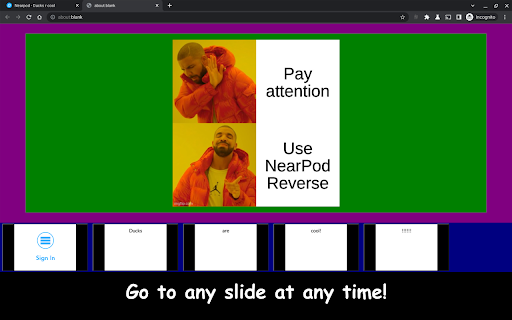
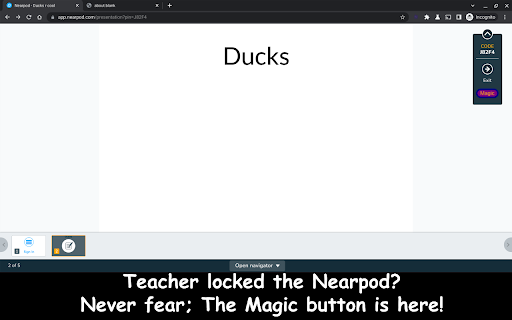
Teacher going too fast? Need to back up to answer the question? Well, this unofficial app can help you out!
Teacher going too fast? Need to back up to answer the question? Well, this unofficial app can help you out! By simply clicking on the drop down menu in a Nearpod presentation and then selecting the "Magic" button, you can view all the slides in the presentation! Never feel left behind again, nor embarrass yourself, asking for the teacher to go back to a slide. Do it yourself with Nearpod Reverse!
| 分类 | ♿无障碍访问 |
| 插件标识 | lmhoejpikhkkiekhjjlcmdcfalakdfmh |
| 平台 | Chrome |
| 评分 |
★☆☆☆☆
1
|
| 评分人数 | 1 |
| 插件主页 | https://chromewebstore.google.com/detail/nearpod-reverse/lmhoejpikhkkiekhjjlcmdcfalakdfmh |
| 版本号 | 0.0.1 |
| 大小 | 69.43KiB |
| 官网下载次数 | 76 |
| 下载地址 | |
| 更新时间 | 2023-06-24 00:00:00 |
CRX扩展文件安装方法
第1步: 打开Chrome浏览器的扩展程序
第2步:
在地址栏输入: chrome://extensions/
第3步: 开启右上角的【开发者模式】
第4步: 重启Chrome浏览器 (重要操作)
第5步: 重新打开扩展程序管理界面
第6步: 将下载的crx文件直接拖入页面完成安装
注意:请确保使用最新版本的Chrome浏览器
同类插件推荐
Nearpod Reverse
Teacher going too fast? Need to back up to answer

Helper Extension for Gridiron Dynasty
Add recruit hometown mapping links, recruit consid

Smiley Ogame
Smiley for Ogame ChatEN __________________________

AuthentiSci
Allows scoring of media articles by the research c

Figma Properties Panel Resizer
Allows you to resize the righthand properties pane

FYBR
FYBR: clean inbox clean mindClean inbox. Clean min

Close Notion Tab
Automatically close Notion share link tabs after t

Smoothcomp Judo Ladder
Modify smoothcomp css to enlarge TV mode for Judo

Zendesk Link Collector
Summarize links and attachmentsThis is a browser e

Trello minimal UI toggle
Hide unused elements from Trello boardThis extensi

Twitter Reaction Counter
This extension get list of Like/Retweet on a tweet

reveddit language fix
Allows reveddit.com to work properly when the brow

ReadAnything
Read anything with the power of AIAre you bothered