
AgileFlow.pro - Scrum poker Chrome 插件, crx 扩展下载
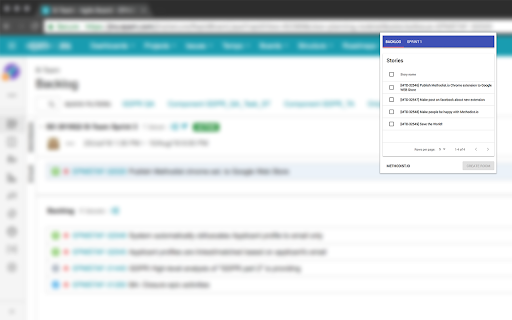
AgileFlow.pro JIRA integration plugin. Create planning room with selected issues from your JIRA backlog page.
AgileFlow.pro provide online agile services for distributed agile teams. We have Scrum Poker for making live story planning session with teammates. Also we propose large amount of prepared boards for online retrospective.
This Chrome extension gives ability to create planning room on methodist.io from your JIRA backlog page.
Just install this extension, then open in browser your JIRA scrum backlog (in case it was opened - just reload page).
When you click on extension button, it will automatically detect all issues and display it in the grid. Select desired issues for planning and create new room on methodist.io.
You don't need to be JIRA administrator.
| 分类 | 📝工作流程与规划 |
| 插件标识 | loflapllggcfchigjikfnnjcgnbfmdmf |
| 平台 | Chrome |
| 评分 |
★★★☆☆
3.5
|
| 评分人数 | 2 |
| 插件主页 | https://chromewebstore.google.com/detail/agileflowpro-scrum-poker/loflapllggcfchigjikfnnjcgnbfmdmf |
| 版本号 | 1.0.7 |
| 大小 | 475KiB |
| 官网下载次数 | 140 |
| 下载地址 | |
| 更新时间 | 2023-07-04 00:00:00 |
CRX扩展文件安装方法
第1步: 打开Chrome浏览器的扩展程序
第2步:
在地址栏输入: chrome://extensions/
第3步: 开启右上角的【开发者模式】
第4步: 重启Chrome浏览器 (重要操作)
第5步: 重新打开扩展程序管理界面
第6步: 将下载的crx文件直接拖入页面完成安装
注意:请确保使用最新版本的Chrome浏览器
同类插件推荐

Jira daily standup
Chrome plugin to manage daily standup meeting with

Scrumcoon-trello
An extension to help scrumteams play planning poke

Planning Poker Auto Picker (for PlanITpoker)
For those times where you have no idea how many po

Totalizador Jira Planning Poker
Totalizador para Planning Poker do Jira - Atlassia

AgileFlow.pro - Scrum poker
AgileFlow.pro JIRA integration plugin. Create plan

Scrum Poker App
Chrome Extension to open the Scrum Poker App side-

Async Planning Poker for Jira
Async Planning Poker for JiraAsync planning poker

Jira Estimates Sum
Sum of Jira point and time estimates for columns a

Twitch Addon for BTTV: Remove timeout slider
Removes the moderation-context menu that would usu

AgileMana JIRA assistant
Integrates with both JIRA cloud and JIRA server, a

News Storyline
News StorylineIntroducing Timeline Tracker: Unveil

Cards & Colors
Extension enhances visibility to issues and cards