
Executive.so | New Tab Supertool for Student and Work Productivity Chrome 插件, crx 扩展下载
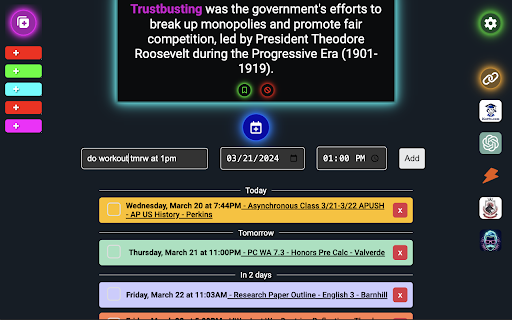
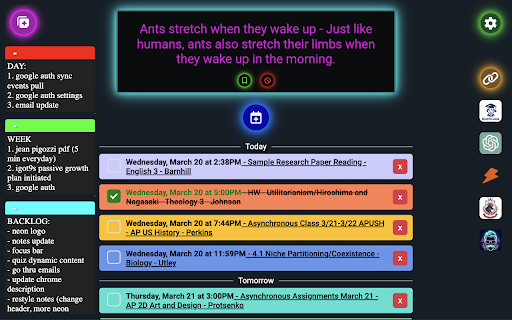
Built for the Top 1% of High-Achieving Students and Professionals
Executive is a tool built to elevate you into the top 1% of productive top performers online, whether you are a high-achieving student or a busy professional.
Imagine how much more productive and satisfying your time online would be if you:
? Never miss another assignment or forget about a meeting.
? Get notifications when new grades come in or an assignment is marked missing
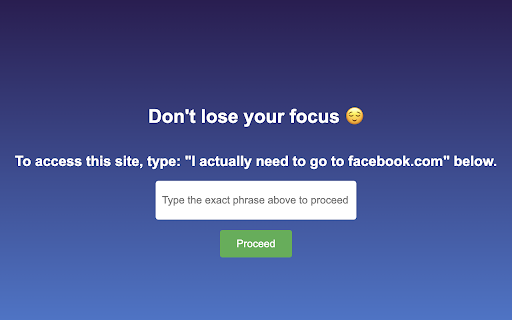
? Stop wasting your time on distracting sites unless you really mean to go on them
? Let new knowledge and skills diffuse into your long-term memory with dynamic content presented in every new tab
? Quickly jot down notes as needed in your browsing experience
? Save useful links to quickly access from your new tab
? Privacy comes first, so everything is only stored locally on your computer so you can access it offline and it remains secure
Here are some of our other features that are built into your new tab experience with Executive:
Google Calendar Integration
- Automatically add new Google Calendar events from selected calendars to your new tab so you never miss a meeting
Canvas Integration
- Automatically pull all your assignments and events from Canvas and see when they are completed so you never miss an upcoming assignment
Dynamic Input Fields:
- Typing a new event, you can just write out phrases like 'Today at 1pm' or 'Next Wednesday' or 'Tmrw' and it will automatically set the date with natural language processing
Smart Content for Vocabulary, APUSH, and More
- Each tab delivers relevant knowledge to help you build your vocabulary or prepare for tests without even having to think about it.
| 分类 | 📚教育 |
| 插件标识 | lpdkabbfcpflcmehnhambflaggnakkjm |
| 平台 | Chrome |
| 评分 |
★★★★☆
4.9
|
| 评分人数 | 15 |
| 插件主页 | https://chromewebstore.google.com/detail/executiveso-new-tab-super/lpdkabbfcpflcmehnhambflaggnakkjm |
| 版本号 | 1.9.42 |
| 大小 | 53.33KiB |
| 官网下载次数 | 67 |
| 下载地址 | |
| 更新时间 | 2024-04-20 00:00:00 |
CRX扩展文件安装方法
第1步: 打开Chrome浏览器的扩展程序
第2步:
在地址栏输入: chrome://extensions/
第3步: 开启右上角的【开发者模式】
第4步: 重启Chrome浏览器 (重要操作)
第5步: 重新打开扩展程序管理界面
第6步: 将下载的crx文件直接拖入页面完成安装
注意:请确保使用最新版本的Chrome浏览器
同类插件推荐
Honorable Mentions
Put the notifications button on twitter where god
Executive.so | New Tab Supertool for Student and Work Productivity
Built for the Top 1% of High-Achieving Students an

Canvas Little Helper
Download Tracker & Quiz Transferer for Canvas

Finite
Augment the social media's infinite scroll fee

Escape the Algorithm - Social Feed Blocker
Hide distracting feeds and suggested content on Yo

Easy Reader
Making it easy to be a great reader⚡️Transform the

Simple Calculator
A simple and very lite calculator for your browser

Simple Calculator
Do math quick and right in your browser!With this

Simple Calculator
2 plus 2 does not equal fishFirst attempt at an ex

SearchUnify Intranet Extension
Accelerate Employee Engagement, Productivity and O

Jira View
Improves Jira Cloud (*.atlassian.net) views to mak

WhoFundsWho
Instantly shows you who funds the experts, politic