Copy-paste with QR code Chrome 插件, crx 扩展下载
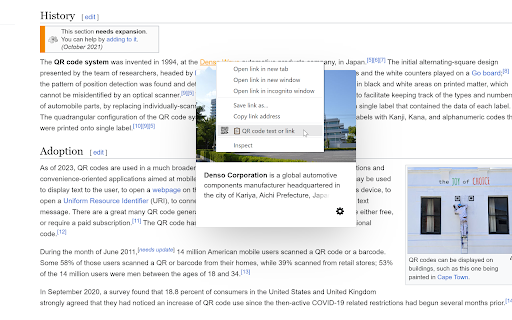
Create a QR code based on your selection or any link so you can easily share it with any device.
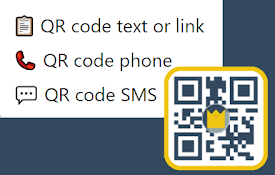
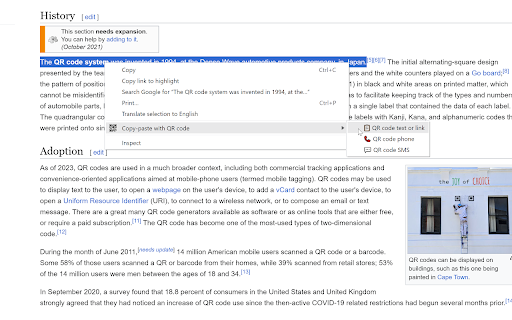
With this Chrome Extension you can easily create a QR code by right-clicking your selection or link. When text is selected, you can right-click that selection and have the option to create a QR code one of 3 things: text, phone number or SMS.
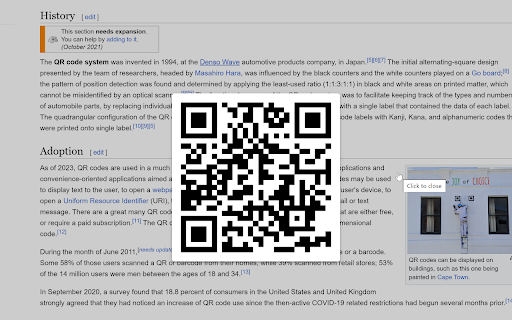
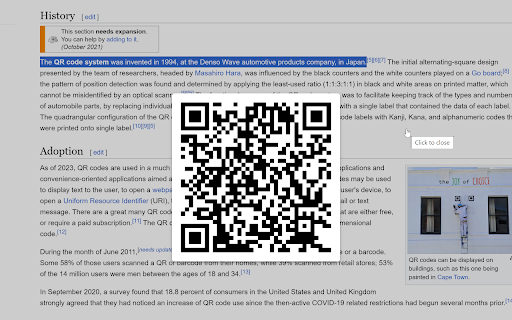
The "QR Code text or link" will create a QR code that you can scan that will simply copy over the selection or the link you just right-clicked on.
The "QR Code phone" will create a QR code that your device can easily parse as a phone number. That way you can easily call the selected phone number.
The "QR Code SMS" will create a QR code that your device can parse as text for a new SMS. When scanning this QR code, you'll still have to provide a phone number to which the SMS needs to be sent to. The content however will be pre-filled by your selection.
To close the QR code in your browser, simply click anywhere on the screen.
| 分类 | 🛠️工具 |
| 插件标识 | lplnafponpdkbegnjcknfkeiopfeipkn |
| 平台 | Chrome |
| 评分 |
★★★★★
5
|
| 评分人数 | 230 |
| 插件主页 | https://chromewebstore.google.com/detail/copy-paste-with-qr-code/lplnafponpdkbegnjcknfkeiopfeipkn |
| 版本号 | 1.0 |
| 大小 | 26.51KiB |
| 官网下载次数 | 108 |
| 下载地址 | |
| 更新时间 | 2023-12-05 00:00:00 |
CRX扩展文件安装方法
第1步: 打开Chrome浏览器的扩展程序
第2步:
在地址栏输入: chrome://extensions/
第3步: 开启右上角的【开发者模式】
第4步: 重启Chrome浏览器 (重要操作)
第5步: 重新打开扩展程序管理界面
第6步: 将下载的crx文件直接拖入页面完成安装
注意:请确保使用最新版本的Chrome浏览器