
Mamma Chrome 插件, crx 扩展下载


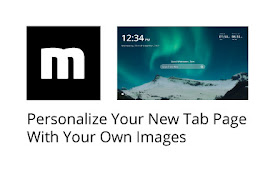
Personalize your new tab page with your own images
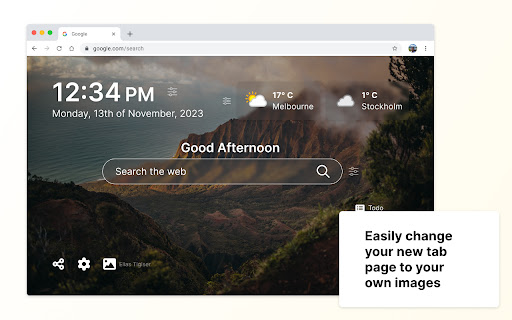
Personalize your new tab page with your chosen images, improved bookmarking, personalized greetings, various clocks, and drag-and-drop arrangements.
☆☆ Key Features ☆☆
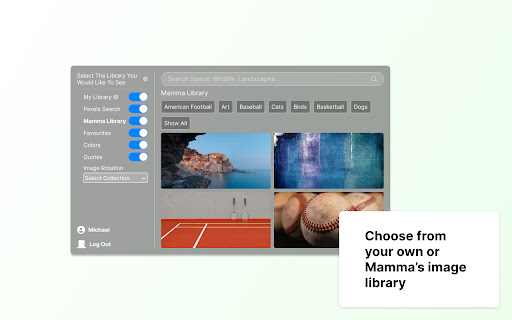
✓ Ability to craft your own background image library (i.e., favorites)
✓ Access to thousands of background images through Pexels integration
✓ Easily save any image from the web to your background library with one click
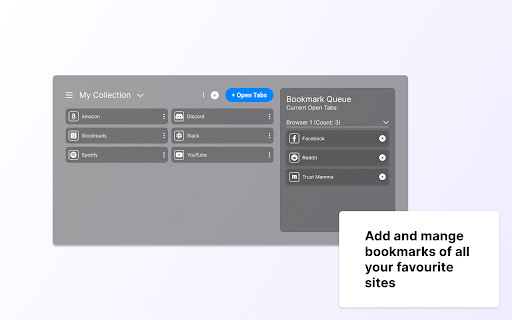
✓ Easily arrange your bookmarks into Collections to better organize your online experience
☆☆ Additional Features ☆☆
✓ Right-click bookmarking
✓ Personalized greetings
✓ The time and date
✓ World clocks
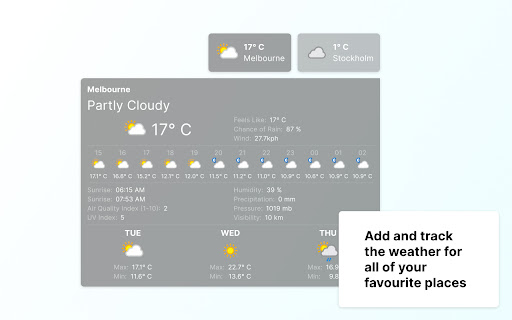
✓ See the weather forecast for cities of interest
✓ Easy access to top-visited sites
✓ To-Do List Manager
✓ Notes
✓ Concentration Timer
✓ Arrange the above features on your page to your liking
IMPORTANT: After installing Mamma click the ‘Keep it’ button on the ‘Change back to Google’ notification. This will show your chosen images on each new tab as desired. ?
☆☆ Privacy and Security ☆☆
Mamma takes your security and privacy very seriously. We can ensure that:
- Your information will never be sold to a third party.
- Our collected URL data will never be associated with you or your account.
- You can review our complete terms of service at www.mammaextension.com/terms and our privacy policy at www.mammaextension.com/privacy
- You can read more about us at www.mammaextension.com/about
☆☆ Terms ☆☆
- By clicking "Add to Chrome," I accept and agree to installing the Mamma extension and setting the New Tab to that provided by the Mamma Extension, agreeing to the Terms of Use, and Privacy Policy.
- You can review our complete terms of use at https://www.mammaextension.com/terms
☆☆ Social ☆☆
Follow Mamma for updates at:
https://www.facebook.com/mammaextensions/
https://twitter.com/mammaextensions/
| 分类 | 📝工作流程与规划 |
| 插件标识 | mallfdijfpnfhfcfancbnecanjnapiop |
| 平台 | Chrome |
| 评分 |
★★★★★
5
|
| 评分人数 | 3 |
| 插件主页 | https://chromewebstore.google.com/detail/mamma/mallfdijfpnfhfcfancbnecanjnapiop |
| 版本号 | 5.0 |
| 大小 | 839KiB |
| 官网下载次数 | 756 |
| 下载地址 | |
| 更新时间 | 2024-05-27 00:00:00 |
CRX扩展文件安装方法
第1步: 打开Chrome浏览器的扩展程序
第2步:
在地址栏输入: chrome://extensions/
第3步: 开启右上角的【开发者模式】
第4步: 重启Chrome浏览器 (重要操作)
第5步: 重新打开扩展程序管理界面
第6步: 将下载的crx文件直接拖入页面完成安装
注意:请确保使用最新版本的Chrome浏览器
同类插件推荐

Yet Another Pinboard Extension
Browser extension for pinboard (including omnibar
Mamma
Personalize your new tab page with your own images

GIF Stash
Collect GIFs !Manage and use your GIF collection e

Breathe - New Tab Experience
Enjoy new tab experience - start your day with a b

Stratus - New Tab page
A clean and fast new tab pageStratus is a clean an

Creative New Tab
Change the homepage with useful space for notes, r

PI Rank
This extension displays the Popularity Index Rank

Scrapyard
Advanced bookmark manager with page archiving func

TinyNote
TinyNote is a simple and completely free note taki

Capture The Flag
Capture The Flag — privacy-focused browser extensi

bookmarks homepage
Make your bookmarks visible in new tabsAutomatical

Open tabs in order
This is an extension that updates tabs in order wh

uli
Moderate your Twitter FeedUse Uli to redact slurs