
Camellia Chrome 插件, crx 扩展下载
View all your browser bookmarks at the new tab screen.
Camellia is an extension created for people who have lots of bookmarks and need quick access to them. Sort bookmarks to folders, give them short and clear names and then you'll have unforgettable experience working with Camellia. It replaces the new tab page and displays all your bookmarks there.
NATIVE BROWSER'S BOOKMARKS
Unlike most extensions that change the new tab page, Camellia uses native browser's bookmarks which sync throughout all your devices and can be exported to another browser. You can get access to all these bookmarks even on your phone where extensions can't be installed.
DON'T PAY FOR WHAT'S SUPPOSED TO BE FREE
Absolutely the whole functional of Camellia is free. You don't have to pay for bookmark synchronization or their amount. No ads either.
LIGHT AND QUICK
Camellia was created using latest web-technology allowing it to load on the new tab page almost in an instant even on slower PC's.
OPEN SOURCE
Whole code of Camellia is on GitHub in open access, therefore you don't need to worry about Camellia doing something without your evidence.
| 分类 | 📝工作流程与规划 |
| 插件标识 | mamdkoclkocaejomjcaldmlgfgkgalnl |
| 平台 | Chrome |
| 评分 |
★★★★☆
4.6
|
| 评分人数 | 20 |
| 插件主页 | https://chromewebstore.google.com/detail/camellia/mamdkoclkocaejomjcaldmlgfgkgalnl |
| 版本号 | 2.2.0 |
| 大小 | 1.11MiB |
| 官网下载次数 | 196 |
| 下载地址 | |
| 更新时间 | 2024-11-20 00:00:00 |
CRX扩展文件安装方法
第1步: 打开Chrome浏览器的扩展程序
第2步:
在地址栏输入: chrome://extensions/
第3步: 开启右上角的【开发者模式】
第4步: 重启Chrome浏览器 (重要操作)
第5步: 重新打开扩展程序管理界面
第6步: 将下载的crx文件直接拖入页面完成安装
注意:请确保使用最新版本的Chrome浏览器
同类插件推荐
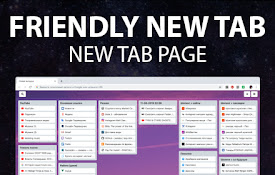
Friendly Tab - New Tab Page
Заменяет стандартную страницу новой вкладки, на ми

Camellia
View all your browser bookmarks at the new tab scr
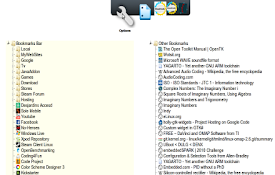
Bookmarks New Tab
A New Tab replacement that shows the Bookmarks.Rep

Visual bookmarks
Simple speed dial bookmarks page, including search

Easy Speed Dial
Easy Speed Dial replaces the new tab page with a c

inTab Pro
inTab Pro是一款简单易用的新标签页插件,不仅提供了丰富的功能,而且致力于打造优秀的交互和UI

書籤管理器,新標籤的管理器|快速撥號
書籤管理器。用於組織書籤的便捷快遞面板將裝飾新的瀏覽器標籤。快速书签管理器(快速拨号)。Logree

Ultra light newtab page with bookmarks on it
Ultra light new tab with bookmark navigatorThis ex

Foxy Tabs - Modern new tab start page
Awesome new tab start page with your bookmarksFOXY

Bookmark Dial
Display the contents of a bookmark folder as thumb

Bookmarks HotList
A Speed Dial in your toolbar, with easy set-up and

Super Bookmark Desktop
Super Bookmark Desktop - the new tab page + bookma

Finder Bookmarks
A bookmarks manager like macOS Finder.This extensi