
UpCat: Upwork Job Alert & ChatGPT Proposals Chrome 插件, crx 扩展下载

Use A.I. to enhance your job search on Upwork with personalized proposals and real-time alerts.
Are you tired of spending hours writing cover letters that never seem to get you noticed by potential employers on Upwork? Do you wish you had an easier way to create professional, tailored letters that stand out in a crowded job market? Look no further than UpCat!
UpCat is a browser extension that can help Upwork users write A.I-generated cover letters for job applications. Here are some benefits of using UpCat:
1. Generate professional cover letters in just a few clicks: With UpCat's integration of ChatGPT, you can quickly and easily generate high-quality cover letters that are tailored to the specific job you're applying for.
2. Stay up-to-date on new job openings: Up Cat includes an up alert feature that lets you know when new job posts become available, so you can be one of the first to apply and increase your chances of getting hired.
3. Save time and effort: Instead of spending hours crafting the perfect cover letter, you can use UpCat to generate a strong, professional letter in just a few minutes. This allows you to focus your time and energy on other aspects of your job search, like researching potential employers or networking.
4. Improve your chances of getting hired: A well-written cover letter can be the difference between getting an interview or getting passed over. With UpCat, you can be confident that you're submitting a top-notch letter that will make a great impression on potential employers.
So why wait? Download UpCat now and start turning heads with your professional, A.I-generated cover letters & up alerts. And if you have any questions or need support, don't hesitate to reach out to us at [email protected]. We're here to help you succeed on Upwork!
| 分类 | 📝工作流程与规划 |
| 插件标识 | mcalfpchdglalmmjkgohhcadlfigoglo |
| 平台 | Chrome |
| 评分 |
★★★★☆
4.8
|
| 评分人数 | 41 |
| 插件主页 | https://chromewebstore.google.com/detail/upcat-upwork-job-alert-ch/mcalfpchdglalmmjkgohhcadlfigoglo |
| 版本号 | 1.3.4 |
| 大小 | 657KiB |
| 官网下载次数 | 6000 |
| 下载地址 | |
| 更新时间 | 2024-09-17 00:00:00 |
CRX扩展文件安装方法
第1步: 打开Chrome浏览器的扩展程序
第2步:
在地址栏输入: chrome://extensions/
第3步: 开启右上角的【开发者模式】
第4步: 重启Chrome浏览器 (重要操作)
第5步: 重新打开扩展程序管理界面
第6步: 将下载的crx文件直接拖入页面完成安装
注意:请确保使用最新版本的Chrome浏览器
同类插件推荐

Upwork ToolKit
Find good opportunities more efficiently, improve
Lead Connecto - Upwork Notifications
Boost Upwork success! Get real-time notifications

UpAlerts: AI Cover Letters
Generate personalized cover letters in seconds. Ge

UpCat: Upwork Job Alert & ChatGPT Proposals
Use A.I. to enhance your job search on Upwork with
Propos.li
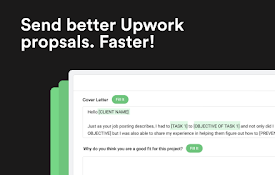
Let Propos.li Help You Send Winning Upwork Proposa
Upwork Smart - AI Assistant & Quick Apply Latest Jobs
Automating proposal submissions, generate cover le
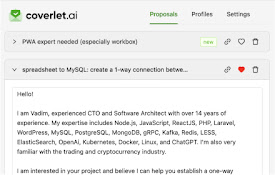
CoverLet: Upwork Winning Proposal Generator
AI-powered solution for creating tailored cover le
BestLetter: AI Cover Letters for UpWork
A new AI-powered tool for UpWork.Try an AI-powered
Up freelance helper
Show notifications on new jobs on Upwork. Get deta

Upwork Job Scorer & Spam Detector
This Extension aims to help new freelancers on Upw

Upwork toolkit - your own freelance assistant
Save time and earn more with Upwork toolkit.======

Proposaly - Upwork AI Proposal Generator
??? Now usable across ANY freelancing platform! ??

Fiverr Quick View
Fiverr Quick View - It allows you to sort search