
Prevent-Workday-Timeout Chrome 插件, crx 扩展下载
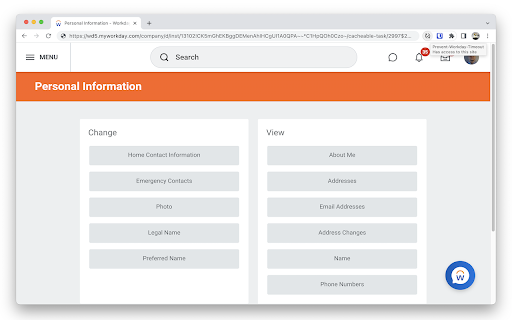
Prevent session timeouts on the Workday website.
A simple extension to prevent session timeouts on the Workday website.
This extension only works if you have an active Workday subscription, and a valid Workday account.
By default, the Workday session is configured to timeout within ten minutes, and the Workday user interface includes a number of overlay windows which hide the warning message that your session is about to timeout.
In testing, this extension has been found to reliably prevent your Workday session from timing out for a minimum of two hours, and up to a maximum of approximately eight hours. If your computer goes to sleep, or if Google Chrome is inactive for a significant period of time, the extension will no longer be able to keep your Workday session alive.
Release Notes:
- v1.0.5 includes updated icons and improved error-handling.
- v1.0.6 includes fixed extension icon (in the list of installed extensions).
- v1.0.7 includes improvements to error handling.
- v1.0.8 includes improved capability to keep the Workday session active, and basic notifications.
- v1.0.9 includes fix for a bug that sometimes causes Workday to show NaN error.
- v1.1.0 includes a major update that should allow the extension to work on all cloud Workday instances (wd1.workday.com, wd2.workday.com, ...).
- v1.1.1 includes a fix for a bug that sometimes causes Workday session cookies to disappear after the initial get/set cycle.
| 分类 | 📝工作流程与规划 |
| 插件标识 | mcliokdljpofldmihgimfcnkmgifckki |
| 平台 | Chrome |
| 评分 |
★★★★☆
4.4
|
| 评分人数 | 8098 |
| 插件主页 | https://chromewebstore.google.com/detail/prevent-workday-timeout/mcliokdljpofldmihgimfcnkmgifckki |
| 版本号 | 1.1.2 |
| 大小 | 68.77KiB |
| 官网下载次数 | 724 |
| 下载地址 | |
| 更新时间 | 2023-12-09 00:00:00 |
CRX扩展文件安装方法
第1步: 打开Chrome浏览器的扩展程序
第2步:
在地址栏输入: chrome://extensions/
第3步: 开启右上角的【开发者模式】
第4步: 重启Chrome浏览器 (重要操作)
第5步: 重新打开扩展程序管理界面
第6步: 将下载的crx文件直接拖入页面完成安装
注意:请确保使用最新版本的Chrome浏览器
同类插件推荐
Prevent-Workday-Timeout
Prevent session timeouts on the Workday website.A

Work Mode - Block ALL Social Media URL Block
Block ALL Time-Wasting Websites & Custom URL B

封锁网站
通过阻止浪费的网站来保护您的时间和体验。永久或按計劃阻止有害或惡意網站。 節省您的時間並防止訪問不需

Web Site blocker
Easy way to block distracting websites to prevent