
PDF Files Converter Chrome 插件, crx 扩展下载
PDF Files Converter
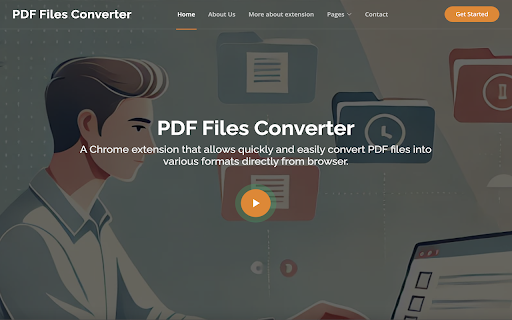
Transform the way you handle PDFs with the PDF Files Converter extension! Effortlessly convert your DOCX documents into PDF and , all within your browser. With a user-friendly interface, this extension makes file conversion quick and hassle-free.
The extension offers:
Convert Formats: PDF files to and from DOCX format with ease.
High-Quality Conversion: Retain the original layout, text, and images for professional results.
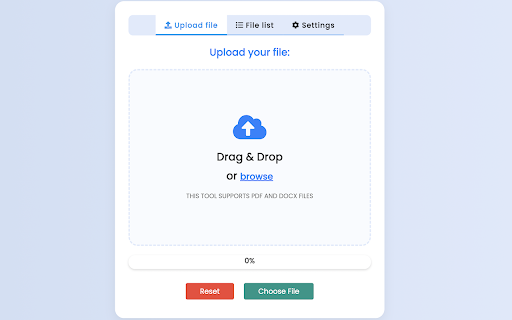
Easy to Use: Simply upload your PDF and select the desired output format – it's that simple!
Secure and Private: Your files are processed securely, with no data storage or tracking.
Fast Processing: Experience quick conversions, allowing you to get back to your tasks without delay.
Streamline your workflow and enhance productivity with the PDF Files Converter extension. Perfect for students, professionals, and anyone who regularly handles PDFs.
Download now and unlock the full potential of your documents!
For more information, you are more than welcome to visit our website:
https://pdffilesconverter.com/
| 分类 | 🛠️工具 |
| 插件标识 | mdhglgdeloclggfofefmfadhmanhobcd |
| 平台 | Chrome |
| 评分 |
★★★★☆
4.8
|
| 评分人数 | 20 |
| 插件主页 | https://chromewebstore.google.com/detail/pdf-files-converter/mdhglgdeloclggfofefmfadhmanhobcd |
| 版本号 | 1.0.5 |
| 大小 | 3.58MiB |
| 官网下载次数 | 547 |
| 下载地址 | |
| 更新时间 | 2024-11-07 00:00:00 |
CRX扩展文件安装方法
第1步: 打开Chrome浏览器的扩展程序
第2步:
在地址栏输入: chrome://extensions/
第3步: 开启右上角的【开发者模式】
第4步: 重启Chrome浏览器 (重要操作)
第5步: 重新打开扩展程序管理界面
第6步: 将下载的crx文件直接拖入页面完成安装
注意:请确保使用最新版本的Chrome浏览器
同类插件推荐
PDF Files Converter
PDF Files ConverterTransform the way you handle PD

PDF Combine - Convert and Merge
Convert and merge multiple files with different fo

PDF to PPT | PDF转PPT
轻松将PDF转换为PPT!使用我们的PPT转PDF转换器,快速可靠地转换文件。完美适用于演示文稿。?

在线 PDF 转换器
支持 PDF、Word、Excel、PPT、JPG 的转换工具。只需一次点击,即可将 PDF 转换为