
Mail Reader for Gmail Chrome 插件, crx 扩展下载
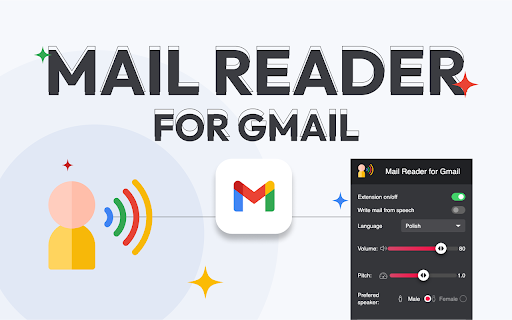

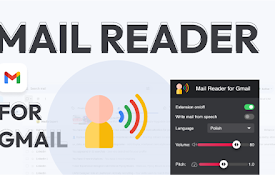
Dictate and listen to emails, control the reader with your voice. Increase your productivity! ?
Imagine being able to dictate and listen to your emails effortlessly. With our new extension, it’s possible! ?
An innovative Gmail extension, based on advanced Text-to-Speech (TTS) technology, makes managing emails easier than ever before. ??
Dictation Feature:
Simply enable the dictation option in our pop-up, open a new message window, and start speaking. The extension will convert your words into text in the email. Perfect for those who value their time and convenience!
Email Reading Feature:
Play your emails with a narrator’s voice in two easy ways:
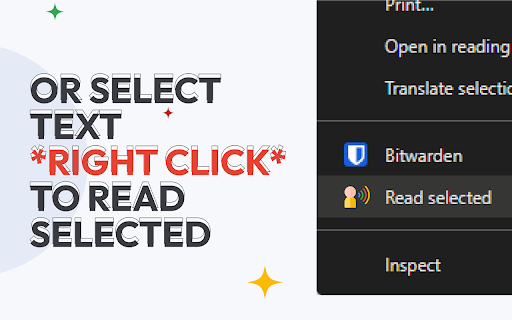
Select the text, right-click, and choose "Read selected". ?️
Select the text and click the icon that appears next to each email. ?
Integrated Buttons:
The icon next to "archive" in the header of each email allows you to read the open email.
The icon next to "archive" when hovering over an email in the inbox list allows you to read the selected email.
Full Control:
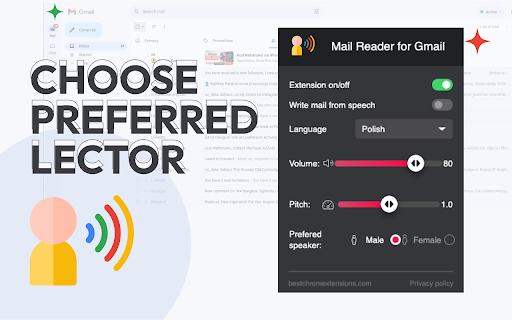
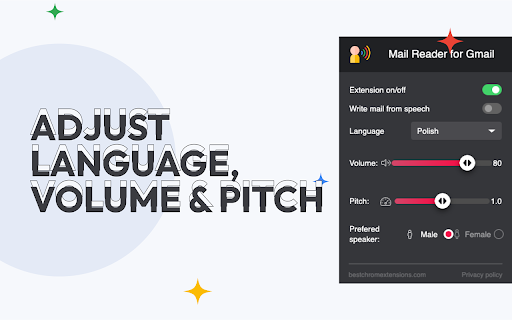
Customize settings in the pop-up menu:
Adjust narrator’s volume ?
Choose voice: male or female ?
The pop-up menu is styled similarly to the popular Subtitle Reader extension, providing a clear and aesthetic look.
When reading messages, the narrator will read the selected content.
This extension is a true revolution in email management! Increase your productivity and comfort at work with our modern technology. ??
❗Disclaimer: All product and company names are trademarks or registered trademarks of their respective holders. This extension has no affiliation or association with them or any third-party companies.❗
| 分类 | 📝工作流程与规划 |
| 插件标识 | mfccimpbffmkbjomapbcgfibfokinkpp |
| 平台 | Chrome |
| 评分 |
★★★★☆
4.4
|
| 评分人数 | 45 |
| 插件主页 | https://chromewebstore.google.com/detail/mail-reader-for-gmail/mfccimpbffmkbjomapbcgfibfokinkpp |
| 版本号 | 0.0.4 |
| 大小 | 42.88KiB |
| 官网下载次数 | 112 |
| 下载地址 | |
| 更新时间 | 2024-10-17 00:00:00 |
CRX扩展文件安装方法
第1步: 打开Chrome浏览器的扩展程序
第2步:
在地址栏输入: chrome://extensions/
第3步: 开启右上角的【开发者模式】
第4步: 重启Chrome浏览器 (重要操作)
第5步: 重新打开扩展程序管理界面
第6步: 将下载的crx文件直接拖入页面完成安装
注意:请确保使用最新版本的Chrome浏览器
同类插件推荐
Mail Reader for Gmail
Dictate and listen to emails, control the reader w

Gmail 应用程序 - Gmail App
使用 Gmail 应用程序 在 Windows 和 Mac 上提高生产力。在 macOS 和 PC

Pause Gmail by cloudHQ
Take control over when emails appear in your Gmail

Checker Plus for Gmail™
无需打开 Gmail 或 Inbox,即可收到桌面邮件通知,方便地查看、收听或删除邮件,并且支持多账