
YouTube Quick Search Chrome 插件, crx 扩展下载
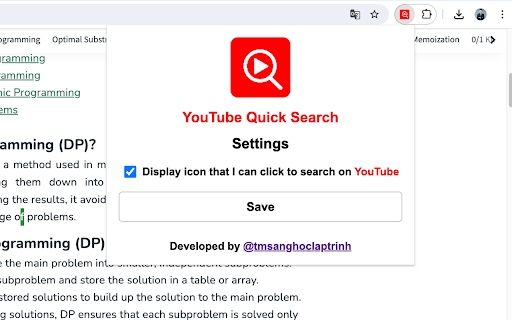
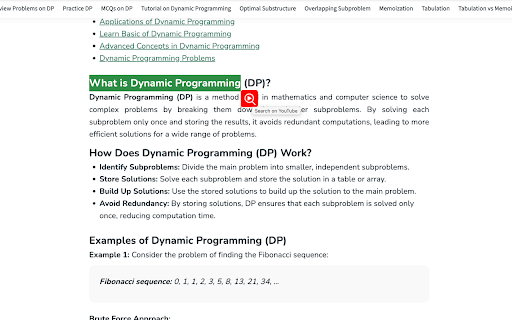
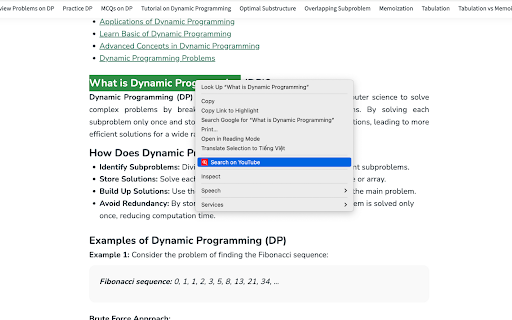
Search selected text on YouTube quickly with a right-click or by clicking an icon. Enable or disable the feature from the popup
Instructions to use "YouTube Quick Search"
1. Install the Extension:
- Download and install YouTube Quick Search from the Chrome Web Store.
2. Enable/Disable the Search Icon:
- Click on the extension icon in the browser toolbar to open the popup.
- Use the checkbox to enable or disable the display of the search icon next to highlighted text on web pages.
3. Search on YouTube via Right-Click:
- Highlight any text on a webpage that you want to search on YouTube.
- Right-click on the highlighted text.
- In the context menu, select the "Search on YouTube" option.
- A new tab will open, displaying the YouTube search results for the selected text.
4. Search on YouTube via Search Icon:
- If the search icon feature is enabled, highlight any text on a webpage.
- An icon will appear next to the highlighted text.
- Click the icon to instantly search the highlighted text on YouTube.
- A new tab will open with the YouTube search results.
5. Adjusting Settings:
- To change the extension settings, click on the extension icon in the browser toolbar.
- You can enable or disable the search icon feature from the popup window.
Tips:
- Quick Search: Use the right-click context menu option for a fast and easy way to search without having to navigate away from the page.
- Toggle Icon: If you prefer not to see the search icon on every selection, you can easily disable it in the settings.
Troubleshooting:
- Icon Not Appearing: If the search icon does not appear after text selection, ensure it is enabled in the extension's popup settings. If the problem persists, try refreshing your browser.
- Context Menu Option Missing: Ensure the extension is installed and enabled. If the problem persists, try refreshing your browser.
| 分类 | 🛠️工具 |
| 插件标识 | mfcoaokekilmmmhfcahfdnagjifbkdmg |
| 平台 | Chrome |
| 评分 |
★★★★☆
4.3
|
| 评分人数 | 307 |
| 插件主页 | https://chromewebstore.google.com/detail/youtube-quick-search/mfcoaokekilmmmhfcahfdnagjifbkdmg |
| 版本号 | 1.0 |
| 大小 | 13.77KiB |
| 官网下载次数 | 197 |
| 下载地址 | |
| 更新时间 | 2024-08-14 00:00:00 |
CRX扩展文件安装方法
第1步: 打开Chrome浏览器的扩展程序
第2步:
在地址栏输入: chrome://extensions/
第3步: 开启右上角的【开发者模式】
第4步: 重启Chrome浏览器 (重要操作)
第5步: 重新打开扩展程序管理界面
第6步: 将下载的crx文件直接拖入页面完成安装
注意:请确保使用最新版本的Chrome浏览器
同类插件推荐

YouTube Quick Search
Search selected text on YouTube quickly with a rig

Youtube select and search
Select text, right click and search it on Youtube
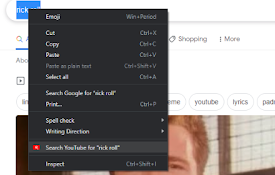
Search on YouTube
Search for anything on YouTube by selecting the te

Contextual Search for YouTube
Allows the user search YouTube for a term by highl