
Ask Ben (Chat GPT) Anything AI Chrome 插件, crx 扩展下载
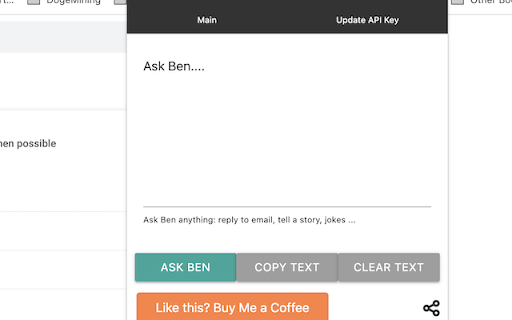
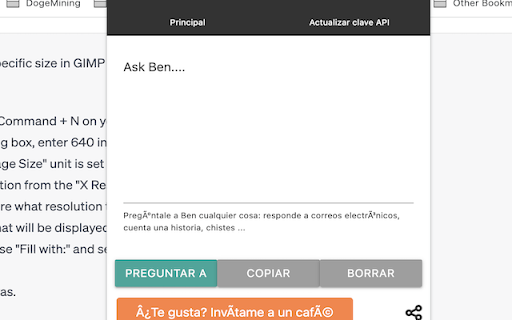
Chat GPT Davinci model. Input your API key, enter a question, then Ask Ben. Copy the response or clear the text box.
This is a fast to access way to get hold of Chat GPT, without need to go to the webpage and sign in. Ask Ben (chat gpt) anything.
All you need to do is get an OpenAI API key and enter it in the box (this is stored locally only for you) then ask a question and wait for the response. You can then use the copy buttons to copy the response to your clipboard and clear button to clear the text area so you can ask a new question! It will also save your responses locally so you won't loose the last thing you have written. Have fun!
Buy me a coffee if you like it!
UPDATED 10/06/2023: Added new music button to play relaxing music while you chat gpt and work or study!
*Added in ask for review.
| 分类 | 📝工作流程与规划 |
| 插件标识 | micfamhmliebmgankfakonbicodppmng |
| 平台 | Chrome |
| 评分 |
★★★★★
5
|
| 评分人数 | 11 |
| 插件主页 | https://chromewebstore.google.com/detail/ask-ben-chat-gpt-anything/micfamhmliebmgankfakonbicodppmng |
| 版本号 | 1.0.8 |
| 大小 | 29.11KiB |
| 官网下载次数 | 1000 |
| 下载地址 | |
| 更新时间 | 2024-01-28 00:00:00 |
CRX扩展文件安装方法
第1步: 打开Chrome浏览器的扩展程序
第2步:
在地址栏输入: chrome://extensions/
第3步: 开启右上角的【开发者模式】
第4步: 重启Chrome浏览器 (重要操作)
第5步: 重新打开扩展程序管理界面
第6步: 将下载的crx文件直接拖入页面完成安装
注意:请确保使用最新版本的Chrome浏览器
同类插件推荐

NOT OFFICAL Chat GPT Chrome
NOT OFFICAL Chat GPT for Google Chrome extensionCh

Ask GPT
Empowering users with AI, this extension can swift

Ask Ben (Chat GPT) Anything AI
Chat GPT Davinci model. Input your API key, enter

Chat GPT Reply
Generate an email or message reply with one click

Chat GPT
NeuroxGPT by Neuroxai.com

Ask ChatGPT
Allows to ask ChatGPT right from your Chrome OmniB
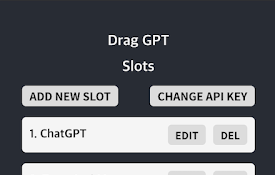
拖拽 GPT - 轻松开始人工智能之旅!
只需拖拽并点击按钮,就可以轻松向ChatGPT提问或发出请求!这是一个 Chrome 浏览器扩展,可
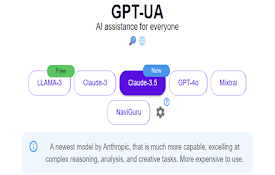
GPT-UA: AI Assistants
Side-panel with all best AI assistants, carefully

Javy: GPT-4 powered assistant
GPT-4 powered tool for quick access to the answer

AutoReview for Power Automate
Create Automated Review of Power Automate Cloud Fl

Syncia - Power of ChatGPT on any website
Syncia is a browser extension that allows you to u
TurboGPT For ChatGPT
Fast custom prompts to ChatGPT-3 APIIntroducing Tu

GPT Based - A Powerful ChatGPT Prompt Generator
GPTBased is used to generate effective prompts for