
SubStream: Add Subtitles to Videos Chrome 插件, crx 扩展下载
Enhance Your Streaming Experience with Custom Subtitles!
Take full control of your video subtitles on Netflix, Prime Video, YouTube, and more. With our Chrome extension, you can:
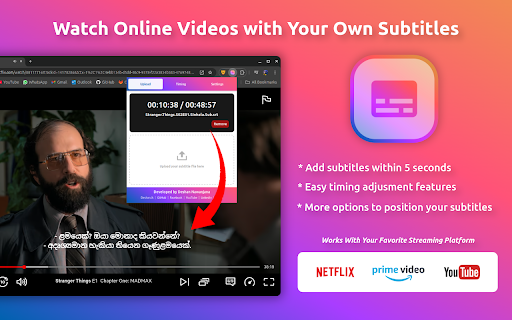
? Add Subtitles: Seamlessly upload and display your own subtitle files.
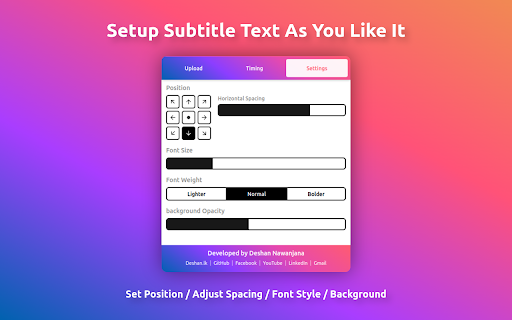
? Customizable Styles: Adjust font style, size, shadow, and background color to make captions perfectly visible.
? Position Control: Place subtitles exactly where you want on the screen.
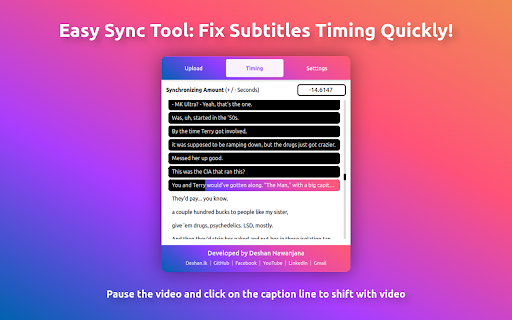
? Timing Sync: Use our intuitive tool to adjust subtitle timing for perfect synchronization.
Enjoy a tailored, user-friendly subtitle experience for all your favorite streaming platforms!
| 分类 | 🎬娱乐 |
| 插件标识 | miebboahepoojbiboedchfbdemcglnnh |
| 平台 | Chrome |
| 评分 |
★★★★☆
4.3
|
| 评分人数 | 2807 |
| 插件主页 | https://chromewebstore.google.com/detail/substream-add-subtitles-t/miebboahepoojbiboedchfbdemcglnnh |
| 版本号 | 1.1 |
| 大小 | 617KiB |
| 官网下载次数 | 78 |
| 下载地址 | |
| 更新时间 | 2024-12-20 00:00:00 |
CRX扩展文件安装方法
第1步: 打开Chrome浏览器的扩展程序
第2步:
在地址栏输入: chrome://extensions/
第3步: 开启右上角的【开发者模式】
第4步: 重启Chrome浏览器 (重要操作)
第5步: 重新打开扩展程序管理界面
第6步: 将下载的crx文件直接拖入页面完成安装
注意:请确保使用最新版本的Chrome浏览器
同类插件推荐
SubStream: Add Subtitles to Videos
Enhance Your Streaming Experience with Custom Subt

asbplayer: Language-learning with subtitles
将asbplayer与流媒体视频同步。asbplayer is a language-learnin

Controls for YouTube™ Shorts
Add controls for videos of YouTube™ shorts, includ

CCDub - YouTube 字幕翻译与中文配音
外语视频看不懂?找CCDub!专业字幕翻译与配音,升级您的YouTube™体验,让每一刻更生动!观看