
Pintree Bookmarks Exporter Chrome 插件, crx 扩展下载
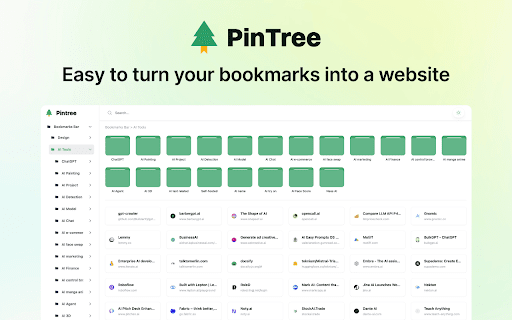

Effortlessly export your Chrome bookmarks to organized JSON files.
Pintree Bookmarks Exporter is a powerful Chrome extension designed to help you seamlessly export your bookmarks into well-organized JSON files, and by using the Pintree open-source project, turn your bookmarks into a personal bookmark navigation site. Whether you’re looking to back up your bookmarks, migrate to a new browser, or manage your bookmarks in a more structured way, this tool is the perfect solution.
Why Install Pintree Bookmarks Exporter?
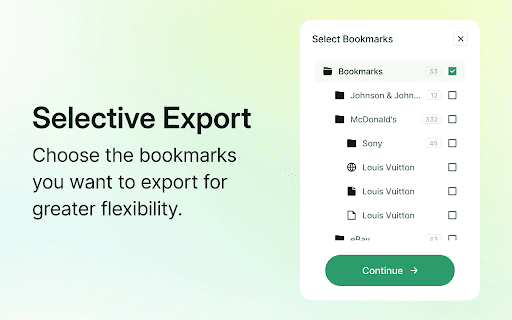
• Selective Export: Choose which bookmarks you want to export, rather than exporting all bookmarks, for greater flexibility.
• Easy Export: Quickly and easily export your selected bookmarks to JSON files.
• Retain Favicon: The exported JSON files retain the website’s favicon, making the bookmark information more complete.
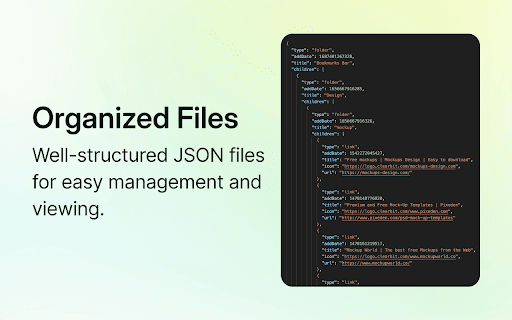
• Organized Files: The exported JSON files are well-structured, making them easy to manage and view.
• Create a Personal Bookmark Navigation Site: After exporting the JSON file, you can use the Pintree (https://github.com/Pintree-io/pintree) open-source project to turn your bookmarks into a personal bookmark navigation site.
• Open Source: Based on the MIT license, you can freely use and modify the project.
This tool is open-sourced under the MIT license. For more information, please visit Pintree Bookmarks Exporter (https://github.com/Pintree-io/bookmarks-exporter)
| 分类 | 🛠️工具 |
| 插件标识 | mjcglnkikjidokobpfdcdmcnfdicojce |
| 平台 | Chrome |
| 评分 |
★★★★☆
4.6
|
| 评分人数 | 1874 |
| 插件主页 | https://chromewebstore.google.com/detail/pintree-bookmarks-exporte/mjcglnkikjidokobpfdcdmcnfdicojce |
| 版本号 | 1.0.0 |
| 大小 | 301KiB |
| 官网下载次数 | 2000 |
| 下载地址 | |
| 更新时间 | 2024-07-10 00:00:00 |
CRX扩展文件安装方法
第1步: 打开Chrome浏览器的扩展程序
第2步:
在地址栏输入: chrome://extensions/
第3步: 开启右上角的【开发者模式】
第4步: 重启Chrome浏览器 (重要操作)
第5步: 重新打开扩展程序管理界面
第6步: 将下载的crx文件直接拖入页面完成安装
注意:请确保使用最新版本的Chrome浏览器
同类插件推荐

Pintree Bookmarks Exporter
Effortlessly export your Chrome bookmarks to organ

Export Tabs as Text File
Chrome Tabs extension saves active tab URLs with a

IndexedDB Exporter
Export IndexedDB data to a JSON file.IndexedDB Exp

Export cookie JSON file for Puppeteer
Export a cookie JSON file that can be imported by