
Maze Game Chrome 插件, crx 扩展下载
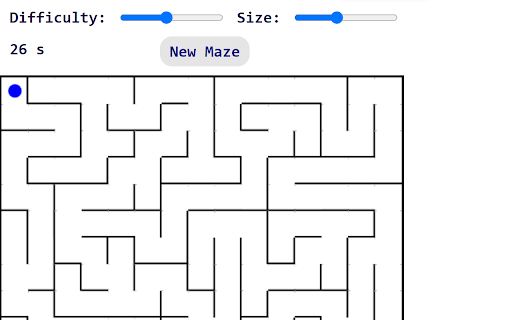

You can play a maze generation game.
When you open the extension, you will be shown a maze game and a completely random maze will be generated.
Instructions:
- You can complete the maze by moving the small blue ball with the arrow keys or WASD.
- Above there are three variables, two of them (size and difficulty) have a slider so you can modify the values to your liking, which will alter the formation of the maze, making it bigger, smaller, more difficult or easier; the other shows you a timer that starts when you start a new game.
- Every time you reach the red circle, you will complete the maze and it will restart.
- Press the "New Maze" button, R or SPACE to restart the maze.
| 分类 | 🎮游戏 |
| 插件标识 | mjmgobhpkmffcbnnhpccldnjkclipcmi |
| 平台 | Chrome |
| 评分 |
★★★★☆
4.9
|
| 评分人数 | 663 |
| 插件主页 | https://chromewebstore.google.com/detail/maze-game/mjmgobhpkmffcbnnhpccldnjkclipcmi |
| 版本号 | 1.0 |
| 大小 | 11.25KiB |
| 官网下载次数 | 378 |
| 下载地址 | |
| 更新时间 | 2024-05-31 00:00:00 |
CRX扩展文件安装方法
第1步: 打开Chrome浏览器的扩展程序
第2步:
在地址栏输入: chrome://extensions/
第3步: 开启右上角的【开发者模式】
第4步: 重启Chrome浏览器 (重要操作)
第5步: 重新打开扩展程序管理界面
第6步: 将下载的crx文件直接拖入页面完成安装
注意:请确保使用最新版本的Chrome浏览器
同类插件推荐

Maze Generator Game
Random Maze Generator Game!This is a Maze Generato

Maze Control Platform Game
In this platform game, you have to get the ball to

Norm Maze!
Norm Maze! - popup maze game. Move the red dot to
Maze Game
You can play a maze generation game.When you open

Hangman Game Online Chrome
Hangman is a classic word game in which you must g

Cheerful Maze
A fun brick maze game that celebrates your wins wi
Barcode Maze
A novel maze game that plays in a popup.Using our
Level Maze
A level up maze game that plays in a popup.The pla
Drag Maze
Quickly drag the red dot to the orange exit while
Maze
A fun maze game that plays in a popup.Just click o
Tiny Tycoon
Build a tiny tycoon on a tiny planet.Tiny Tycoon i
经典游戏 - Play2Day
在您的Google Chrome上玩您最喜欢的经典游戏!在桌面上免费在线游戏。2048,Flappy
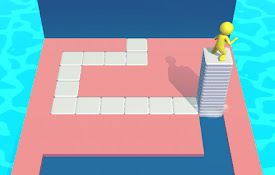
Stacky Maze Game
Collect the tiles on the floor in the maze and mak