
Move Highlighter Chrome 插件, crx 扩展下载
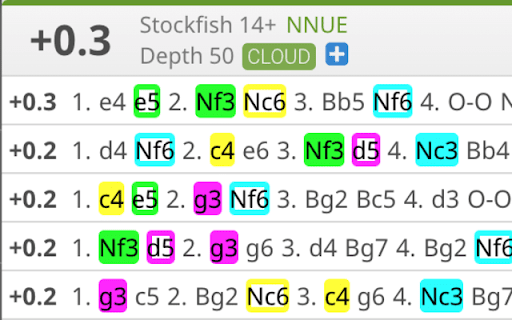
Highlight common moves in the Lichess engine analysis
Move Highlighter helps you make sense of the Lichess engine analysis, which can help you get better at chess.
Lichess's engine analysis normally shows five lines of chess notation in black and white. You can read through each line one at a time, but sometimes it's hard to understand what the engine is trying to tell you. Wouldn't it be great if you could quickly identify moves that exist in multiple lines? That's what Move Highlighter does. The most common moves are highlighted, each in its own color. If the move Nf3 is in all five lines, you'll be able to tell at a glance, because Nf3 will be highlighted in (for example) green, everywhere it shows up, and the human eye can quickly spot all the green highlighting a lot more easily than it can spot all the instances of text like "Nf3".
| 分类 | 🎉趣味休闲 |
| 插件标识 | mjonchgaeohkmdjemlchehdfmfegcgpf |
| 平台 | Chrome |
| 评分 |
★★★★★
5
|
| 评分人数 | 3 |
| 插件主页 | https://chromewebstore.google.com/detail/move-highlighter/mjonchgaeohkmdjemlchehdfmfegcgpf |
| 版本号 | 0.0.1 |
| 大小 | 17.85KiB |
| 官网下载次数 | 367 |
| 下载地址 | |
| 更新时间 | 2023-06-07 00:00:00 |
CRX扩展文件安装方法
第1步: 打开Chrome浏览器的扩展程序
第2步:
在地址栏输入: chrome://extensions/
第3步: 开启右上角的【开发者模式】
第4步: 重启Chrome浏览器 (重要操作)
第5步: 重新打开扩展程序管理界面
第6步: 将下载的crx文件直接拖入页面完成安装
注意:请确保使用最新版本的Chrome浏览器
同类插件推荐

Lichess.org chat/whisper with move numbers
Send chat messages or whisper to spectators room w

Archetyped: Know You & Your Lichess Opponents
Actionable info and tendencies about you and your
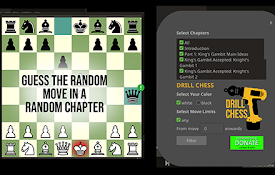
Drill Chess
Increase your chess rating, by turning Lichess stu

PawnGun
Live Analysis for Lichess.org GamesThis extension

Lichess Flags
View a player's country flag next to their use

Smart Berserk | Lichess
Tells you when to berserk in a lichess arena tourn

Lichess Forced Analysis
On lichess.org, after a game finishes immediately

Lichess2Chess
Adds Chess.com rating estimate to Lichess.org.Adds
Move Highlighter
Highlight common moves in the Lichess engine analy

Fancyground
Custom arrows and square highlights for lichess.or
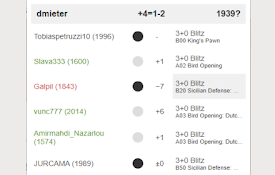
Lichess Opponent Form
This extension shows live performance, legend and

Chess.com Blocker
Prevent binging on chess.com. Blocks chess.com if

Chess.com/Lichess Opponent Insights
Get insights about your opponent's openings, m