
DNS记录检查器 Chrome 插件, crx 扩展下载

DNS记录检查器Chrome Extension允许您轻松检查DNS记录并解决任何域的问题
DNS Record Checker is a tool used to check the DNS records associated with a particular domain name. DNS records are used to store information about a domain, such as the IP address of the server hosting the website, the email servers associated with the domain, and other settings such as DNSSEC (DNS Security Extensions) records.
Key Features:
>>Comprehensive DNS record check: The extension provides a comprehensive DNS record check for any domain, including A, AAAA, MX, CNAME, TXT, and NS records. This can be useful for troubleshooting issues related to website or email delivery.
>>Easy to use: Simply enter the domain name you wish to check, and the extension will display the associated DNS records and their current status.
>>IP information: The extension provides information about the IP address associated with the domain, including the location and organization associated with the IP address.
How to use:
>>Install the DNS Record Checker Chrome extension from the Chrome Web Store.
>>Click on the extension icon in your browser toolbar to open the tool.
>>The extension will display the associated DNS records and their current status.
| 分类 | 📝工作流程与规划 |
| 插件标识 | mmhppjppflaomdeikgkijjiiicakbfki |
| 平台 | Chrome |
| 评分 |
☆☆☆☆☆
0
|
| 评分人数 | 1 |
| 插件主页 | https://chromewebstore.google.com/detail/dns记录检查器/mmhppjppflaomdeikgkijjiiicakbfki |
| 版本号 | 1.0.0 |
| 大小 | 308KiB |
| 官网下载次数 | 947 |
| 下载地址 | |
| 更新时间 | 2023-03-20 00:00:00 |
CRX扩展文件安装方法
第1步: 打开Chrome浏览器的扩展程序
第2步:
在地址栏输入: chrome://extensions/
第3步: 开启右上角的【开发者模式】
第4步: 重启Chrome浏览器 (重要操作)
第5步: 重新打开扩展程序管理界面
第6步: 将下载的crx文件直接拖入页面完成安装
注意:请确保使用最新版本的Chrome浏览器
同类插件推荐

DNS Report by DNS Rate
DNS Report by DNS RateRun DNS Report by DNS Rate

DNSSEC Checker
Check DNSSEC for domainThe extension allows you to
Domain Info
View detailed info for any domain name: registrati

Tab Master
Create Multiple Tabs and Manage at once. Choose fr

Turbo Recon
A reconnaissance tool for faster subdomain enumera

Siderite's DNS Resolver
Resolve DNS addresses based on previously working
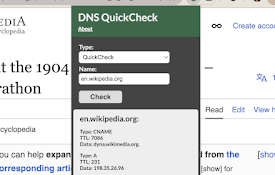
DNS QuickCheck
Quickly query DNS settings without interupting you
Go DNS
Allows you to use aliases for url groups, speeding

DNS Defender
这个扩展可以验证您访问的网站是否被DNS劫持,防止您的密码等私密信息被泄露,保障您安全上网网笃软件提

DNS记录检查器
DNS记录检查器Chrome Extension允许您轻松检查DNS记录并解决任何域的问题DNS R

DNS Checker Pro
DNS Info Viewer for the current websiteDNS Checker

IP, DNS & Security Tools | HackerTarget.com
Quick access to IP, DNS & Network Tools. Check
DNS Checker - SEO and Domain Analysis
SEO and Domain Analysis Tool by DNS Checker. Provi