
arxiv-utils Chrome 插件, crx 扩展下载
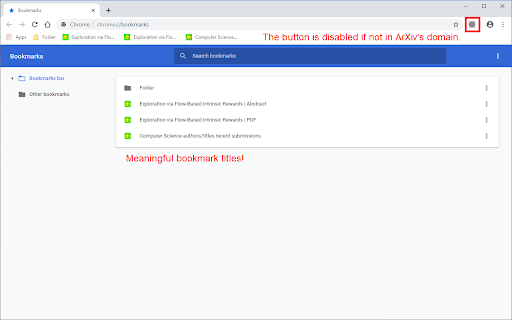
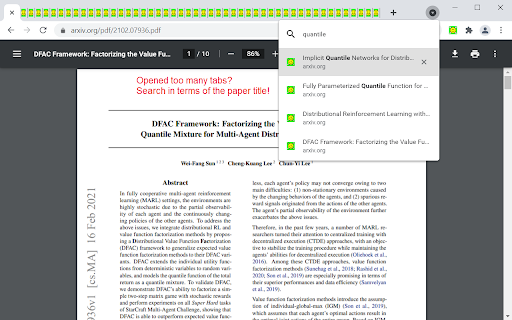
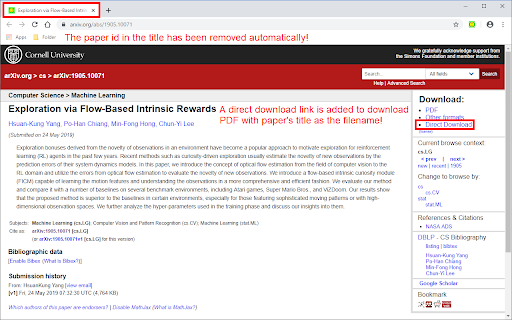
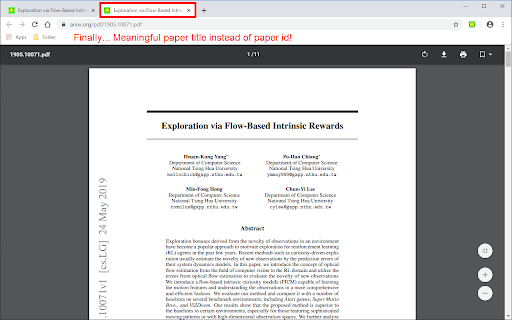
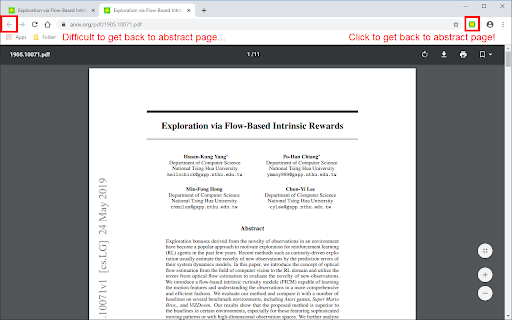
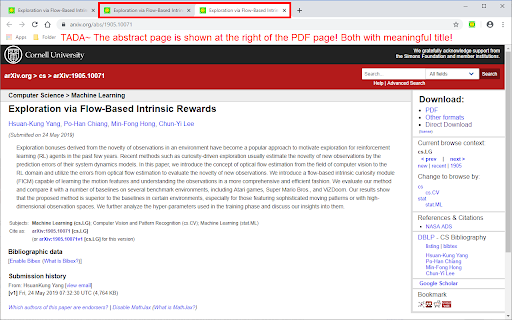
Easy access on ArXiv! Rename the title to the paper's title. Add a button to navigate easily. Download PDF with meaningful filename.
For ArXiv PDF / abstract tabs:
- Renames the title to paper's title automatically in the background. (Originally is meaningless paper id, or start with paper id)
- Add an action button to open its corresponding abstract / PDF page. (Originally is hard to get back to abstract page from PDF page)
- Add a direct download link on abstract page, click it to download the PDF with the title as filename. (Originally is paper id as filename)
- Open the paper in extra services such as ar5iv and arXiv Vanity.
- Better title even for bookmarks!
- Firefox has strict restrictions on PDF.js. So it doesn't work well with OneTab, the PDF renaming is achieved by intercepting requests and show the PDF in a container. The bookmark works well though.
- Works well with native tab search
Permissions:
- `tabs`: On extension button click, open a new tab and move it to the right of the old active tab.
- `activeTab`: Read active tab's title and modify it using the tab's url.
- `storage`: Save extension configurations.
- `contextMenus`: When right-click the extension button, show a help menu item.
- `scripting`: Inject content scripts to existing tabs.
- `*://arxiv.org/*`: Inject content scripts to existing tabs.
- `*://export.arxiv.org/*`: Inject content scripts to existing tabs.
- `*://browse.arxiv.org/*`: Inject content scripts to existing tabs.
- `*://ar5iv.labs.arxiv.org/*`: Inject content scripts to existing tabs.
| 分类 | 📝工作流程与规划 |
| 插件标识 | mnhdpeipjhhkmlhlcljdjpgmilbmehij |
| 平台 | Chrome |
| 评分 |
★★★★☆
4
|
| 评分人数 | 1 |
| 插件主页 | https://chromewebstore.google.com/detail/arxiv-utils/mnhdpeipjhhkmlhlcljdjpgmilbmehij |
| 版本号 | 1.8.5 |
| 大小 | 21.47KiB |
| 官网下载次数 | 4000 |
| 下载地址 | |
| 更新时间 | 2024-08-05 00:00:00 |
CRX扩展文件安装方法
第1步: 打开Chrome浏览器的扩展程序
第2步:
在地址栏输入: chrome://extensions/
第3步: 开启右上角的【开发者模式】
第4步: 重启Chrome浏览器 (重要操作)
第5步: 重新打开扩展程序管理界面
第6步: 将下载的crx文件直接拖入页面完成安装
注意:请确保使用最新版本的Chrome浏览器
同类插件推荐

Openreview Quicklook
Quicklook the summary of openreview submissionIt i

withAr5iv
ArXiv with Ar5ivAppend ar5iv links to arXiv. You c
Arxiv Viewer
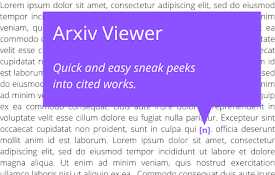
Provides sneak peeks of referenced papers on arxiv

arxiv -> ar5iv
Automatically replace arxiv links with ar5ivWith t

arXiv title fixer
Set titles of papers on arXiv as <title> of

Arxiv To Notion
Save arXiv papers to Notion with a single click.

arxive
arxive is all you need; download papers with your

Paper Memory
Automatically record papers and their codes from A

AI Code Finder, Alerts, Ask Questions about Papers: CatalyzeX
?? Get code for AI & other research papers, c

Scholar with Code
An extension to show code implementations from Pap
arxiv-utils
Easy access on ArXiv! Rename the title to the pape

Writefull for Overleaf
Writefull is automated proofreading for academic w

Google 学术搜索 PDF 阅读器
提升论文阅读体验:追踪参考文献、重点浏览大纲、跳转到图表、引用并保存。安装学术搜索阅读器后,就能在