
ContactScraper Chrome 插件, crx 扩展下载
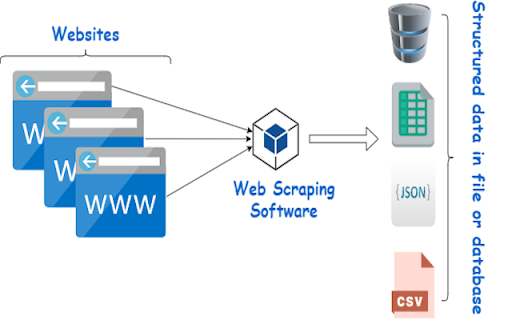
Extracts website URL, phone number and email address from the current tab and downloads as a CSV file
Introducing the Web Contact Scraper, a user-friendly and efficient Chrome extension designed to help you seamlessly extract valuable contact information from websites. With just one click, you can gather email addresses and phone numbers, effectively streamlining your outreach and lead generation efforts.
Key Features:
Quick and Easy Extraction: Say goodbye to the tedious process of manually copying contact information from websites. Our Web Contact Scraper automatically scans the webpage's content and extracts email addresses and phone numbers in seconds.
Export to CSV: The extracted data is conveniently organized and exported into a CSV file, allowing you to easily access, view, and manage your collected information. Import the CSV file to your favorite CRM, email marketing tool, or spreadsheet application.
Accurate Results: Leveraging advanced regular expression patterns, our extension ensures a high level of accuracy in detecting and capturing contact information.
Capture Website URL: In addition to email and phone numbers, the Web Contact Scraper also includes the website's URL in the exported CSV file. This allows you to keep track of where the contact information was found, streamlining your follow-up process.
Lightweight and Unobtrusive: Our extension is designed to be fast and unobtrusive, ensuring a smooth browsing experience without any performance issues.
Whether you are a business owner, marketer, sales professional, or freelancer, the Web Contact Scraper is the perfect tool to simplify and enhance your online contact collection process. Download the extension today and revolutionize the way you gather contact information from websites!
| 分类 | 📝工作流程与规划 |
| 插件标识 | mohgjbkmkbjidjdihmogjfpdkkjeimge |
| 平台 | Chrome |
| 评分 |
★★★☆☆
3.7
|
| 评分人数 | 87 |
| 插件主页 | https://chromewebstore.google.com/detail/contactscraper/mohgjbkmkbjidjdihmogjfpdkkjeimge |
| 版本号 | 1.3 |
| 大小 | 10.78KiB |
| 官网下载次数 | 239 |
| 下载地址 | |
| 更新时间 | 2023-04-09 00:00:00 |
CRX扩展文件安装方法
第1步: 打开Chrome浏览器的扩展程序
第2步:
在地址栏输入: chrome://extensions/
第3步: 开启右上角的【开发者模式】
第4步: 重启Chrome浏览器 (重要操作)
第5步: 重新打开扩展程序管理界面
第6步: 将下载的crx文件直接拖入页面完成安装
注意:请确保使用最新版本的Chrome浏览器
同类插件推荐

Email Scraper
Scrape emails from websitesIntroducing an efficien

ContactBook - Contacts extractor
Extract contact data from LinkedIn, Gmail, Twitter

Ultimate Web Scraper
Extract data instantly: Grab text, images, emails
ContactScraper
Extracts website URL, phone number and email addre

Email Sweeper - Email Scraper & Finder
Scrape email addresses from visited pages. Email f

联系方式查找提取
提取网页中的联系方式点击插件查找提取网站中的Email、电话和社交媒体等联络方式。

Maps Scraper & Map data extractor
A scraping tool for map business leads, one click

Tokwi Phone Number Extractor
Extract Phone Numbers from any URLPhone Numbers Ex

电话号码提取器
使用电话号码提取工具,可以快速查找网站上的电话号码,将这些数据导出,或复制到剪贴板。发现寻找和复制联

Email & Phone Number Extractor
Easily extract email addresses and phone numbers o
Easy Scraper - One-click web scraper
A free web scraper for instant results. Scrape any

Easy Web Data Scraper
Free & No-code scraper tool can automatically
AnyPicker - A.I. powered No Code Web Scraper
AnyPicker is a free web data scraper. Powered by A