
DGG Tweaks Chrome 插件, crx 扩展下载
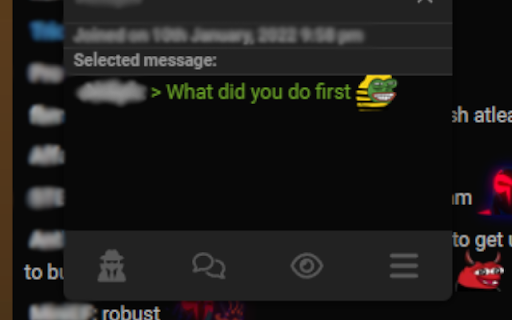

UI Tweaks for destiny.gg
- Show chat history from RustleSearch.dev directly in chat (with full emote support)
- Hover over the top of the screen while in Cinema Mode to show the menu bar
- Hover over the bottom of the screen while in Cinema Mode to show stream controls
- Increase link hitbox size
- Button to view mentions
- Collect recent links from chat in one place
All features can be toggled and adjusted in the DGG settings menu (same one as for profile settings).
Chat-related settings can be edited live from the settings icon in chat.
Github: https://github.com/AlexDavies8/dgg-tweaker
Other neat stuff: https://alexdavies8.github.io/userscripts/
| 分类 | ⚙️功能性 |
| 插件标识 | mojbdmnhbfbodmoidmcmahbcofceampd |
| 平台 | Chrome |
| 评分 |
★★★★☆
4.3
|
| 评分人数 | 61 |
| 插件主页 | https://chromewebstore.google.com/detail/dgg-tweaks/mojbdmnhbfbodmoidmcmahbcofceampd |
| 版本号 | 1.18 |
| 大小 | 57.56KiB |
| 官网下载次数 | 68 |
| 下载地址 | |
| 更新时间 | 2025-02-22 00:00:00 |
CRX扩展文件安装方法
第1步: 打开Chrome浏览器的扩展程序
第2步:
在地址栏输入: chrome://extensions/
第3步: 开启右上角的【开发者模式】
第4步: 重启Chrome浏览器 (重要操作)
第5步: 重新打开扩展程序管理界面
第6步: 将下载的crx文件直接拖入页面完成安装
注意:请确保使用最新版本的Chrome浏览器
同类插件推荐
DGG Tweaks
UI Tweaks for destiny.gg- Show chat history from R

Destinygg Bigscreen Unblock
Allow embedding anything on Destiny.gg's Bigsc

DGG Bigscreen Revived
Automatically inserts Destiny's YouTube livest

DGG Chat Everywhere
Replaces Live Chats With DGG Chat.Simply click the

Better Destiny.gg
Restores emotes and faith in humanity to users of

AdGuard Extra (Beta)
AdGuard Extra is designed to solve complicated cas
SoundFixer
Fixes annoying sound problems in YouTube videos an

StereoToMono
This extension monofies the currently playing vide

Reddit Check
Check if current URL is submitted on reddit. Submi

Purple Ads Blocker
An adblocker for the Twitch.tv using server side s

TTV LOL PRO
TTV LOL PRO removes most livestream ads from Twitc

TTV LOL
TTV LOLTTV LOL removes livestream ads from your fa

Previews (For TTV & YT)
Live previews when hovering over streams on Twitch