
Dummi - Bug Capture Chrome 插件, crx 扩展下载
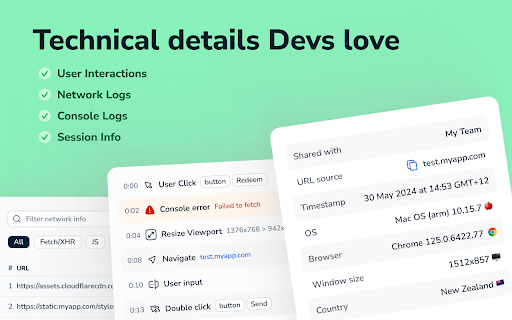

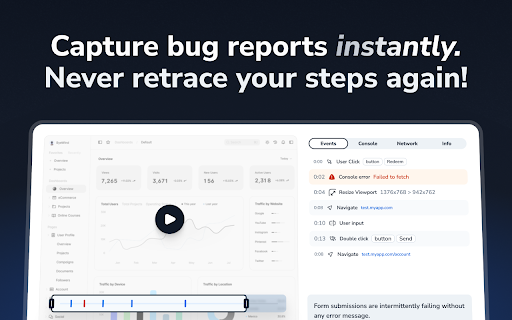
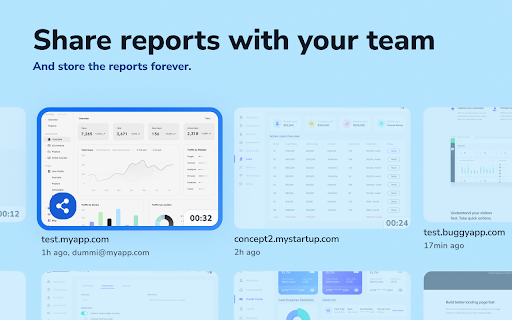
Replace your existing bug report process with a single click. Sound too good to be true?
Replace your existing bug report process with a single click. Sound too good to be true?
In just one click, share a report containing:
? Video replay of the issue that just occurred or a editable screenshot
? Reproduction steps with every action, click and input recorded
?️ Technical details for devs: network requests, console logs and browser info
Which means no more:
❌ Retracing your steps and reproducing issues
❌ Writing paragraphs to explain what happened
❌ Answering questions from confused colleagues
Dummi is the easiest way to create and share bug reports. Designed specifically for QAs, Product Managers, Devs and everyone that loves finding and reporting bugs at lightning speed.
Install the extension to get started in under 30 seconds and start squashing bugs with Dummi now!
1. Install and pin the extension
2. Click on it to create your account (no password required, and support for SSO)
3. You are ready to go; click on the extension, then chose how you want to capture your issue
~90 second replay of your last actions
start a new video recording
take and annotate a screenshot
4. Easily set up a workspace to securely share reports and invite your teammates.
| 分类 | 💻开发者工具 |
| 插件标识 | ncaoadnamjjfoiipfenmgclcpaclgkbc |
| 平台 | Chrome |
| 评分 |
★★★★★
5
|
| 评分人数 | 19 |
| 插件主页 | https://chromewebstore.google.com/detail/dummi-bug-capture/ncaoadnamjjfoiipfenmgclcpaclgkbc |
| 版本号 | 1.2.5 |
| 大小 | 2.01MiB |
| 官网下载次数 | 75 |
| 下载地址 | |
| 更新时间 | 2025-01-23 00:00:00 |
CRX扩展文件安装方法
第1步: 打开Chrome浏览器的扩展程序
第2步:
在地址栏输入: chrome://extensions/
第3步: 开启右上角的【开发者模式】
第4步: 重启Chrome浏览器 (重要操作)
第5步: 重新打开扩展程序管理界面
第6步: 将下载的crx文件直接拖入页面完成安装
注意:请确保使用最新版本的Chrome浏览器
同类插件推荐

FontViz: Inspect fonts with ease
Easily inspect and validate the fonts used on any

JSON View Pro
JSON View PRO扩展程序,JSON 文档将被格式化、突出显示,并且数组和对象可以折叠展示。

Dummi - Bug Capture
Replace your existing bug report process with a si

Secure Single Sign-On Plug-in
Secure auto login to any appEnable SSO for your ap

Redpen: Report bugs with screenshot/recording
Capture screenshot and record screen to report bug

Capture: Screen recording & sharing
Capture videos, screenshots, events and more to re

DataLayer Checker Plus
The simplest way to debug and verify dataLayer imp
Coding Solutions
Permet de résoudre tous vos tests Codingame Simple

Android Terminal
Access your USB-connected Android terminal without

Chrome Extension Builder
Build Chrome Extensions with Ease and Style.✅ Chro

DocTrackr
Analyze Google™ Docs RevisionsDocTrackr is a power

「ROSSK SEO 扩展:免费 SEO 检查工具、链接分析器
「只需点击一下,即可获取任何网站的 SEO 洞察。由拥有 15 年经验的 SEO 专家打造。」最简单

Web Scraper
Scrape website in seconds with our web scraper too