
Text to Voice on YouTube - Listen to subtitles in multiple languages Chrome 插件, crx 扩展下载
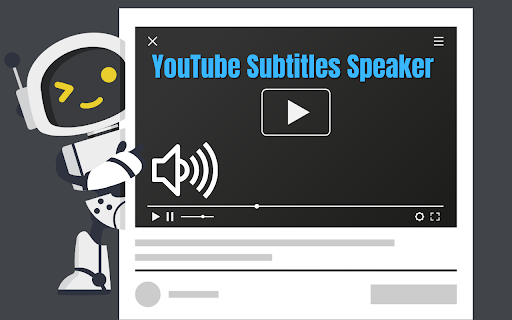
Convert YouTube subtitles into clear and natural voice. Compatible with multiple languages for an enhanced experience.
? Convert YouTube Subtitles into Voice and More ?
? Introducing SpeakTube, the Chrome extension designed to transform your YouTube subtitles into an interactive and personalized experience. Speak, save, and enjoy your favorite videos with innovative and easy-to-use tools.
? Main Features:
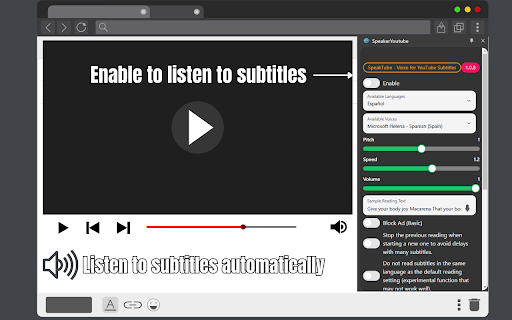
Voice Subtitles: Convert subtitles into a natural and fluid listening experience with customizable language and voice options.
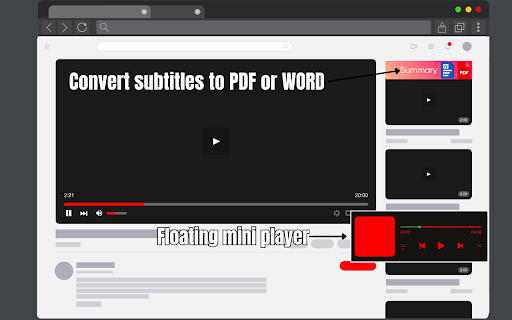
Export to PDF and Word: Download subtitles directly as PDF or Word files for use as guides, references, or studies.
Player Skins: Customize the appearance of the player to suit your style.
Maximum Automatic Quality: SpeakTube automatically adjusts your videos to the highest available quality.
Basic Ad Blocker: Enjoy videos without annoying ad interruptions.
Multilingual Compatibility: Listen to subtitles in a wide variety of languages and voices.
?️ How to Use SpeakTube:
Fix the Extension: Install and fix SpeakTube on your browser's toolbar.
Activate with a Click: Click on the extension icon and navigate to the video page on YouTube.
Interactive Options:
If the video has subtitles, options will appear to convert them into voice, PDF, or Word.
Adjust the voice language and customize the player interface.
Enjoy More Options: Experience top video quality and ad-free playback.
? Why Choose SpeakTube?
Transform your YouTube subtitles into practical and accessible tools.
Improve your audio-visual experience with optimized playback quality.
Access exclusive features like exporting subtitles or customizing the player.
Turn every video into a unique and efficient experience with SpeakTube! ?
| 分类 | 🛠️工具 |
| 插件标识 | ndfkjlfbjoemgabmipkbapmijojacoem |
| 平台 | Chrome |
| 评分 |
★★★★☆
4.2
|
| 评分人数 | 3249 |
| 插件主页 | https://chromewebstore.google.com/detail/text-to-voice-on-youtube/ndfkjlfbjoemgabmipkbapmijojacoem |
| 版本号 | 1.1.2 |
| 大小 | 1.49MiB |
| 官网下载次数 | 3000 |
| 下载地址 | |
| 更新时间 | 2025-01-29 00:00:00 |
CRX扩展文件安装方法
第1步: 打开Chrome浏览器的扩展程序
第2步:
在地址栏输入: chrome://extensions/
第3步: 开启右上角的【开发者模式】
第4步: 重启Chrome浏览器 (重要操作)
第5步: 重新打开扩展程序管理界面
第6步: 将下载的crx文件直接拖入页面完成安装
注意:请确保使用最新版本的Chrome浏览器
同类插件推荐
Text to Voice on YouTube - Listen to subtitles in multiple languages
Convert YouTube subtitles into clear and natural v

Youtube 轉 文字 檔
将 youtube 转为文本,获取 youtube 视频的文字记录。将 youtube 转文字翻译成

转录 YouTube
使用Transcript YouTube下载YouTube字幕。一键获取YT转录,轻松转录YouTu

YouTube字幕配音和网页阅读器
以用户的首选语言配音 YouTube 视频。网页阅读器使用我们的语言配音插件提升您的 YouTube