
Profanity-Blocker Chrome 插件, crx 扩展下载


An advanced bad-word-blocker Chrome extension that censors bad words and websites.
This extension can detect double meaning words, offers an option to ignore and/or censor double meaning words. You can add and delete words or keep the default filter. Add a password authorization by going to the options menu, and toggle. You can keep records of the most words filtered!
After installing this extension you will be redirected to our website!
| 分类 | 👥社交 |
| 插件标识 | nfeoeimdfclfmipanclebdelkjdhdioj |
| 平台 | Chrome |
| 评分 |
★★★★☆
4.4
|
| 评分人数 | 67 |
| 插件主页 | https://chromewebstore.google.com/detail/profanity-blocker/nfeoeimdfclfmipanclebdelkjdhdioj |
| 版本号 | 1.5 |
| 大小 | 693KiB |
| 官网下载次数 | 241 |
| 下载地址 | |
| 更新时间 | 2022-08-29 00:00:00 |
CRX扩展文件安装方法
第1步: 打开Chrome浏览器的扩展程序
第2步:
在地址栏输入: chrome://extensions/
第3步: 开启右上角的【开发者模式】
第4步: 重启Chrome浏览器 (重要操作)
第5步: 重新打开扩展程序管理界面
第6步: 将下载的crx文件直接拖入页面完成安装
注意:请确保使用最新版本的Chrome浏览器
同类插件推荐
Profanity-Blocker
An advanced bad-word-blocker Chrome extension that
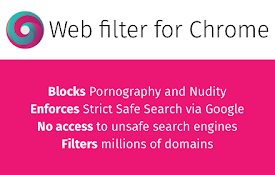
Web Filter for Chrome
Web Filter for Chrome extension enables safe web f

Ghostery 跟踪器和广告拦截器 - 隐私广告拦截器
功能强大且易于使用的隐私扩展。阻止广告、跟踪器并加速您的网络。.Ghostery是一个免费的浏览器扩

广告拦截器 Chrome - Total Adblock
广告拦截器 Chrome - Total Adblock 是终极广告拦截和弹窗拦截工具。轻松拦截广告