
Extract Colors DevTool Chrome 插件, crx 扩展下载
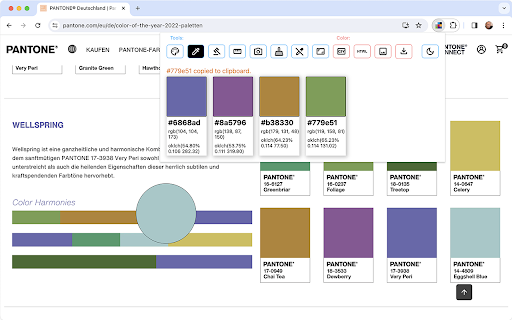
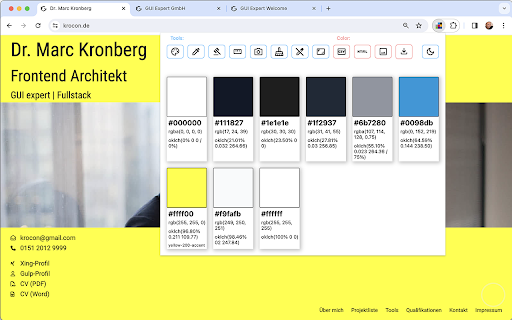
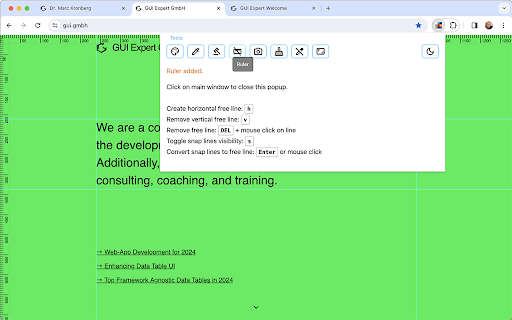

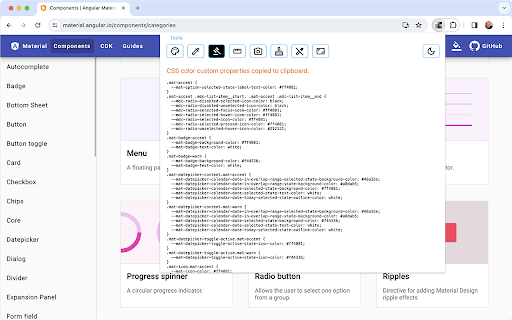
Extract Colors DevTool is a powerful developer tool designed to simplify the process of extracting color palettes from any webpage.
"Extract Colors DevTool" is a powerful developer tool designed to simplify the process of extracting color palettes from any webpage. With just a click, this tool swiftly analyzes the colors used in the webpage's elements, providing developers with valuable insights into the design and helping them streamline their workflow. By effortlessly generating color schemes, developers can enhance their design process, ensuring coherence and aesthetic appeal throughout their projects.
This extension comprises the following main modules:
Color picker
Color palette extractor (hex, rgb, css custom variables)
Clearing Cache
Cleaning page (removes ads)
Full-page screenshot
Window resizer
Make page content editable
Boost your productivity and creativity with "Extract Colors DevTool" – your go-to solution for efficient color extraction in web development.
| 分类 | 💻开发者工具 |
| 插件标识 | nfliekkcalinkhldnlpjgfigimdngchm |
| 平台 | Chrome |
| 评分 |
★★★★☆
4.2
|
| 评分人数 | 822 |
| 插件主页 | https://chromewebstore.google.com/detail/extract-colors-devtool/nfliekkcalinkhldnlpjgfigimdngchm |
| 版本号 | 1.1.6 |
| 大小 | 85.14KiB |
| 官网下载次数 | 1000 |
| 下载地址 | |
| 更新时间 | 2024-03-30 00:00:00 |
CRX扩展文件安装方法
第1步: 打开Chrome浏览器的扩展程序
第2步:
在地址栏输入: chrome://extensions/
第3步: 开启右上角的【开发者模式】
第4步: 重启Chrome浏览器 (重要操作)
第5步: 重新打开扩展程序管理界面
第6步: 将下载的crx文件直接拖入页面完成安装
注意:请确保使用最新版本的Chrome浏览器
同类插件推荐
Extract Colors DevTool
Extract Colors DevTool is a powerful developer too

TabColor color picker
Extract color codes from opened tabs with TabColor

Color-Picker
With our Color Picker Extension, you can easily an

Tailwind Color Picker
Tailwind Color Picker allows you to pick a pixel f