
YourAIScroll - AI Chat History Exporter Chrome 插件, crx 扩展下载


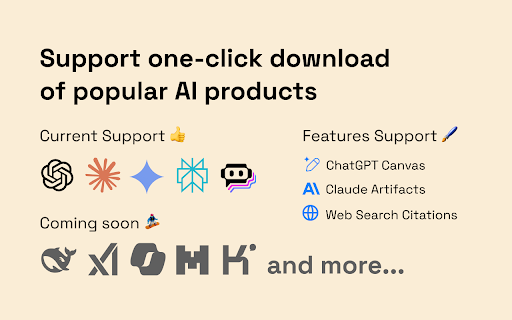
Export your AI chat history from ChatGPT, Claude, Gemini and more. Save conversations including ChatGPT Canvas, Claude Artifacts.
Export and Manage AI Conversation History – Optimize your search and review experience with support for popular AI models (such as ChatGPT, Claude, Gemini, Perplexity, Poe, and more).
KEY FEATURES ?:
- ? Supported AI Models: ChatGPT, Claude, Gemini, Perplexity and Poe. (More models coming soon.)
- ? Feature Highlights: Seamless export of ChatGPT Canvas, Claude Artifacts, Web Search Citations, and more.
- ? Format Support: Download conversations in Markdown, JSON, and Plain Text. Also supports one-click copying to Markdown.
MORE FEATURES (Coming Soon ?):
- ?️One-click saving to Notion, Evernote, Obsidian, Readwise, Logseq, and other note-taking apps.
- ?Integration with local knowledge bases.
- ?Advanced conversation selection and search within chat history.
- ?More customization options (e.g., custom file names, conversation role names, etc.).
HOW TO USE:
On the conversation page, just click.
| 分类 | 🛠️工具 |
| 插件标识 | nhipdhjmedoeicanabmcmihlncjcanfe |
| 平台 | Chrome |
| 评分 |
★★★★☆
4.3
|
| 评分人数 | 2156 |
| 插件主页 | https://chromewebstore.google.com/detail/youraiscroll-ai-chat-hist/nhipdhjmedoeicanabmcmihlncjcanfe |
| 版本号 | 0.1.0 |
| 大小 | 181KiB |
| 官网下载次数 | 208 |
| 下载地址 | |
| 更新时间 | 2025-02-20 00:00:00 |
CRX扩展文件安装方法
第1步: 打开Chrome浏览器的扩展程序
第2步:
在地址栏输入: chrome://extensions/
第3步: 开启右上角的【开发者模式】
第4步: 重启Chrome浏览器 (重要操作)
第5步: 重新打开扩展程序管理界面
第6步: 将下载的crx文件直接拖入页面完成安装
注意:请确保使用最新版本的Chrome浏览器
同类插件推荐
YourAIScroll - AI Chat History Exporter
Export your AI chat history from ChatGPT, Claude,

A.I. Archives: Share Claude, ChatGPT, Gemini, Meta
This extension allows you to share your Claude, Ge

ChatGPT Sidebar GPT-4o, Claude3, AI Video Generator & AI Tools: ChatMove
Your magical all-in-one AI content creation assist

Save my Chatbot - AI Conversation Exporter
? Download Claude, Perplexity, Phind, ChatGPT and