
DiscordMic Chrome 插件, crx 扩展下载
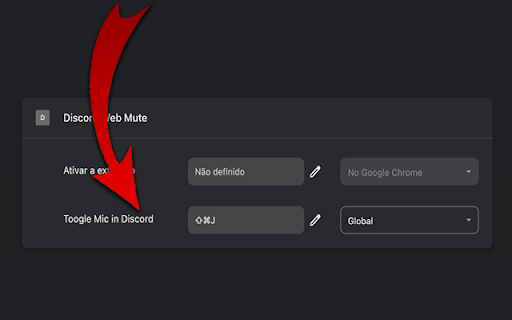
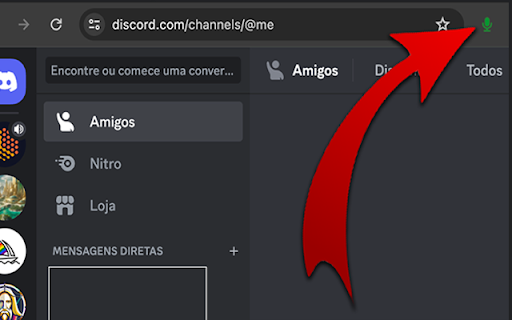
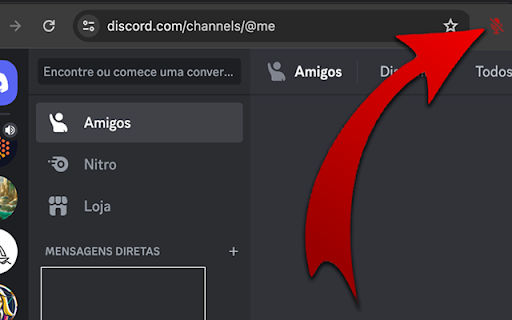
Shortcuts for full control over an audio channel in Discord and quick access button next to the address bar.
Enables you to…
Shortcuts for full control over an audio channel in Discord and quick access button next to the address bar.
Enables you to activate, deactivate and toggle the microphone.
Enables you to activate, deactivate and toggle the sound.
Disconnect from an audio channel.
Attention: After installation, you need to reload the Discord page for it to work properly.
Unfortunately it is only possible to enable 4 global shortcuts, but the others can be used within the browser.
To configure the shortcuts do the following:
1. In your Chrome browser.
2. Click on the three-dot menu in the top-right corner of your Chrome window.
3. Go to "More tools” -> "Extensions."
4. In the Extensions page, look for a menu or hamburger icon (three lines) on the top-left and click on it.
5. Now select "Keyboard shortcuts."
6. Find the extension “DiscordMic"
7. Click in the field where it says "Activate the extension" or a similar command.
8. Press the keys for your desired shortcut (like Ctrl+Shift+Y).
9. Make sure the "In Chrome" dropdown is selected if you want it to work globally (across all of Chrome).
10. Click 'Save' or just close the tab, and your global shortcut should now be set!
Pull requests are welcome: https://github.com/christianoguedes/DiscordMute
This extension is not a Discord partner, so any update may stop working.
Discord is a registered trademark of Discord Inc.
| 分类 | 💬沟通 |
| 插件标识 | niaimikeenadjnnphckiphohaafickoe |
| 平台 | Chrome |
| 评分 |
★★★☆☆
3.2
|
| 评分人数 | 8 |
| 插件主页 | https://chromewebstore.google.com/detail/discordmic/niaimikeenadjnnphckiphohaafickoe |
| 版本号 | 0.0.2 |
| 大小 | 24.59KiB |
| 官网下载次数 | 82 |
| 下载地址 | |
| 更新时间 | 2024-04-15 00:00:00 |
CRX扩展文件安装方法
第1步: 打开Chrome浏览器的扩展程序
第2步:
在地址栏输入: chrome://extensions/
第3步: 开启右上角的【开发者模式】
第4步: 重启Chrome浏览器 (重要操作)
第5步: 重新打开扩展程序管理界面
第6步: 将下载的crx文件直接拖入页面完成安装
注意:请确保使用最新版本的Chrome浏览器
同类插件推荐
Discord Blur
Blur and Hides your messages on Discord until you

Discord Themes
Customize the background image and color of your d

YouTubeDiscordPresence
An extension used to create a detailed rich presen

Better Discord Web unofficial
Better Discord Web unofficialOur Chrome Extension
Discord即时翻译-双向翻译器
通过自动双向翻译在Discord上体验无缝的全球通信,支持100多种语言和多种翻译引擎。现在开始!全

Discord Theme Customizer
Custom discord themeThis extension appends CSS to

Discord Video Chat
Place Discord Video Channel and Text Channel side-

Discord System-Wide PTT
Push-to-talk from anywhere with the Discord web cl

Discord full screen extension
Wanna watch a friend stream on full screen? This e
DiscordMic
Shortcuts for full control over an audio channel i

Hide Discord Sidebar
Hide Discord Servers and Channels! Installs a butt

Voice Changer for Chrome (by noise-box)
The ultimate voice changer for Chrome to use with

Hello, Roblox!
Return the old greeting that we all missed!Returns