
DocuSplit 2.0 Google Chrome Extension Chrome 插件, crx 扩展下载
DocuSplit 2.0 Google Chrome Extension
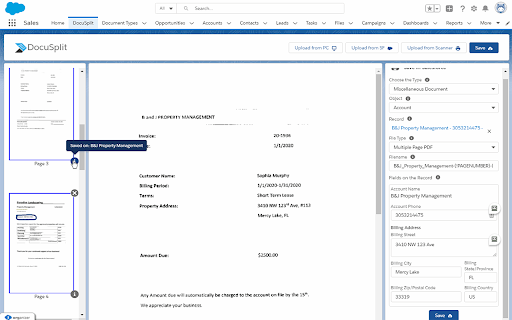
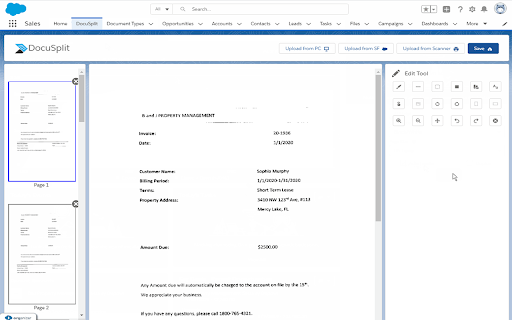
The Docusplit App was developed with the purpose of streamlining and securing document scanning and PDF extraction directly within the Salesforce platform. The App allows users to scan documents or import them from a users PC or Salesforce record, manipulate or annotate each page within the document(s) and save a page or group of pages to a variety of Salesforce records.
The Docusplit App is widely used across a variety of organizations within the Salesforce eco-system. The most common use cases are represented by a need to scan or extract physical or digital documents securely.
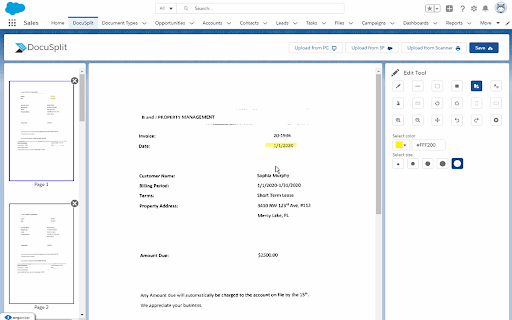
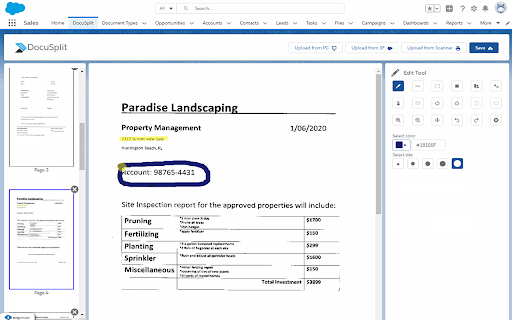
Salesforce users who require a high level of security, especially those within the government or medical industry will benefit from Docusplits native functionality. Users can scan physical documents directly into Salesforce, bypassing the requirement to save scanned items to a users local PC. Further, users can manipulate documents by blacking-out or cropping sensitive information while annotating or highlighting other data points within the documents.
Organizations that choose to benefit from the streamlining functions of Docusplit can choose not just from the scanning functions provided, but by its import functions as well. The two import functions, Import from PC and Import from Salesforce are most commonly used by organizations that receive PDF or image (jpg, png, etc) files directly into Salesforce or via email. Those documents can be opened within Salesforce and routed to their corresponding records.
As an example, many organizations, especially loan providers and shipping logistic providers receive due diligence documents and bills/shipping documents from customers and/or vendors via portals. Those documents can be received in Salesforce and channeled within seconds post-review.
The purpose of the Docusplit Chrome Extension is to allow Docusplit users to rasterize PDF's without transmitting the PDF data to external services.
| 分类 | 📝工作流程与规划 |
| 插件标识 | nibfohpdadcpnjodofbjkhhejbkjfdci |
| 平台 | Chrome |
| 评分 |
★★★★☆
4.5
|
| 评分人数 | 208 |
| 插件主页 | https://chromewebstore.google.com/detail/docusplit-20-google-chrom/nibfohpdadcpnjodofbjkhhejbkjfdci |
| 版本号 | 1.0.6 |
| 大小 | 2.09MiB |
| 官网下载次数 | 583 |
| 下载地址 | |
| 更新时间 | 2024-09-13 00:00:00 |
CRX扩展文件安装方法
第1步: 打开Chrome浏览器的扩展程序
第2步:
在地址栏输入: chrome://extensions/
第3步: 开启右上角的【开发者模式】
第4步: 重启Chrome浏览器 (重要操作)
第5步: 重新打开扩展程序管理界面
第6步: 将下载的crx文件直接拖入页面完成安装
注意:请确保使用最新版本的Chrome浏览器
同类插件推荐
DocuSplit 2.0 Google Chrome Extension
DocuSplit 2.0 Google Chrome ExtensionThe Docusplit

Google Docs Image Zoom
Docs Image Zoom is a Chrome extension that enables

Stanford GSB Library Chrome Extension
Stanford GSB Library Chrome ExtensionThe extension

Chrome Dice
A simple dice rolling extension for Google ChromeC