
Token Counter for ChatGPT Chrome 插件, crx 扩展下载
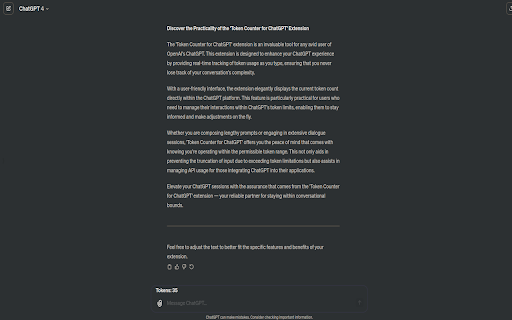

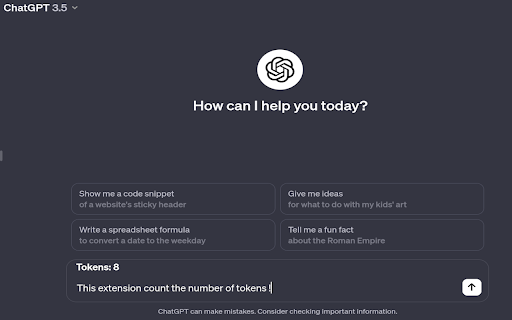
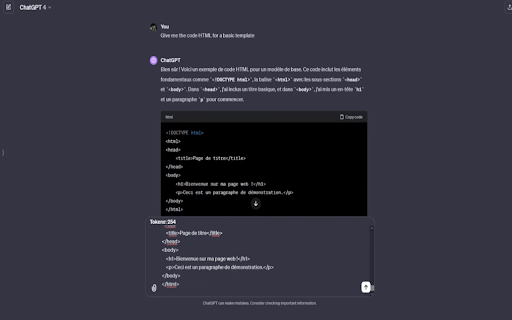
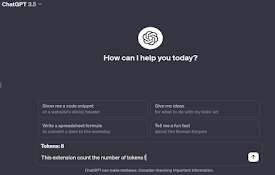
Show the number of tokens in the current prompt for ChatGPT
This Chrome extension shows the number of tokens in the current prompt for ChatGPT.
Maximize your ChatGPT experience with real-time token tracking. The Token Counter for ChatGPT extension effortlessly integrates with your ChatGPT interface, providing live updates on token usage as you type. Ideal for writers, researchers, and AI enthusiasts, this tool ensures you stay within the model's token limits for efficient and effective communication. Get clearer insights into your prompt's length and complexity. Install now for a smarter, more informed ChatGPT interaction.
This extension does not collect or send any data, ensuring your interactions remain private and secure.
| 分类 | 🛠️工具 |
| 插件标识 | njepjfebkcdhfobjfgpgblgoeighgfie |
| 平台 | Chrome |
| 评分 |
★★★★☆
4.3
|
| 评分人数 | 160 |
| 插件主页 | https://chromewebstore.google.com/detail/token-counter-for-chatgpt/njepjfebkcdhfobjfgpgblgoeighgfie |
| 版本号 | 3.0.1 |
| 大小 | 2.01MiB |
| 官网下载次数 | 114 |
| 下载地址 | |
| 更新时间 | 2023-12-27 00:00:00 |
CRX扩展文件安装方法
第1步: 打开Chrome浏览器的扩展程序
第2步:
在地址栏输入: chrome://extensions/
第3步: 开启右上角的【开发者模式】
第4步: 重启Chrome浏览器 (重要操作)
第5步: 重新打开扩展程序管理界面
第6步: 将下载的crx文件直接拖入页面完成安装
注意:请确保使用最新版本的Chrome浏览器
同类插件推荐
ChatGPT Question Count
Extension to count how many ChatGPT questions you
Token Counter for ChatGPT
Show the number of tokens in the current prompt fo
ChatGPT Code Highlighter
Improve the appearance of code snippets in ChatGPT

ChatGPT Token Counter
Counts tokens in the ChatGPT active conversation o