
Writing Wingman Chrome 插件, crx 扩展下载
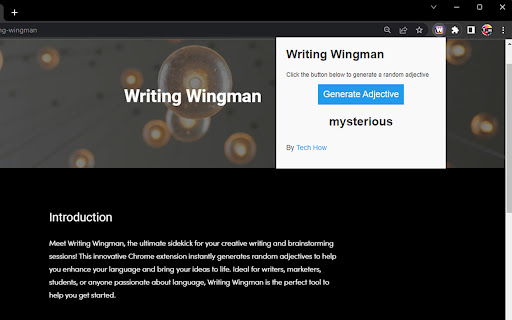
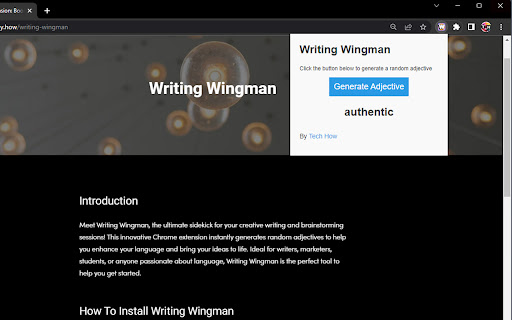
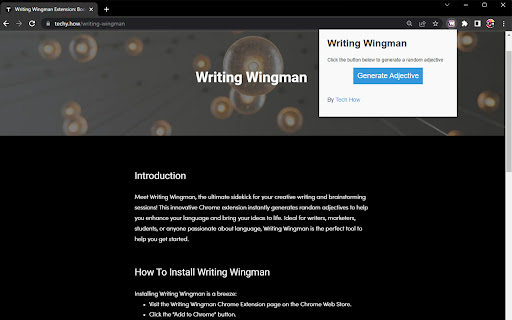
A fun and easy-to-use tool that generates random adjectives to inspire your creative writing or brainstorming sessions.
Boost your creativity and enrich your writing with Writing Wingman, the ultimate Chrome extension for generating random adjectives. Designed for writers, students, marketers, and anyone who loves exploring language, this tool helps you unleash your imagination, develop engaging content, and captivate your readers. Install Writing Wingman and experience the joy of expressive language at your fingertips!
Ever found yourself searching for the perfect word to describe a scene or idea? Writing Wingman is here to help! With just one click, this extension generates a variety of random adjectives to inspire and enhance your creative writing or brainstorming sessions. By offering an extensive range of descriptive words, Writing Wingman helps you elevate your language skills, expand your vocabulary, and create more vivid and engaging content.
Whether you're working on a novel, crafting marketing copy, or simply looking to improve your communication skills, Writing Wingman is the perfect tool to get your creative juices flowing. The extension's easy-to-use interface allows you to access random adjectives on any website, making it a versatile and convenient addition to your browser.
Not only does Writing Wingman make your writing more colorful and engaging, but it also serves as an educational tool, helping you learn new adjectives and strengthen your language skills. By incorporating the generated adjectives into your writing, you can make your content more appealing to readers and create a lasting impression.
Don't let writer's block or a limited vocabulary hold you back – install Writing Wingman today and unlock the full potential of your creative expression!
| 分类 | 📝工作流程与规划 |
| 插件标识 | njplllfpihdlgajockgjngpjkeaihkaf |
| 平台 | Chrome |
| 评分 |
★★★★★
5
|
| 评分人数 | 5 |
| 插件主页 | https://chromewebstore.google.com/detail/writing-wingman/njplllfpihdlgajockgjngpjkeaihkaf |
| 版本号 | 1.0 |
| 大小 | 100KiB |
| 官网下载次数 | 56 |
| 下载地址 | |
| 更新时间 | 2023-04-07 00:00:00 |
CRX扩展文件安装方法
第1步: 打开Chrome浏览器的扩展程序
第2步:
在地址栏输入: chrome://extensions/
第3步: 开启右上角的【开发者模式】
第4步: 重启Chrome浏览器 (重要操作)
第5步: 重新打开扩展程序管理界面
第6步: 将下载的crx文件直接拖入页面完成安装
注意:请确保使用最新版本的Chrome浏览器
同类插件推荐

Dead Pixel Ghost Tab
A new tab page for the Dead Pixel Ghost Club colle

LoL Build Search
Build searcher for League of Legends (blitz.gg, le

Writing Wingman
A fun and easy-to-use tool that generates random a

Bulbul: The Pomodoro Timer with Personality
The witty Pomodoro timer with a charming personali

Time Tools
All-In-One handy TIME tools collection.Sometimes y

写作助手
科学家和专业人士的英语写作助手 - 告别中式英语,轻松写出专业地道的英语论文、文书和信函。写作助手是

Meta-Press.es
Decentralized press meta-search engineExplore the

Shortcuts
Perform common tasks with your keyboard.Shortcuts

SyntheticEye AI Detector
SyntheticEye provides a tool to detect potentially

Zomani: Content Writer
Unlock the power of Zomani and revolutionize your

metaview
Bookmark web pages to Scrapbox with thumbnail, des

re:write - Your writing companion
Uplevel your writing with re:write powered by Chat

FRC Search
FRC Search is a chrome extension that allows you t