
Bookmark Folders for ChatGPT Chrome 插件, crx 扩展下载
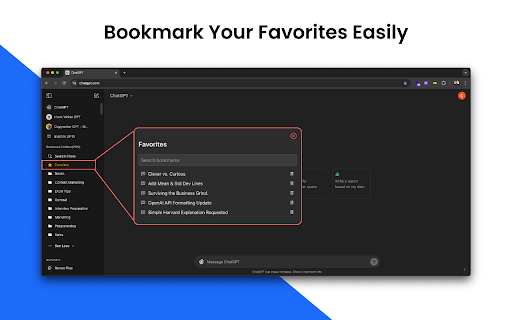

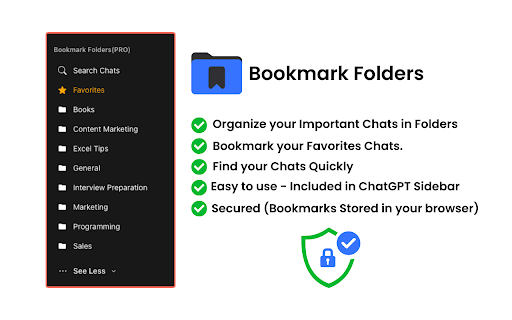
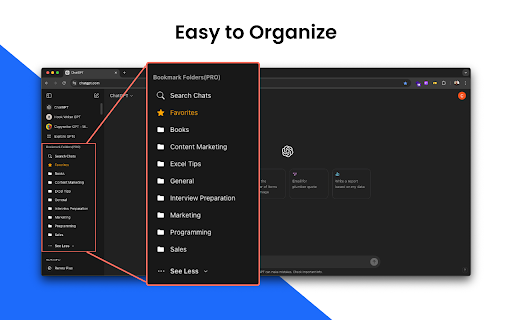
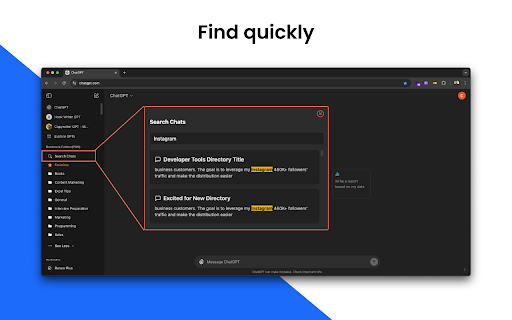
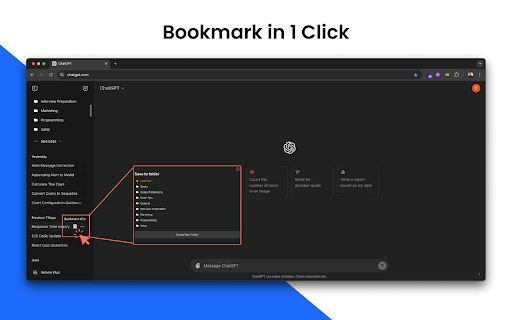
Save your Important and Favorite ChatGPTChats in Folders
ChatGPT Bookmark Manager - Save and Organize Your ChatGPT Chats
Easily bookmark and organize your ChatGPT conversations with our user-friendly Chrome extension. Create folders to categorize your important chats and access them quickly whenever you need.
Key Features
✓ Bookmark ChatGPT Chats: Save essential conversations with just one click
✓ Organize in Folders: Sort bookmarked chats into custom folders for easy navigation
✓ Simple and Intuitive: Works seamlessly within ChatGPT with a clean interface
✓ Private & Secure: All data stays in your browser—no tracking or data collection
✓ Local Backup: Option to back up your data locally for added security
Perfect for professionals, marketers, writers, and students who want to:
• Save important ChatGPT conversations
• Keep ChatGPT chats organized in folders
• Access bookmarked conversations anytime
100% private – No data is sent to external servers. All bookmarks remain securely in your browser.
Download now to keep your valuable ChatGPT conversations organized and accessible!
? Frequently Asked Questions About Bookmark Folders for ChatGPT
Q: What is Bookmark Folders for ChatGPT?
A: Bookmark Folders is a Chrome extension that lets you bookmark important ChatGPT chats and organize them into folders for quick access.
Q: How do I create bookmark folders for ChatGPT?
A: Click the bookmark icon to create new folders and save your bookmarks. Sort your conversations by topics, projects, or any system you prefer.
Q: How do I save ChatGPT chats using Bookmark Folders?
A: Simply click the bookmark icon next to any ChatGPT conversation and choose a folder to save it in or create a new one.
Q: Is Bookmark Folders free?
A: Yes, the extension offers free basic features, allowing you to create up to 5 folders and bookmark unlimited chats.
Q: Where does Bookmark Folders store my saved chats?
A: All your bookmarked conversations are securely stored in your browser for privacy and security.
Q: Which browsers support Bookmark Folders?
A: The extension works on Google Chrome and Microsoft Edge.
Q: How do I back up my bookmarked ChatGPT conversations?
A: You can create local backups directly to your computer for safekeeping.
Q: Need help with Bookmark Folders?
A: Contact our support team at [email protected] for assistance.
| 分类 | 📝工作流程与规划 |
| 插件标识 | nkagkdghngcdepaacoogohkpjiknjmnm |
| 平台 | Chrome |
| 评分 |
★★★★☆
4.7
|
| 评分人数 | 436 |
| 插件主页 | https://chromewebstore.google.com/detail/bookmark-folders-for-chat/nkagkdghngcdepaacoogohkpjiknjmnm |
| 版本号 | 3.1.1 |
| 大小 | 151KiB |
| 官网下载次数 | 541 |
| 下载地址 | |
| 更新时间 | 2024-12-17 00:00:00 |
CRX扩展文件安装方法
第1步: 打开Chrome浏览器的扩展程序
第2步:
在地址栏输入: chrome://extensions/
第3步: 开启右上角的【开发者模式】
第4步: 重启Chrome浏览器 (重要操作)
第5步: 重新打开扩展程序管理界面
第6步: 将下载的crx文件直接拖入页面完成安装
注意:请确保使用最新版本的Chrome浏览器
同类插件推荐

ThinkGPT: ChatGPT, Claude & Deepseek Bookmarks Message keeper
Save and manage your favorite ChatGPT, Claude, and

保存 ChatGPT DALL·E-3 对话记录到 Notion
一键保存 ChatGPT 对话到 Notion。导出 ChatGPT 对话ChatGPT保存到Not

Bookmark Folders for ChatGPT
Save your Important and Favorite ChatGPTChats in F

BookmarkGPT - Bookmark Your ChatGPT Prompts
An extension for bookmarking ChatGPT prompts.Enhan