
WhatsApp Web Toolkit Chrome 插件, crx 扩展下载
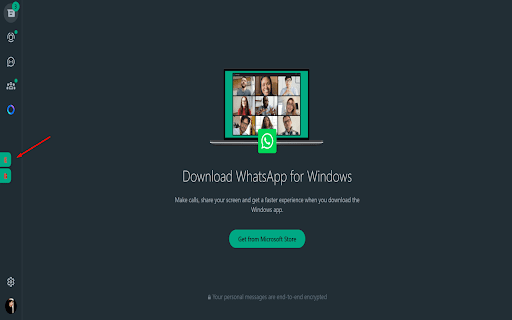
Allows you to customize the WhatsApp Web for privacy and productivity, hide the chat list, and more.
WhatsApp Web Sidebar Toolkit is designed to help you control what’s visible during screen sharing or when taking screenshots on WhatsApp Web. With just a click, you can toggle the sidebar containing your chat list to give you more space to focus on the selected chat. Additionally, activate a blur effect to obscure the sidebar conversations for enhanced privacy, ensuring sensitive information stays hidden during screen captures or meetings
Key Features:
Toggle the visibility of the sidebar to increase screen space.
Blur the chat sidebar for privacy during screenshots or screen sharing.
Simple, lightweight extension tailored for privacy-conscious users.
Fully compatible with WhatsApp Web
| 分类 | 🛠️工具 |
| 插件标识 | nkofkgmmdgoljihgkikcjlkdohnfpjll |
| 平台 | Chrome |
| 评分 |
★★★★☆
4.6
|
| 评分人数 | 3756 |
| 插件主页 | https://chromewebstore.google.com/detail/whatsapp-web-toolkit/nkofkgmmdgoljihgkikcjlkdohnfpjll |
| 版本号 | 1.1 |
| 大小 | 132KiB |
| 官网下载次数 | 20 |
| 下载地址 | |
| 更新时间 | 2024-09-09 00:00:00 |
CRX扩展文件安装方法
第1步: 打开Chrome浏览器的扩展程序
第2步:
在地址栏输入: chrome://extensions/
第3步: 开启右上角的【开发者模式】
第4步: 重启Chrome浏览器 (重要操作)
第5步: 重新打开扩展程序管理界面
第6步: 将下载的crx文件直接拖入页面完成安装
注意:请确保使用最新版本的Chrome浏览器
同类插件推荐
WhatsApp Web Toolkit
Allows you to customize the WhatsApp Web for priva
WhatsApp Web 隐私扩展 - wabulk.net
保护您的 WhatsApp Web 隐私,锁定屏幕,并通过模糊效果隐藏消息、图片、头像等内容。Pri

WhatsApp Privacy Extension
Blur your chats, contacts, and more. Keep your con

WhatsApp Privacy Shield
WhatsApp Privacy Shield steps in as your digital g