
Share-A-Cart for Instacart Chrome 插件, crx 扩展下载
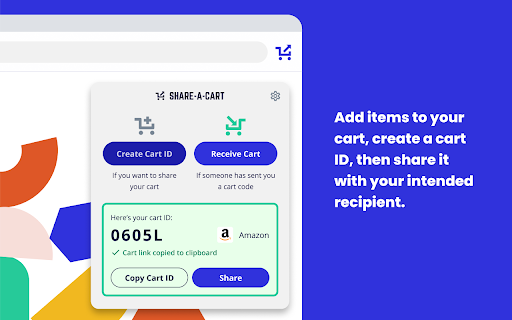
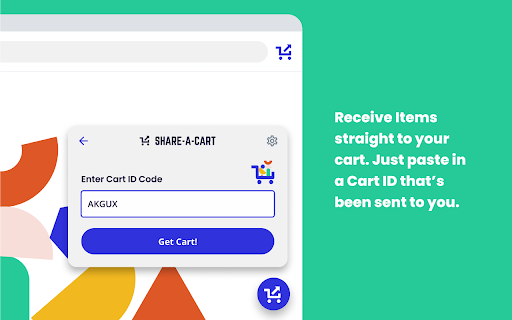



Share-A-Cart for Instacart allows you to share the contents of your cart with anyone else.
Share-A-Cart is the easiest way to share the contents of your Instacart shopping cart with anyone else! No more sending items via links or wish lists, simply "Send Cart" directly to your friend via a short ID code. The ID code is then used to load your cart from anywhere and anyone you shared this code with.
Share-A-Cart for Instacart supports sharing from the main Instacart site as well as all stores using Instacart for their deliveries and pick-up.
Share-A-Cart is also available for tons of other online grocers and retailers. Find them in the related section or visit our website at https://share-a-cart.com
| 分类 | 🛍️购物 |
| 插件标识 | nlhfmidcpehddipkjeegjgdkdafekaem |
| 平台 | Chrome |
| 评分 |
☆☆☆☆☆
0
|
| 评分人数 | 1 |
| 插件主页 | https://chromewebstore.google.com/detail/share-a-cart-for-instacar/nlhfmidcpehddipkjeegjgdkdafekaem |
| 版本号 | 3.0.2 |
| 大小 | 8.39MiB |
| 官网下载次数 | 289 |
| 下载地址 | |
| 更新时间 | 2024-07-02 00:00:00 |
CRX扩展文件安装方法
第1步: 打开Chrome浏览器的扩展程序
第2步:
在地址栏输入: chrome://extensions/
第3步: 开启右上角的【开发者模式】
第4步: 重启Chrome浏览器 (重要操作)
第5步: 重新打开扩展程序管理界面
第6步: 将下载的crx文件直接拖入页面完成安装
注意:请确保使用最新版本的Chrome浏览器
同类插件推荐

HL Craigslist Posting Tool
Post your property listings on Craigslist Marketpl

Timer Pie Chart
Adds a pie chart to the default timer on GoogleAdd

Home Assistant Mute Switch
Control your mute status in Google Meet with Home

Share-A-Cart
Share-A-Cart 允许您与他人共享购物车.Share-A-Cart是與其他人共享購物車內容的

Share-A-Cart for Instacart
Share-A-Cart for Instacart allows you to share the

Share-A-Cart for AliExpress
Share-A-Cart for AliExpress allows you to share th

Empower retail investors
Empowering retail investors by providing the right

Product Hunt Extension: Helper
Product Hunt Extension: Automate routine activitie

SearchTool
SearchToolHelp formatting search text. Put open p

Spark Copilot
Outreach CopilotSpark Copilot is your cold outreac

GSD Assistant for TEST/STG
GSD Assistant Extension for TEST/STGMaking a chrom

ChatGPT-Simple
Simply call ChatGPTCall ChatGPT API (gpt-3.5-turbo

No Privacy Sandbox
Disable all settings related to Privacy SandboxDis