
Character, Word, Sentence Counter Chrome 插件, crx 扩展下载
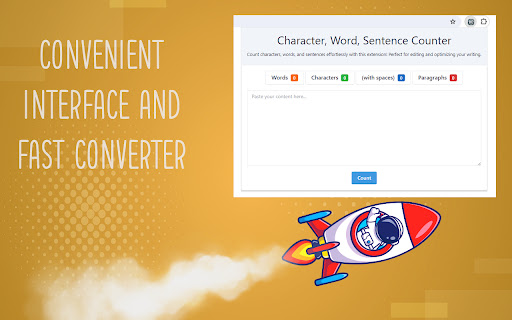
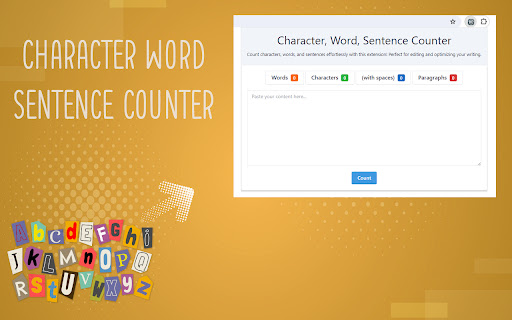
Count characters, words, and sentences effortlessly with this extension! Perfect for editing and optimizing your writing.
One of the basic steps in text analysis is to determine the number of words, characters and sentences in the content. Our Character, Word, Sentence Counter extension meets this need and allows you to perform a fast and effective analysis on your texts. Using this extension, you can easily measure the length and structure of your writing.
Key Features of the Extension
Word Counter: Quickly calculates the word count so you can measure the length of the text.
Character Counter: Counts all characters (including and excluding spaces) and provides the necessary information for a detailed analysis.
Sentence Counter: Reveals the structural features of the text by determining the number of sentences.
Letter Counter (Character): Allows you to make more specific analyzes by calculating the number of letters.
The Importance of Text Analysis
Text analysis is important in a wide range of areas, from education to business, from content production to technical writing. Metrics such as word count and character count show whether you meet a certain length criterion and help increase the effectiveness of the content.
Usage areas
Education: Students and scholars can check their texts for compliance with word limits for theses and articles.
Business World: Reports, presentations and e-mails can be quickly checked to see if they meet the specified length criteria.
Content Production: Bloggers and digital marketers can track word count when creating SEO-friendly content.
Why Should You Use Character, Word, Sentence Counter Extension?
This extension gives fast and accurate answers to basic questions like word count checker and how many characters. It is an easy-to-use and effective extension that optimizes your text analysis processes and helps improve the quality of your content.
How to use this?
Character, Word, Sentence Counter extension, which is extremely simple to use, allows you to perform your operations in just a few steps:
1. Install the extension from the Chrome Web Store.
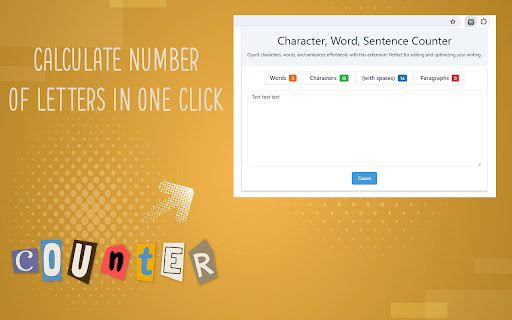
2. Paste all your text into the relevant box.
3. Click the Count button to start the calculation process. Our extension will instantly display the number of characters, words and paragraphs for you.
| 分类 | 🛠️工具 |
| 插件标识 | nlldbdbpnbdpajeioknkjogimhnafkbh |
| 平台 | Chrome |
| 评分 |
★★★★☆
4.4
|
| 评分人数 | 1073 |
| 插件主页 | https://chromewebstore.google.com/detail/character-word-sentence-c/nlldbdbpnbdpajeioknkjogimhnafkbh |
| 版本号 | 1.0 |
| 大小 | 100KiB |
| 官网下载次数 | 63 |
| 下载地址 | |
| 更新时间 | 2024-03-26 00:00:00 |
CRX扩展文件安装方法
第1步: 打开Chrome浏览器的扩展程序
第2步:
在地址栏输入: chrome://extensions/
第3步: 开启右上角的【开发者模式】
第4步: 重启Chrome浏览器 (重要操作)
第5步: 重新打开扩展程序管理界面
第6步: 将下载的crx文件直接拖入页面完成安装
注意:请确保使用最新版本的Chrome浏览器
同类插件推荐

Character, Word, Sentence Counter
Count characters, words, and sentences effortlessl

Simple Word Counter
Count words quickly and easily. Highlight text and

字数统计
使用单词计数器工具计算单词和字符数。即使离线,也可以获取所选或复制文本中的单词和字符计数。“字数计数
智能语法检查与句子纠错助手 - AI写作校对工具
专业的AI语法检查工具,快速修正文章语法、标点和句子错误。支持实时写作建议,提升写作质量,打造完美文