
ChatGPT Cookies Chrome 插件, crx 扩展下载
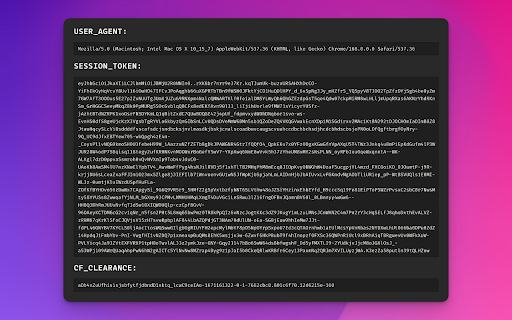


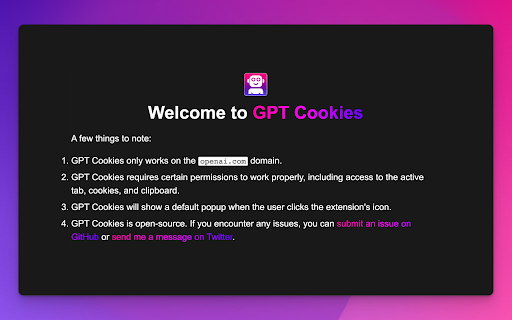
Easily copy or download your ChatGPT Cookies + user-agent values with one click.
This Chrome Extension allows you to quickly and easily copy ChatGPT cookie values and user-agent strings to your clipboard, or export a single `.env` file with everything.
Usage:
1. Install the extension
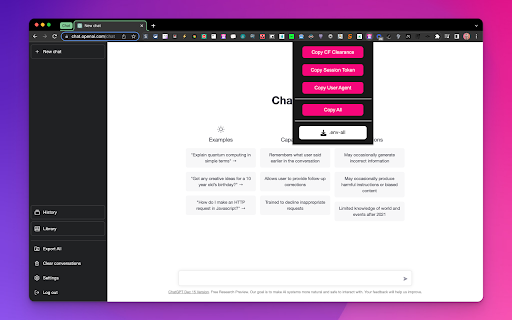
2. Click on the extension icon in the Chrome toolbar to automatically navigate to the ChatGPT website ?️ https://chat.openai.com/chat
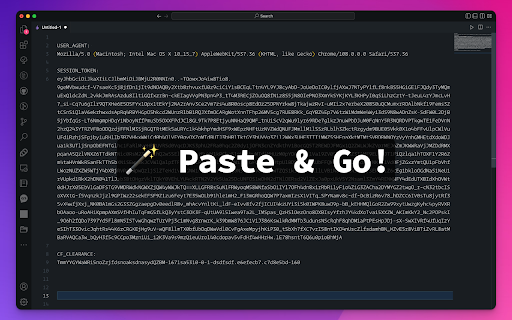
3. Select one of the options to automatically copy the `SESSION_TOKEN`, `USER_AGENT`, and `CF_CLEARANCE` or all values at once to your clipboard, or download a single `.env-all` with all of them.
4. Paste the values wherever they are needed in your project, such as in the `.env` file.
Source code:
https://github.com/itsbrex/ChatGPT-Cookies
### Changelog
#### v2.0
- Copy individual cookies or copy all at once
- Export all values as an .env file
- Added onboarding.html page
#### v1.1
- Added the ability to copy `SESSION_TOKEN`, `USER_AGENT`, and `CF_CLEARANCE` values in addition to the `SESSION_TOKEN` value
- Added a prompt to confirm that the session token has been successfully copied
- Fixed a bug where the extension was not correctly copying the `CF_CLEARANCE` value
#### v1.0
- Initial release
| 分类 | 💻开发者工具 |
| 插件标识 | nnkcnhbioochcaoeofflcljhhpceoknl |
| 平台 | Chrome |
| 评分 |
★★★★☆
4.8
|
| 评分人数 | 350 |
| 插件主页 | https://chromewebstore.google.com/detail/chatgpt-cookies/nnkcnhbioochcaoeofflcljhhpceoknl |
| 版本号 | 2.0 |
| 大小 | 67.79MiB |
| 官网下载次数 | 2000 |
| 下载地址 | |
| 更新时间 | 2023-01-02 00:00:00 |
CRX扩展文件安装方法
第1步: 打开Chrome浏览器的扩展程序
第2步:
在地址栏输入: chrome://extensions/
第3步: 开启右上角的【开发者模式】
第4步: 重启Chrome浏览器 (重要操作)
第5步: 重新打开扩展程序管理界面
第6步: 将下载的crx文件直接拖入页面完成安装
注意:请确保使用最新版本的Chrome浏览器
同类插件推荐

ChatGPT Cookies
Easily copy or download your ChatGPT Cookies + use

ChatGPT Copy
Copy ChatGPT conversations or prompts to the clipb

保存 ChatGPT DALL·E-3 对话记录到 Notion
一键保存 ChatGPT 对话到 Notion。导出 ChatGPT 对话ChatGPT保存到Not

ChatGPT Keyboard Shortcuts
Enhance your ChatGPT experience with easy-to-use k