
HTML Content Blocker Chrome 插件, crx 扩展下载

Blocks desired HTML contents (script, style, image, object, media)
HTML Content Blocker provides a user-friendly interface to quickly block various HTML contents (Script, Style, Image, Object, and Media) on any webpage.
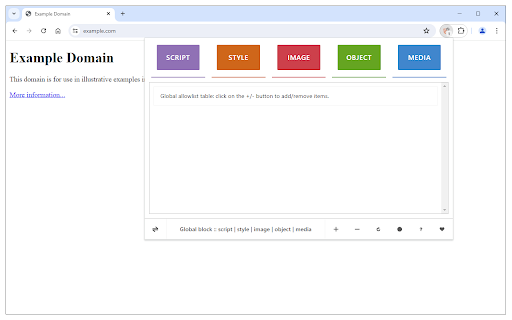
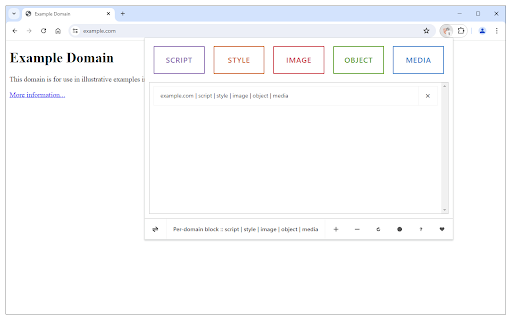
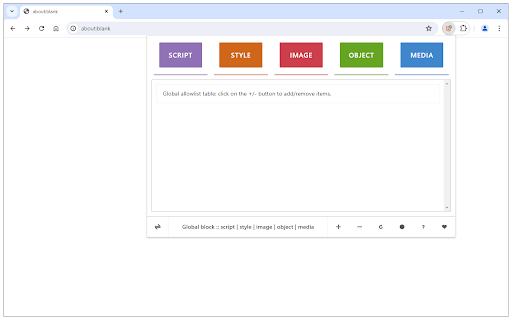
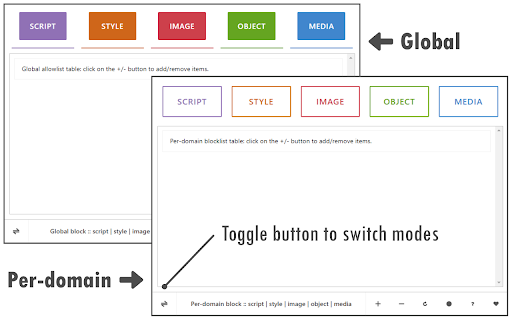
To work with this addon, please open the toolbar popup and press the desired content button (at the top) to block, then reload the tab. This extension has two modes to operate. The first and default mode is Global. In this mode, the addon is active for all domains except those listed in the allow-list table. The other mode is per-domain, where the addon is active only for the domains in the block-list table. To switch modes, please press the toggle button at the bottom-left corner of the interface. To add domains to the allowlist or blocklist table, please navigate to a website, then press the plus (+) button at the bottom footer. Likewise, to remove the domain from the table, press the minus (-) button. Badge icon text shows the number of blocked items for the active tab.
To report bugs, please visit the addon's homepage and fill out the bug report form (https://mybrowseraddon.com/html-content-blocker.html).
| 分类 | 🔒隐私 |
| 插件标识 | nobnkgabkebhhlgfddbemmefjnjnahoe |
| 平台 | Chrome |
| 评分 |
★★★★☆
4.2
|
| 评分人数 | 539 |
| 插件主页 | https://chromewebstore.google.com/detail/html-content-blocker/nobnkgabkebhhlgfddbemmefjnjnahoe |
| 版本号 | 0.2.2 |
| 大小 | 32.93KiB |
| 官网下载次数 | 5000 |
| 下载地址 | |
| 更新时间 | 2024-07-16 00:00:00 |
CRX扩展文件安装方法
第1步: 打开Chrome浏览器的扩展程序
第2步:
在地址栏输入: chrome://extensions/
第3步: 开启右上角的【开发者模式】
第4步: 重启Chrome浏览器 (重要操作)
第5步: 重新打开扩展程序管理界面
第6步: 将下载的crx文件直接拖入页面完成安装
注意:请确保使用最新版本的Chrome浏览器
同类插件推荐

Remove Element
Remove an HTML element from the context menu (righ

Total Script Blocker
Total Script Blocker is a smart extension that con
Content Blocker
Content Blocker - The perfect addition to your ad

CSS-Block
This extension blocks CSS, which is ugly and slows

Tunable Image Block
A browser extension for limit loading of the image
Disable HTML5 Autoplay (Reloaded)
Disable autoplay and preloading of HTML5 video and

Policy Control - JavaScript and Flash blocker
Block third-party or all resources of style, scrip
HTML Content Blocker
Blocks desired HTML contents (script, style, image
disable-HTML
Provides switches to enable and disable CSS, Javas

Click to Remove Element
Remove annoying elements with a single clickAllows

Nomovdo - Video Blocker
Block ALL videosAn easy-to-use video blocker that
Disable HTML5 Autoplay
Disables autoplay of all HTML5 audio and videoTHIS