
CopySplash (Unsplash Image Customizer) Chrome 插件, crx 扩展下载

Copy, download and customize Unsplash image URL with a click!
? Easily copy the direct URL of any free image or download it with custom parameters from Unsplash with just a click!
? Perfect for developers, designers, or anyone who wants to quickly integrate Unsplash images into their code or use them as embedded content.
? Love CopySplash? Share Your Feedback!
If you enjoy using CopySplash, please take a moment to leave a review. Your feedback helps improve the extension and supports future development. Thank you for your support!
---
Key Features:
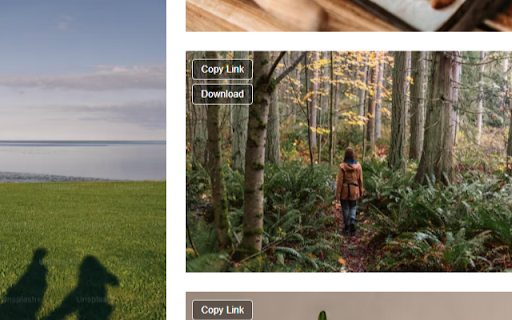
1. Instant URL Copying: A "Copy Link" button appears over each Unsplash image, allowing you to instantly copy the image URL to your clipboard.
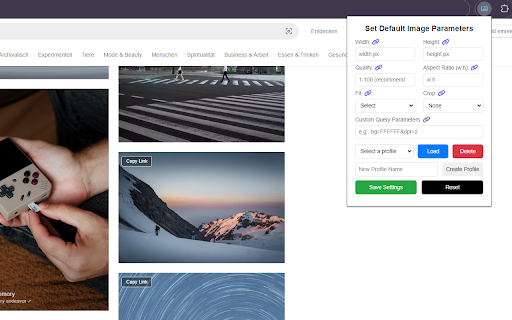
2. Customizable URLs: Click on the extension icon to set default parameters like width, height, quality, and more using the imgix Rendering API.
3. Download with Parameters: Easily download images with your specified parameters directly to your device.
4. Profile Management for Parameters: Save up to 10 custom profiles with your favorite settings (e.g., width, height, quality, etc.). Load a saved profile to automatically populate the fields, making repetitive tasks even faster!
5. Custom Query Support: Include any additional imgix query parameters in your URL, giving you complete control over image transformations.
6. Profile Selector: Easily switch between saved profiles using a dropdown menu for seamless customization.
---
How It Works:
1. Copy Image URL: Hover over any Unsplash image and click the "Copy Link" button to copy the direct URL.
2. Customize URL: Use the extension popup to set your preferred parameters (width, height, quality, etc.) or load a saved profile.
3. Download Image: Click the "Download Image" button to save the image with your custom settings.
4. Save and Load Profiles: Save your frequently used settings with custom profile names and load them on demand.
5. Automatic author attribution – Downloaded Filenames include the photographer’s name for better crediting (e.g., made_by_[artist_name]_unsplash_[set_parameters].jpg ).
---
Example URLs:
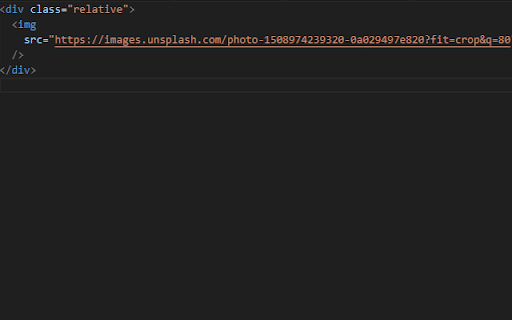
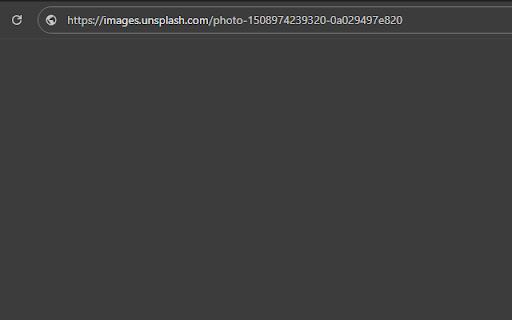
- Direct URL**: `https://images.unsplash.com/photo-1508974239320-0a029497e820`
- Customized URL**: `https://images.unsplash.com/photo-1508974239320-0a029497e820?h=150&w=150&fit=crop`
---
? Have an Idea? Submit and Vote on Features!
We’re always looking to improve! Submit your ideas for new features or vote on existing ones on our Feature Request Board: https://insigh.to/b/copysplash
---
Open-Source Project: https://github.com/dalisys/copy-splash
Feel free to dive into the code! Whether you have an idea for a new feature, want to improve the code, or help contribute, your input is welcome.
Note:
This extension only works with free images. Paid content is excluded.
| 分类 | 🛠️工具 |
| 插件标识 | nphognmkdpdfenhobfmedbpdahegdklm |
| 平台 | Chrome |
| 评分 |
★★★★★
5
|
| 评分人数 | 1 |
| 插件主页 | https://chromewebstore.google.com/detail/copysplash-unsplash-image/nphognmkdpdfenhobfmedbpdahegdklm |
| 版本号 | 1.2.8 |
| 大小 | 20.81KiB |
| 官网下载次数 | 73 |
| 下载地址 | |
| 更新时间 | 2025-01-31 00:00:00 |
CRX扩展文件安装方法
第1步: 打开Chrome浏览器的扩展程序
第2步:
在地址栏输入: chrome://extensions/
第3步: 开启右上角的【开发者模式】
第4步: 重启Chrome浏览器 (重要操作)
第5步: 重新打开扩展程序管理界面
第6步: 将下载的crx文件直接拖入页面完成安装
注意:请确保使用最新版本的Chrome浏览器
同类插件推荐

Kora Web Knowledge Capture
Use the Kora Web Knowledge Capture extension to sa
Images Downloader Tools
Find and download all images on a web page with Im

Simple Image Downloader
Hi,Download images by hovering over them with a f

CopySplash (Unsplash Image Customizer)
Copy, download and customize Unsplash image URL wi
Copy Image URL
When pressing the copy shortcut key on the image,

Copy Image Link on Hover
*Image URL Copier - Quick and Easy Image Link Copi
Image Link Grabber
Grab all image links from webpage.Extract image li

Copy Image URL
Copy image source URLs from Google image searchThi

Image Collective: Webpage to Gallery
Webpage to image gallery: Filter and view images f

Bulk Image Downloader From Url List
A Chrome extension to bulk download images from a

Copy Image URL
Copy image source URLs from Google image searchCop

Copy Image Source
Fast way to copy image base URL (Source: *BASE URL

Show and Copy Image Properties
You can see the properties of the image and copy t