
适用于 Chrome 的 SearchGPT Chrome 插件, crx 扩展下载
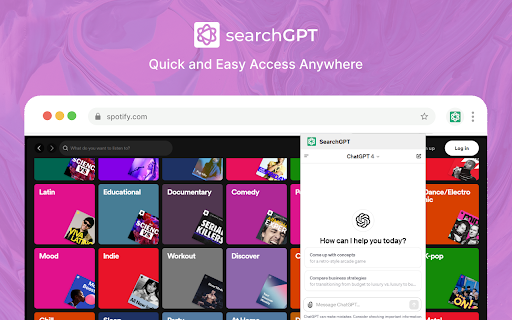
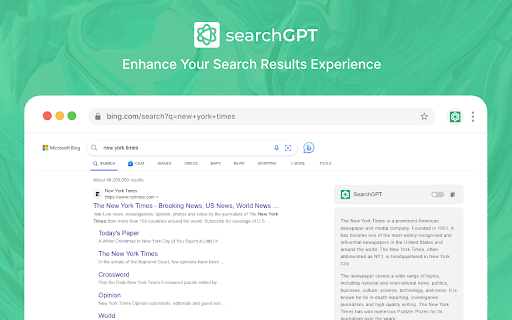
ChatGPT AI 在各种搜索引擎(如 Google、Bing、Yahoo、DuckDuckGo 等)上的能力。
With SearchGPT powered by ChatGPT, you'll enhance you browsing experience. This browser extension empowers traditional search engines with the intelligence of ChatGPT, presenting responses alongside regular searc.
Specifically designed for Chrome users, SearchGPT allows quick access via a convenient popup window. No need to
switch to a different website or application – simply use this extension to ask anything directly.
Features:
• Access from the context menu.
- Highlight any text or code and using right click you will be able to start search.
•Access from Chrome Browser:
- Easily accessible through your browser's extension popup.
- Response on all major search engines.
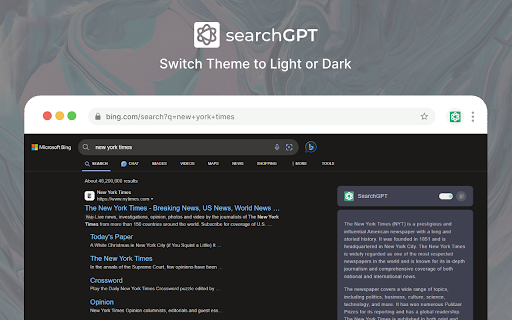
•Dark Mode:
- Offers a comfortable viewing option in light and dark mode.
- Reduces eye strain and provides a more relaxed browsing experience.
By clicking "Add to Chrome", I accept and agree to install the “SearchGPT for Chrome”
Chrome extension and set Chrome New Tab provided by the service and the Terms of
Use and Privacy Policy. Search results are provided by Microsoft Bing.
Installing this Chrome extension will update your default search setting to “SearchGPT for Chrome” with search
results powered by Bing.com.
Privacy Policy: https://searchgpt.me/privacy
Upgrade your web searching experience with ChatGPT' Powered Search for Chrome extension today!
| 分类 | 📝工作流程与规划 |
| 插件标识 | oaenllollgdmpdfhohchhnalkjpogepl |
| 平台 | Chrome |
| 评分 |
★★★★☆
4.5
|
| 评分人数 | 117 |
| 插件主页 | https://chromewebstore.google.com/detail/适用于-chrome-的-searchgpt/oaenllollgdmpdfhohchhnalkjpogepl |
| 版本号 | 1.0.0 |
| 大小 | 101KiB |
| 官网下载次数 | 5000 |
| 下载地址 | |
| 更新时间 | 2024-01-03 00:00:00 |
CRX扩展文件安装方法
第1步: 打开Chrome浏览器的扩展程序
第2步:
在地址栏输入: chrome://extensions/
第3步: 开启右上角的【开发者模式】
第4步: 重启Chrome浏览器 (重要操作)
第5步: 重新打开扩展程序管理界面
第6步: 将下载的crx文件直接拖入页面完成安装
注意:请确保使用最新版本的Chrome浏览器
同类插件推荐

适用于 Chrome 的 SearchGPT
ChatGPT AI 在各种搜索引擎(如 Google、Bing、Yahoo、DuckDuckGo

Multi AI Sidebar
Access to all AI apps like OpenAI ChatGPT, Bing AI
GPT Sidebar - Search with ChatGPT
Make ChatGPT search responses on Google, Bing, etc

ChatGPT for Google
Display ChatGPT response alongside search engine r