
Use Chat GPT On Any Website - Inline AI Chrome 插件, crx 扩展下载

Use GPT for running a quick prompt, fixing grammar, translating text, all with a simple click.
Bring the power of free Chat GPT on every website with Inline AI. This versatile Chrome extension allows you to enhance your writing by just running a quick prompt, fixing grammar, translating text, all with simple clicks.
## Features:
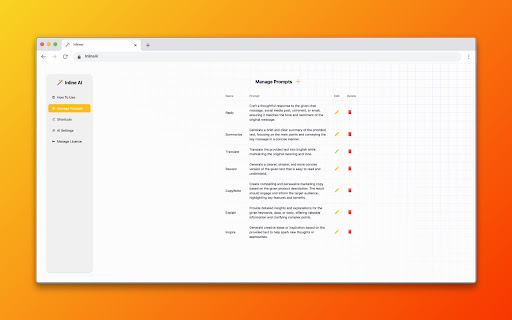
★ Custom Prompts
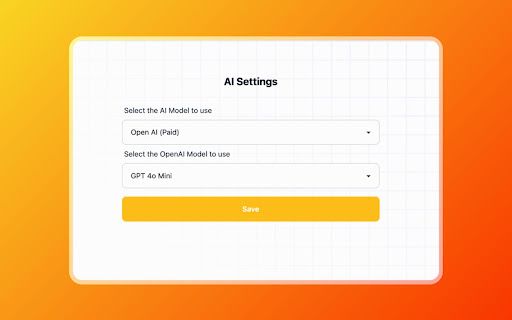
★ Open AI Chat GPT support
★ Lifetime License
★ 1 Free AI model
## How to Use:
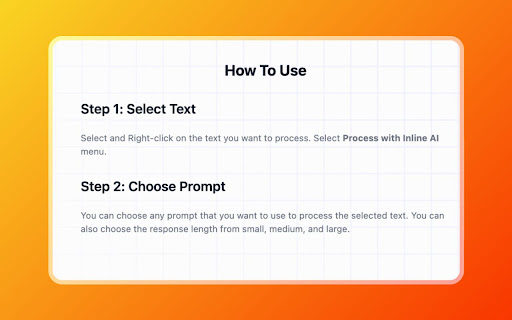
★ Step 1: Select Text
Select and Right-click on the text you want to process. Select Process with Inline AI menu.
★ Step 2: Choose Prompt
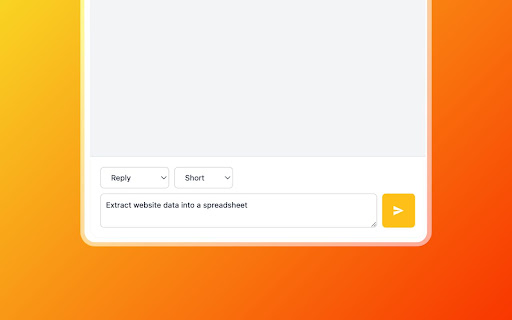
You can choose any prompt that you want to use to process the selected text. You can also choose the response length from small, medium, and large.
Elevate your writing and communication with Inline AI. Download now and unlock the full potential of AI in your browser!
| 分类 | 📝工作流程与规划 |
| 插件标识 | obfekodipjodhijlofdpmalbihfaaimn |
| 平台 | Chrome |
| 评分 |
★★★★☆
4.8
|
| 评分人数 | 1357 |
| 插件主页 | https://chromewebstore.google.com/detail/use-chat-gpt-on-any-websi/obfekodipjodhijlofdpmalbihfaaimn |
| 版本号 | 1.1 |
| 大小 | 393KiB |
| 官网下载次数 | 60 |
| 下载地址 | |
| 更新时间 | 2024-10-13 00:00:00 |
CRX扩展文件安装方法
第1步: 打开Chrome浏览器的扩展程序
第2步:
在地址栏输入: chrome://extensions/
第3步: 开启右上角的【开发者模式】
第4步: 重启Chrome浏览器 (重要操作)
第5步: 重新打开扩展程序管理界面
第6步: 将下载的crx文件直接拖入页面完成安装
注意:请确保使用最新版本的Chrome浏览器
同类插件推荐

Use Chat GPT On Any Website - Inline AI
Use GPT for running a quick prompt, fixing grammar
ChatGPT Chrome Extension - Silly Ai
Chat GPT powered writing companion that enables yo

Chapa - Your AI Assistant powered by GPT
Discover a smarter way to browse with GPT - chat,

ChatGPT Writer: Use AI on Any Site (GPT-4o, Claude, Gemini, and More)
Write emails, correct grammar, translate, research