
Blocks: Your Meeting Teleprompter for Google Meet Chrome 插件, crx 扩展下载
Blocks for Google Meet
Enhance your productivity and stay organized during meetings with Blocks, the innovative teleprompter extension designed specifically for Google Meet! ??
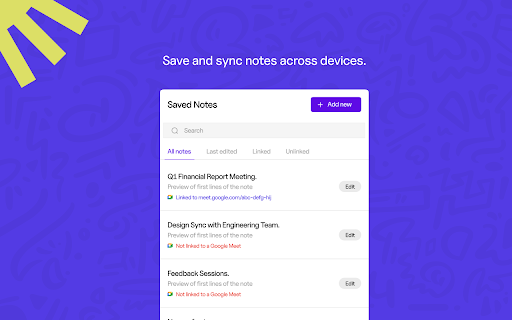
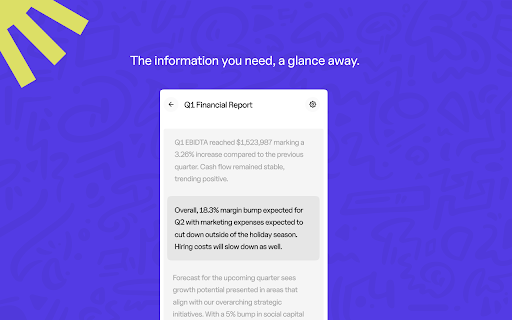
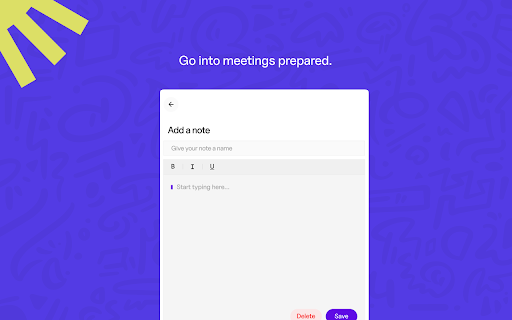
Blocks lets you add notes as easy-to-read blocks of text and seamlessly integrate them into your Google Meet sessions—so you can focus on what matters most.
? Key Features
• ? Integrated Teleprompter: Effortlessly add and view segmented blocks of text, allowing you to zero in on key points without distractions.
• ? Sidebar Display: Access your pre-saved notes directly in the native Google Meet sidebar—no more switching between apps!
• ⚡ Easy Access: Just open your Google Meet link and instantly see all the blocks you’ve prepared for smooth, efficient communication.
• ? Productivity Boost: Perfect for tech pros and anyone in frequent virtual meetings, Blocks helps you collect your thoughts and present them with clarity.
? Who Should Use Blocks?
Blocks is perfect for:
• ???? Tech professionals who need to stay organized and articulate during meetings.
• ? Virtual meeting regulars looking for a reliable way to reference their notes on the go.
• ? Teams seeking to improve meeting productivity and communication efficiency.
? Get Started
Install Blocks from the Chrome Web Store and revolutionize the way you manage meetings. Stay focused, stay organized, and make every meeting count with Blocks! ✅
| 分类 | 🛠️工具 |
| 插件标识 | odpekfipdebnddhkliagjaabncmelomp |
| 平台 | Chrome |
| 评分 |
★★★★☆
4.6
|
| 评分人数 | 19 |
| 插件主页 | https://chromewebstore.google.com/detail/blocks-your-meeting-telep/odpekfipdebnddhkliagjaabncmelomp |
| 版本号 | 0.6.1 |
| 大小 | 1.35MiB |
| 官网下载次数 | 119 |
| 下载地址 | |
| 更新时间 | 2025-01-18 00:00:00 |
CRX扩展文件安装方法
第1步: 打开Chrome浏览器的扩展程序
第2步:
在地址栏输入: chrome://extensions/
第3步: 开启右上角的【开发者模式】
第4步: 重启Chrome浏览器 (重要操作)
第5步: 重新打开扩展程序管理界面
第6步: 将下载的crx文件直接拖入页面完成安装
注意:请确保使用最新版本的Chrome浏览器
同类插件推荐

Meet Assistant
Only way for you to record your precious meetings
Blocks: Your Meeting Teleprompter for Google Meet
Blocks for Google MeetEnhance your productivity an

Meeting Timer - for Google Meet
Display a Timer on Google Meet calls based on your

Gather Meetings
Schedule meetings in Gather directly from Google C