
Desktop Pet Interaction Chrome 插件, crx 扩展下载
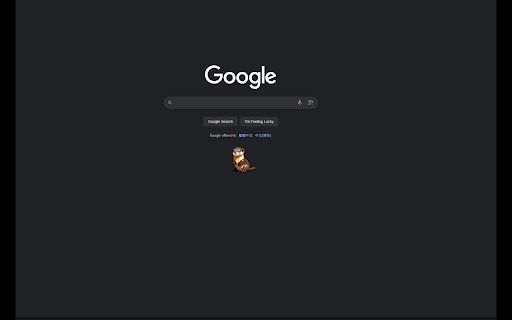
Interact with your desktop pet from the browser!
### Still Developing ###
Your download and feedback will help us to make improvement.
Website is building too!!!
Come join us if you are a Pixel-art Lover!
## Desktop Pet Interaction
Bring a playful companion to your desktop with Desktop Pet Interaction. Choose from a variety of adorable pets including Penguins, Otters, Chickens, Racoons, and Geckos. Watch as your chosen pet moves around your screen, takes breaks, and responds to your interactions.
### Features
- **Interactive Pets:** Draw a random pet and see it come to life on your screen.
- **Multiple Pet Types:** Choose from Penguins, Otters, Chickens, Racoons, and Geckos.
- **Pet States:** Watch your pet move, rest, and stop at random intervals.
- **Drag and Drop:** Easily drag your pet to different positions on your screen.
- **Pomodoro Timer:** Use the built-in Pomodoro timer to manage your work sessions with your pet by your side.
### How to Use
1. **Install the Extension:** Add Desktop Pet Interaction to your browser.
2. **Sign In:** Open the extension popup and sign in with your Google account.
3. **Draw a Pet:** Click the "Lucky Draw a Pet" button to get a random pet.
4. **Show/Hide Pet:** Use the "Show/Hide Pet" button to display or hide your pet on the screen.
5. **Timer:** Utilize the "Start Timer" and "Reset Timer" buttons to keep track of your work sessions.
### Permissions
- **Storage:** To save your chosen pet and settings.
- **Identity:** To sign in with your Google account and link your pet to your account.
### Feedback
We value your feedback! Please leave a review or contact us with any suggestions or issues you encounter. Enjoy your new desktop companion!
| 分类 | 🎉趣味休闲 |
| 插件标识 | oekpbdbmgpeebgibdnedbebjcpafoamh |
| 平台 | Chrome |
| 评分 |
★★★★★
5
|
| 评分人数 | 1 |
| 插件主页 | https://chromewebstore.google.com/detail/desktop-pet-interaction/oekpbdbmgpeebgibdnedbebjcpafoamh |
| 版本号 | 1.1 |
| 大小 | 2.12MiB |
| 官网下载次数 | 330 |
| 下载地址 | |
| 更新时间 | 2024-07-16 00:00:00 |
CRX扩展文件安装方法
第1步: 打开Chrome浏览器的扩展程序
第2步:
在地址栏输入: chrome://extensions/
第3步: 开启右上角的【开发者模式】
第4步: 重启Chrome浏览器 (重要操作)
第5步: 重新打开扩展程序管理界面
第6步: 将下载的crx文件直接拖入页面完成安装
注意:请确保使用最新版本的Chrome浏览器
同类插件推荐

Virtual Pets cat
Virtual Pets for Google Chrome™Bring some joy to y

Browser Pet Pomodoro Reminder
This browser pet will remind you to take a break e

Virtual Pet
A virtual pet you can pet and feed!Meet your new v

Elemental Golem
A fun magical elemental golem pet in your browser!

Virtual Cat - Your Best Browser Companion (accompany you surf the internet)
Embark on an unforgettable journey with Cunning Ca

Cursor Pet
A cute little pet that follows your cursor.FEATURE

Browser Pet
A Chrome Extension that adds cute pets to your bro
Desktop Pet Interaction
Interact with your desktop pet from the browser!##

pixel-pets
Pixel Pets are a cute addition to your web browser

Dino Pets
A cute little dinosaur that follows your mouse aro

Virtual Pet
A virtual pet in the browser sidebar.Bring Adorabl

Byte Buddy
With this extension, you can feed your own virtual

Happy dog - virtual pet for you and friends
Take care of a virtual pet together with your frie