
Multiple Search Engines - MSE Chrome 插件, crx 扩展下载

Select, right click, search in multiple search engines!
Update to version 1.2.5 (Fixed bugs, edited imdb search URL and added new search engines).
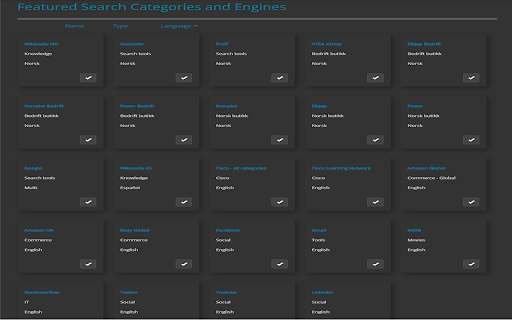
Following search engines has been added as default:
#Wikipedia English, Español and Norwegian – Knowledge
#Amazon Global and UK – Commerce
#AliExpress Global – Commerce
#Ebay Global – Commerce
#Finn.no – Norwegian Commerce
#Gulesider.no – Norwegian Search tools
#Proff.no – Norwegian Search tools
#IMOB – Movies
#Linkedin – Social
#Facebook – Social
#X - Twitter – Social
#Youtube – Social
#Google Search
#Gmail – Personal and business
#Cisco – Community
#Stackoverflow – Community
This extension provides the user a quick way to search for selected text in multiple search engens. Supports grouping engines, own search URL, search in incognito, dark mode, search everywhere and more.
How to use it?
Right-click on the highlighted text and select (Search "word" for) from the context menu. It’ll open search results in the current tab active, in the new tab or incognito. Based in your settings on the selected search engines.
How to open in new tab?
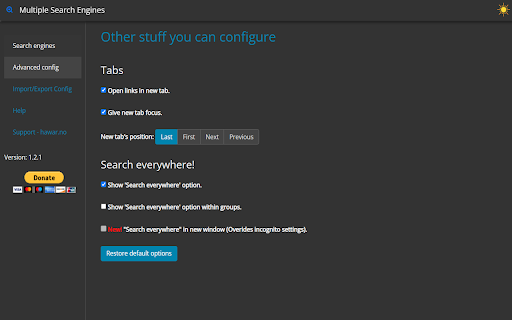
From option page click on "Advanced config", or from context menu (right-click menu) choose last one "Options", will open option page. Then select "Open links in new tab".
How to Search everywhere?
From option page click on "Advanced config", to activate it. You can select all 3 options.
* Show 'Search everywhere' option.
* Show 'Search everywhere' option within groups.
* New! "Search everywhere" in new window (Overrides incognito settings).
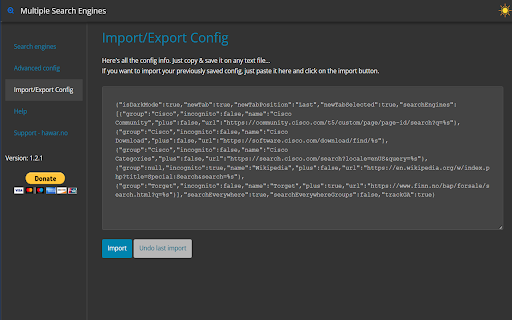
How to import or export settings?
From option page click on "Import/Export Config".
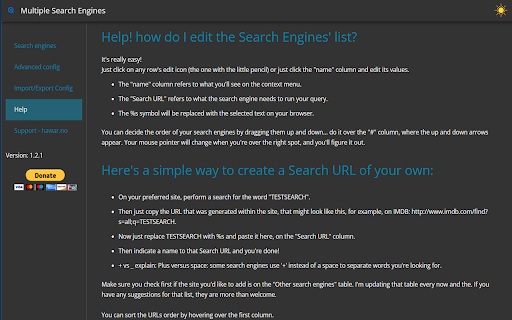
How to create a Search URL of your own?
From option page click on "Create own Search URL", to show you step by step how to create it.
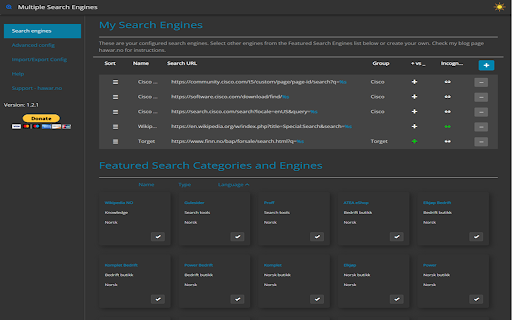
How do I edit the Search Engines' list?
From option page click on "Edit the Search Engines", to find out how to edit it.
Super easy to use! If you have any problems, issues, or questions how to use it, feel free to contact me or visit https://hawar.no/2023/02/multiple-search-engines/
Enjoy!
| 分类 | 🛠️工具 |
| 插件标识 | oenahigafdpmlmaenjgiedobgooekkmp |
| 平台 | Chrome |
| 评分 |
★★★★☆
4.5
|
| 评分人数 | 4 |
| 插件主页 | https://chromewebstore.google.com/detail/multiple-search-engines-m/oenahigafdpmlmaenjgiedobgooekkmp |
| 版本号 | 1.2.5 |
| 大小 | 297KiB |
| 官网下载次数 | 803 |
| 下载地址 | |
| 更新时间 | 2023-10-31 00:00:00 |
CRX扩展文件安装方法
第1步: 打开Chrome浏览器的扩展程序
第2步:
在地址栏输入: chrome://extensions/
第3步: 开启右上角的【开发者模式】
第4步: 重启Chrome浏览器 (重要操作)
第5步: 重新打开扩展程序管理界面
第6步: 将下载的crx文件直接拖入页面完成安装
注意:请确保使用最新版本的Chrome浏览器
同类插件推荐

Custom Search Engine
To use, type 'ms' plus keyword for custom

Search Engine Switch
Easily switch among multiple search engines withou
Multiple Search Engines - MSE
Select, right click, search in multiple search eng

Multi Search & Multi AI
Search or Chat with ChatGPT, Claude, Google, Reddi

翻查 - 多引擎搜索
一个便捷的、可自定义的多引擎搜索扩展一个快速,多引擎,可配置的搜索扩展。专注搜索,增强效率! ⭐

Simple = Select + Search
Right-click text to search on multiple engines.It&

搜索助手
快速切换自定义搜索引擎;在右键菜单添加自定义搜索引擎。只需右键,快速搜索选中文本。 只需一键,快速切

Overload Search - Advanced Google Search
Overload Search! Fast advanced Google Search? Fast

大术专搜
以顺手灵活的工具在(切换)任意一个或(连续)多个搜索引擎进行搜索。大术专搜,既专又广。带些“独门特技

SearchMage
Find information faster and filter out spam domain

Many search engines
Select the search engine and find everything you n

Search Engine AI Chat Web Video Image Social
Fast search all Internet web, search engine, AI ch

All in one web searcher
Search anything on the internet easily by typing i