
Poshmark | PosherVA Chrome 插件, crx 扩展下载
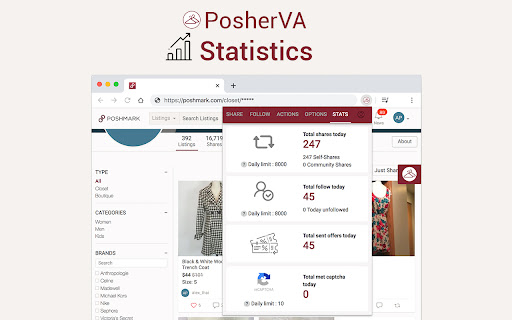
A Poshmark automated virtual assistant that helps you share items, get more followers, and growth your Poshmark sales.
Are you a Poshmark™ seller looking to increase sales but having a hard time balancing the many aspects of staying active on Posh? You’re not alone, and you’re in the right place!
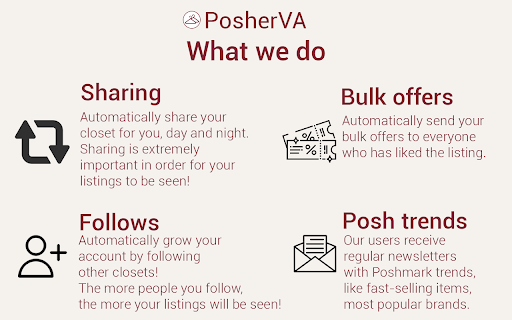
PosherVA is the Poshmark™ automation tool (Poshmark™ bot) that helps you automatically share items, make bulk offers, get more followers, and make more sales on Poshmark™.
It will help you save several hours a day that will allow you to focus on other activities that help your business like sourcing, photography, and listing. Or perhaps you'd like to take some me-time or family time.
What We Do:
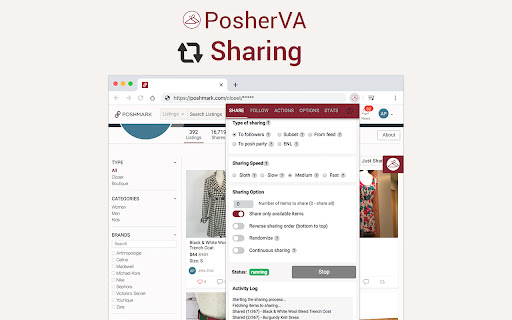
- Shares items to your followers / parties (self share or community shares)
- Schedule Sharing by time ⏲️
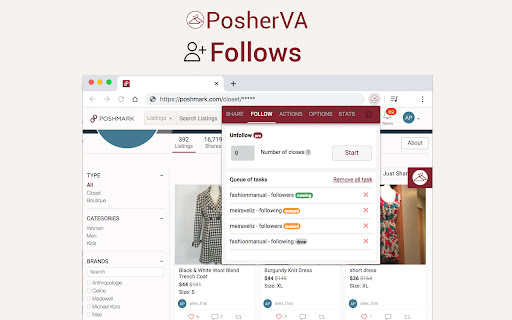
- Follows / unfollows people
- Edit + shares
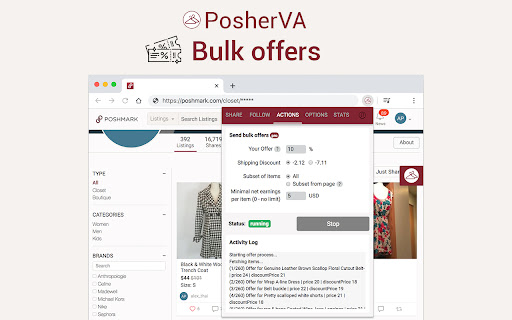
- Send a bulk offers
- Price Drops for CCO
- Automatically solves captchas, you won't notice that.
- Lets you set a daily share limit so you don't get soft banned
- And much more...
The PosherVA is free to install, and has a 10-day free trial.
We also offer a FREE plan for a small reseller, where you can share part of your items a day at no charge, no payment information required.
The PosherVA is your automation Poshmark™ virtual assistant that helps boost sales by maximizing engagement and visibility.
Supported in the USA ??.
For more information and FAQs please visit https://posherva.com/
Use of this extension means you agree to the PosherVA Terms of Service, read them at https://posherva.com/terms
| 分类 | 📝工作流程与规划 |
| 插件标识 | ofacfijogapplfgkoolmdojoieiemihl |
| 平台 | Chrome |
| 评分 |
★★★★★
5
|
| 评分人数 | 9 |
| 插件主页 | https://chromewebstore.google.com/detail/poshmark-posherva/ofacfijogapplfgkoolmdojoieiemihl |
| 版本号 | 3.0.14 |
| 大小 | 3.34MiB |
| 官网下载次数 | 30000 |
| 下载地址 | |
| 更新时间 | 2025-02-16 00:00:00 |
CRX扩展文件安装方法
第1步: 打开Chrome浏览器的扩展程序
第2步:
在地址栏输入: chrome://extensions/
第3步: 开启右上角的【开发者模式】
第4步: 重启Chrome浏览器 (重要操作)
第5步: 重新打开扩展程序管理界面
第6步: 将下载的crx文件直接拖入页面完成安装
注意:请确保使用最新版本的Chrome浏览器
同类插件推荐

Fearn Marketplace Connection
This extension allows Fearn to access and communic

Poshmark Sidekick
Poshmark Sidekick creates an easy way to view your
Poshmark Bot | Closet Assistant
A Poshmark auto sharing bot/Crosslister tool for t

Poshmark Sharing Tool
Poshmark Sharing Tool by WiseSolutions, LLChttps:/

Poshmark Bot | Poshwatch
Poshwatch makes it easy to share your closet, get
Listifyx - Poshmark Bot
Poshmark bot that automates all of the boring Posh

Cross-listing & Poshmark Tool by PrimeLister
Cross-listing and Poshmark Automation Tool. Crossl

Poshmark | PosherVA
A Poshmark automated virtual assistant that helps

Vendoo Extension v3
Connect to third party marketplacesThe Go-To Cross