
Chrome Terminal Chrome 插件, crx 扩展下载
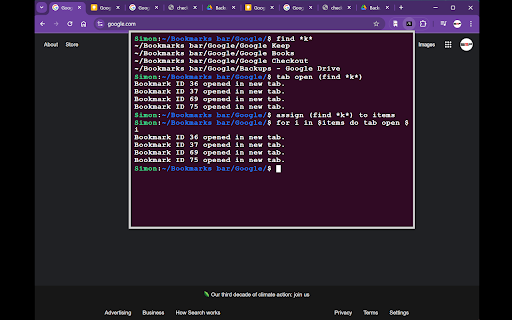
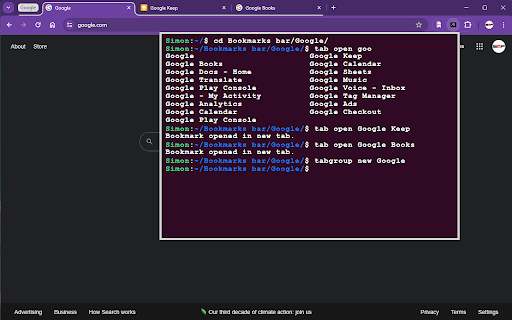

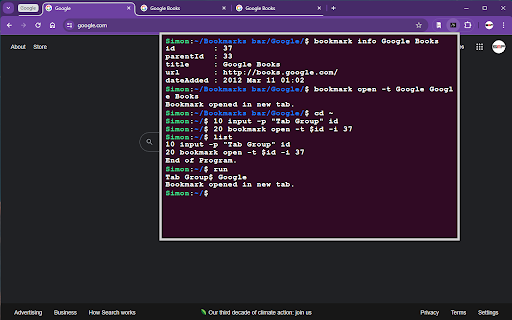
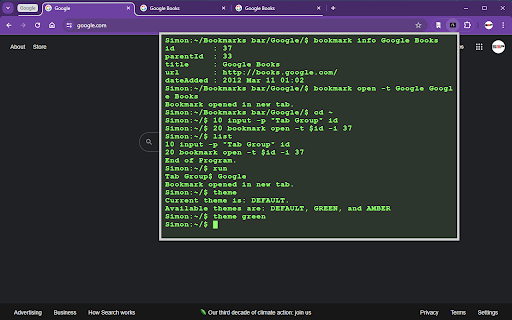
A command line interface for chrome.
A "terminal" for chrome which implements common chrome tasks as command line functions.
For a more user-friendly bookmark opening experience, check out SMP Bookmark Opener: https://chromewebstore.google.com/detail/smp-bookmark-opener/fkmeadklbnpemgmonhnlbadgpcpflibd
Open source: https://github.com/simonpao/chrome-term
For a listing of possible commands, type HELP. For information about a specific command, type HELP <COMMAND>.
Examples include:
- tab
- open a new tab or bookmark
- tab new
- tab new google.com
- tab open Google
- close an open tab
- tab close Google
- tab close -i 1652151025
- view info about open tabs
- tab ls
- tab info Google
- tab info -i 1652151025
- select a tab
- tab activate Google
- tab activate -i 1652151025
- tabgroup
- add ungrouped tabs to new or existing group
- tabgroup new Google
- view open tab groups
- tabgroup list
- bookmark
- save a new bookmark
- bookmark new
- bookmark new Google
- bookmark new -rq Google
- Remove query params before saving
- bookmark new -i 1652151025
- Save new bookmark from tab ID
- open a bookmark
- bookmark open Google
- view existing bookmarks in current folder
- cd Bookmark bar/
- ls -al
- delete a bookmark
- rm Google
- view details about a bookmark
- bookmark info Google
- bookmark info -i 65
- find
- find a bookmark or open tab based on given search term using asterisk (*) as a wildcard
- find Google/ *ke*p*
- find -s *keep
- find -i *keep
- find -t keep
- history
- list recent history
- history ls
- history ls google
- reopen
- List recently closed tabs/windows
- reopen ls
- reopen ls google
- Reopen recent tabs/windows
- reopen
- reopen -s (silent - does not activate the tab or remove from recent tab history)
- reopen Google
- reopen -i 1652151025
- google
- open a google search in new tab
- google search term
Directory structure is based on bookmark directories.
- cd to move into folders
- cd Bookmarks bar/Folder
- cd ~/Other bookmarks
- cd ../Bookmarks bar/Folder
- ls to view folder contents
- mkdir to create new folders
- rmdir to delete a folder
- cp to copy
- mv to move
- rm to remove
| 分类 | 🛠️工具 |
| 插件标识 | ohejbgphpjcioiglmmpogdpffiacfkke |
| 平台 | Chrome |
| 评分 |
★★☆☆☆
2.2
|
| 评分人数 | 4 |
| 插件主页 | https://chromewebstore.google.com/detail/chrome-terminal/ohejbgphpjcioiglmmpogdpffiacfkke |
| 版本号 | 1.0.5 |
| 大小 | 81.06KiB |
| 官网下载次数 | 173 |
| 下载地址 | |
| 更新时间 | 2024-09-03 00:00:00 |
CRX扩展文件安装方法
第1步: 打开Chrome浏览器的扩展程序
第2步:
在地址栏输入: chrome://extensions/
第3步: 开启右上角的【开发者模式】
第4步: 重启Chrome浏览器 (重要操作)
第5步: 重新打开扩展程序管理界面
第6步: 将下载的crx文件直接拖入页面完成安装
注意:请确保使用最新版本的Chrome浏览器
同类插件推荐

Online Linux Terminal - Practice Commands
Free online Linux terminal to practice commands. L

Commandy
A place to learn Linux commandsCommandy helps thos

Chrome Terminal
A command line interface for chrome.A "termin

OdooTerminal
Terminal-like to send json-rpc requests and use to

terminal data
为开发人员提供更好更方便快捷的测试为开发人员提供更方便的web测试,在线调试获取API状态信息

Console
You can type the command to help you do something.
搜索控制台专业版
具有高级功能的终端式谷歌搜索搜索控制台专业版 (Search Console Pro):为您的Goo

Linux Sözlüğü
Linux komutlarının ne işe yaradığını açıklamaları

Browser terminal
Extension that allows you to open a native shell i
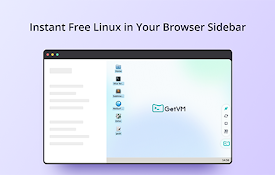
GetVM:免费的 Linux 和 IDE 侧边栏
GetVM:在浏览器侧边栏免费启动 Linux、IDE 和应用,随时上手学习编程、测试代码!✨ Ge

Android Terminal
Access your USB-connected Android terminal without

Chrome Terminal
A Chrome Extension to execute customized commands
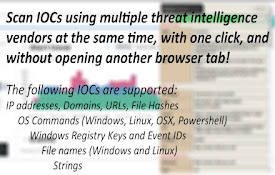
SOCMaster
Get info on OS Commands, IPs, Domains, URLs, Hashe