
PrivateVPN Chrome 插件, crx 扩展下载
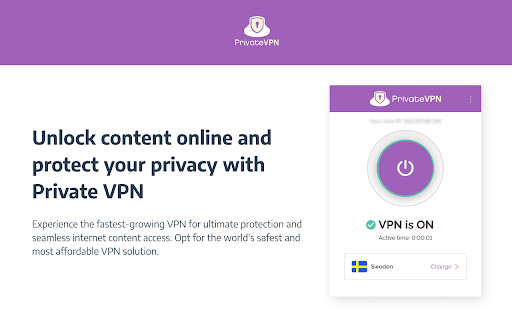
PrivateVPN offers the highest levels of security and privacy, stable connections from anywhere in the world.
Elevate your online experience with the PrivateVPN Browser Extension – Your Gateway to Seamless, Secure Browsing!
Unlock a New Level of Online Security:
*Surf Anonymously at Lightning Speeds:
Experience the thrill of browsing at lightning speeds while ensuring your online activities remain private and secure. With a single click, connect to our global network of servers and embark on a secure online journey.
*Seamless Spoofing of Your Location:
Guard your privacy by effortlessly spoofing your location, preventing any potential intrusion into your online whereabouts. Our extension stops HTML5 geopositioning from revealing your true location, offering you true online freedom.
Why Choose PrivateVPN for Chrome?
*Next-Level Online Security:
Enjoy top-notch online security with our VPN and browser extension, designed to safeguard your data and online activities from potential threats.
*Global Network, Local Control:
Connect to our extensive network of servers strategically positioned around the globe while maintaining easy control directly from your Chrome browser.
*User-Friendly Interface:
Navigate effortlessly through our user-friendly interface, ensuring that even the most advanced security features are accessible with just a few clicks.
*Privacy Policy You Can Trust:
Rest easy knowing that we adhere to a strict no-logs policy. Your online activities are your business, and our commitment to privacy ensures that it stays that way.
Elevate your online security with PrivateVPN – Where Speed Meets Privacy!
Learn more about PrivateVPN:
https://privatevpn.com
https://privatevpn.com/support
https://privatevpn.com/privacy-policy/
| 分类 | 🔒隐私 |
| 插件标识 | opcdilehfjkpfjmjmbnfkebdgjelbkpe |
| 平台 | Chrome |
| 评分 |
★★★★☆
4.4
|
| 评分人数 | 1212 |
| 插件主页 | https://chromewebstore.google.com/detail/privatevpn/opcdilehfjkpfjmjmbnfkebdgjelbkpe |
| 版本号 | 1.0.3 |
| 大小 | 169KiB |
| 官网下载次数 | 1000 |
| 下载地址 | |
| 更新时间 | 2024-06-10 00:00:00 |
CRX扩展文件安装方法
第1步: 打开Chrome浏览器的扩展程序
第2步:
在地址栏输入: chrome://extensions/
第3步: 开启右上角的【开发者模式】
第4步: 重启Chrome浏览器 (重要操作)
第5步: 重新打开扩展程序管理界面
第6步: 将下载的crx文件直接拖入页面完成安装
注意:请确保使用最新版本的Chrome浏览器
同类插件推荐
免费 VPN ZenMate - Free VPN Chrome
ZenMate Free VPN 是一款用于 Chrome 的免费 vpn,用于隐藏您的 IP 地址

适用于 Chrome 的免费 VPN - VPN 代理 VeePN
快速、超安全且易于使用的 VPN 服务可保护您的在线隐私。 享受无限流量和带宽!VeePN: unb

IP Unblock - Free VPN to unblock websites
The Best Free VPN to Unblock websites and secure y
PrivateVPN
PrivateVPN offers the highest levels of security a