Link Saver Chrome 插件, crx 扩展下载
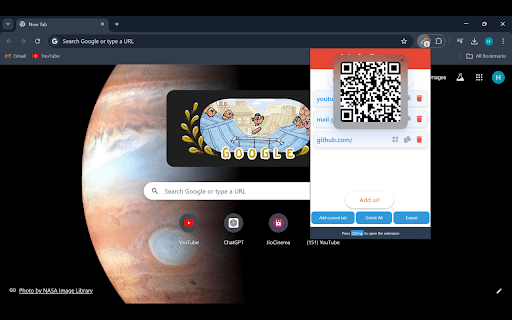
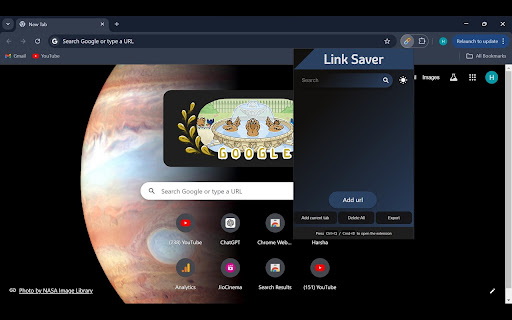
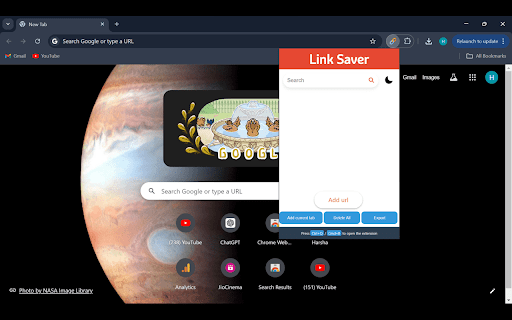
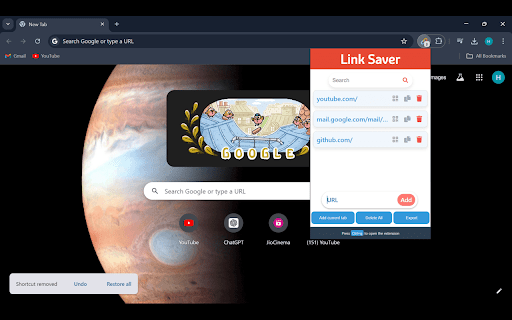
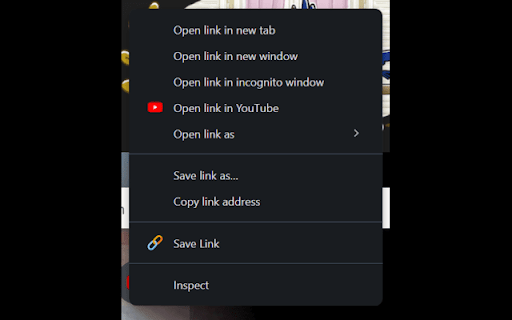
Easily save, manage, and share your links with just a click
Tired of losing track of important links? Say hello to Link Saver, the must-have Chrome extension that makes managing your favorite websites a breeze!
Special features included in this extension:
Dark mode: You can enable dark mode and your choice will be saved!
Customizable Keyboard Shortcut: Open the extension instantly with a shortcut of your choice.
Generate QR Codes: Create QR codes for easy sharing of links.
Add Current Tab: Save the URL of the current tab to your list.
Delete All Links: Clear all saved links in one action.
Export Links: Download all saved links as a Word document.
| 分类 | 📝工作流程与规划 |
| 插件标识 | pcpgifpldjiacabodkpgnokejgcgglnl |
| 平台 | Chrome |
| 评分 |
★★★★☆
4.4
|
| 评分人数 | 190 |
| 插件主页 | https://chromewebstore.google.com/detail/link-saver/pcpgifpldjiacabodkpgnokejgcgglnl |
| 版本号 | 1.0.7 |
| 大小 | 138KiB |
| 官网下载次数 | 36 |
| 下载地址 | |
| 更新时间 | 2024-08-07 00:00:00 |
CRX扩展文件安装方法
第1步: 打开Chrome浏览器的扩展程序
第2步:
在地址栏输入: chrome://extensions/
第3步: 开启右上角的【开发者模式】
第4步: 重启Chrome浏览器 (重要操作)
第5步: 重新打开扩展程序管理界面
第6步: 将下载的crx文件直接拖入页面完成安装
注意:请确保使用最新版本的Chrome浏览器