
ReplyTruck - AI Comments for LinkedIn Chrome 插件, crx 扩展下载


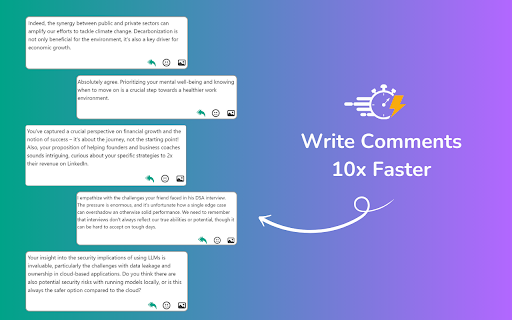
Boost LinkedIn engagement with meaningful AI-generated comments. Easy setup, instant replies.
ReplyTruck is a powerful tool designed to supercharge LinkedIn user engagement by generating high-quality, AI-powered comments instantly. Whether you are a professional looking to enhance your LinkedIn presence, a marketer aiming to increase brand visibility, or a business seeking to drive engagement, ReplyTruck simplifies the process of crafting meaningful comments. With seamless integration into LinkedIn, you can generate thoughtful responses with a single click, saving you time and ensuring consistent interaction with your network.
Features:
· Instant AI Comments: Generate thoughtful replies with a single click.
· Boost Engagement: Enhance your LinkedIn presence and interactions effortlessly.
· Easy Integration: Quick and simple setup. Just install, add your access key, and start replying.
· User-Friendly: Designed for smooth and efficient use, saving you time and effort.
How it works:
1. Go to https://www.copytruck.com > Profile Settings > Get your access key.
2. Install the ReplyTruck extension to Chrome and reload it.
3. Add the 'Access Key' you got from CopyTruck.
4. Click the 'Reply' icon in any LinkedIn post to generate a comment.
With ReplyTruck, make every LinkedIn interaction count. Transform your commenting experience with the power of AI.
FAQs:
1. Can ReplyTruck generate a comment on media-only posts?
• ReplyTruck doesn't work on media-only posts, which means posts containing only videos or images. ReplyTruck works only on posts with some text in the captions.
2. Can ReplyTruck generate replies for nested comments?
• Currently, ReplyTruck doesn't generate replies for nested comments.
3. Do you offer a free plan?
• Yes, we offer a free plan. You get 20 credits as part of the free plan.
4. Where can I purchase the paid plan?
• You can upgrade to a paid plan by visiting https://www.copytruck.com.
5. How are credits used in ReplyTruck?
• Each time you generate a comment using ReplyTruck, one credit is used. You can monitor your credit usage in the CopyTruck dashboard and on the extension popup.
| 分类 | 🛠️工具 |
| 插件标识 | pdaiahenfmbhmkgcnhkmhningffgjagg |
| 平台 | Chrome |
| 评分 |
★★★★☆
4.9
|
| 评分人数 | 482 |
| 插件主页 | https://chromewebstore.google.com/detail/replytruck-ai-comments-fo/pdaiahenfmbhmkgcnhkmhningffgjagg |
| 版本号 | 1.2 |
| 大小 | 17.23KiB |
| 官网下载次数 | 26 |
| 下载地址 | |
| 更新时间 | 2024-05-31 00:00:00 |
CRX扩展文件安装方法
第1步: 打开Chrome浏览器的扩展程序
第2步:
在地址栏输入: chrome://extensions/
第3步: 开启右上角的【开发者模式】
第4步: 重启Chrome浏览器 (重要操作)
第5步: 重新打开扩展程序管理界面
第6步: 将下载的crx文件直接拖入页面完成安装
注意:请确保使用最新版本的Chrome浏览器
同类插件推荐

ReplyTruck - AI Comments for LinkedIn
Boost LinkedIn engagement with meaningful AI-gener

Reply Wizard - Customizable AI Reply Generator for Twitter and LinkedIn
Reply Wizard listens to your prompt! Grow your soc

Social Magic - Supercharge Your LinkedIn
AI-powered enhancement for your LinkedIn posts and

EasyGen - Intelligent LinkedIn content, made easy.
Turn your thoughts into viral LinkedIn posts with