
YouTube IT Chrome 插件, crx 扩展下载
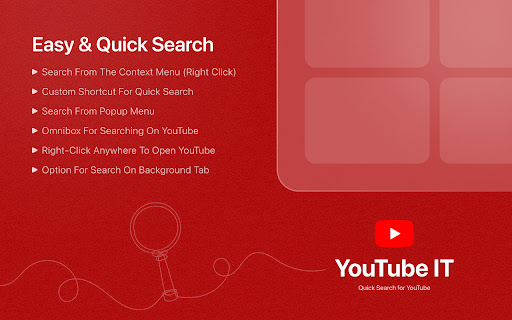
Quick Search for YouTube with Shortcuts, Right-Click, & Omnibox - Instantly search from anywhere on the web.
YouTube IT - Quick Search for YouTube
Simple extension that allows you to quickly search selected text on YouTube or launch the site with ease.
Here's how to use it:
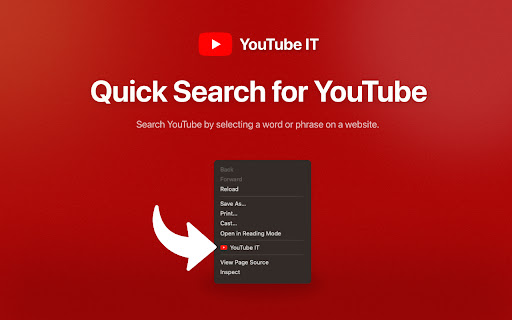
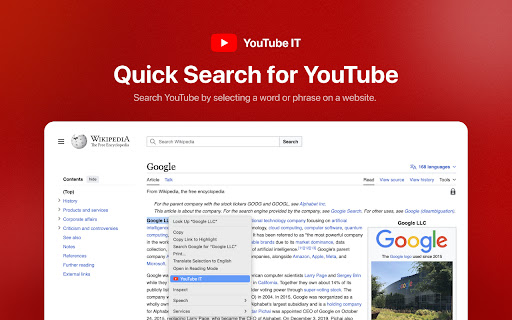
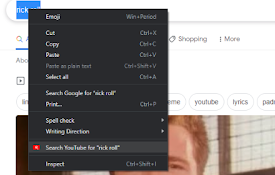
• Select any word or phrase on a website, right-click, and choose 'Youtube IT' to perform a quick search on YouTube.
• Or, right-click anywhere on the page and choose 'Youtube IT' to instantly open the YouTube page.
• You can also create a custom shortcut to search on YouTube more efficiently.
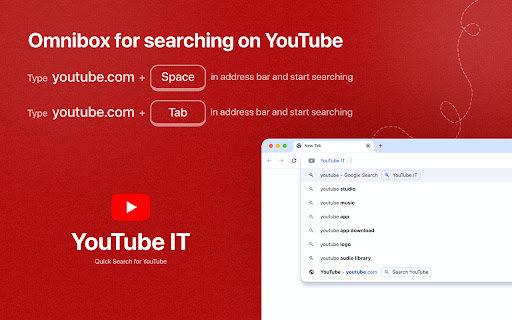
• Start searching directly on YouTube by typing "youtube" followed by a space or tab key in your browser's address bar.
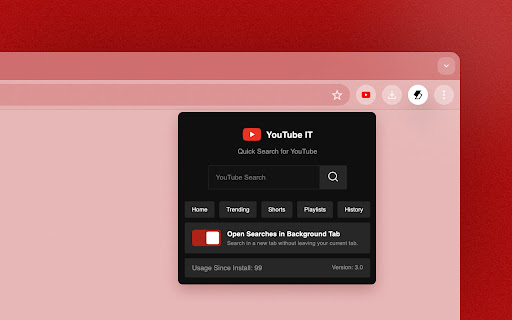
• With this extension, you can also search a YouTube tab in the background and access different shortcut links to YouTube from the popup.
| 分类 | 🛠️工具 |
| 插件标识 | pfbenbknnmnppacheleigdmlhgllhlpa |
| 平台 | Chrome |
| 评分 |
★★★★☆
4.5
|
| 评分人数 | 8533 |
| 插件主页 | https://chromewebstore.google.com/detail/youtube-it/pfbenbknnmnppacheleigdmlhgllhlpa |
| 版本号 | 3.0.1 |
| 大小 | 11.29KiB |
| 官网下载次数 | 144 |
| 下载地址 | |
| 更新时间 | 2025-01-22 00:00:00 |
CRX扩展文件安装方法
第1步: 打开Chrome浏览器的扩展程序
第2步:
在地址栏输入: chrome://extensions/
第3步: 开启右上角的【开发者模式】
第4步: 重启Chrome浏览器 (重要操作)
第5步: 重新打开扩展程序管理界面
第6步: 将下载的crx文件直接拖入页面完成安装
注意:请确保使用最新版本的Chrome浏览器
同类插件推荐

Search Fixer for YouTube
Remove all distracting YouTube search suggestions,

YouTube IT
Quick Search for YouTube with Shortcuts, Right-Cli

Youtube select and search
Select text, right click and search it on Youtube
Search on YouTube
Search for anything on YouTube by selecting the te