
AdBlock for YouTube™ - Skip YouTube ads Chrome 插件, crx 扩展下载
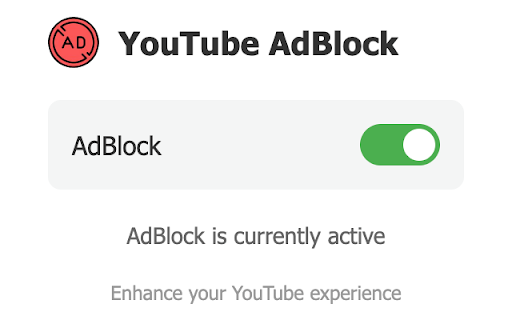
Enhance your YouTube viewing experience. This extension automatically skips ads on YouTube, allowing for best video playback.
Key Features:
- Automatically skip ads on YouTube videos
- Lightweight design for smooth browsing performance
- Simple on/off toggle for easy control
- Works seamlessly with YouTube's interface
Enjoy a more streamlined YouTube experience. Our extension aims to reduce interruptions during your video watching, allowing you to focus on the content you love.
Perfect for:
- Binge-watching your favorite YouTube series
- Educational video marathons
- Music video playlists
- Any YouTube viewing session where you prefer fewer interruptions
Upgrade your YouTube watching today - install our YouTube Ad Skip Enhancer and enjoy a smoother video journey!
| 分类 | 📝工作流程与规划 |
| 插件标识 | pgdfoknopdddednjlfdimhkimabdmppa |
| 平台 | Chrome |
| 评分 |
★★★★☆
4.5
|
| 评分人数 | 53 |
| 插件主页 | https://chromewebstore.google.com/detail/adblock-for-youtube-skip/pgdfoknopdddednjlfdimhkimabdmppa |
| 版本号 | 1.1.0 |
| 大小 | 36.56KiB |
| 官网下载次数 | 179 |
| 下载地址 | |
| 更新时间 | 2024-07-30 00:00:00 |
CRX扩展文件安装方法
第1步: 打开Chrome浏览器的扩展程序
第2步:
在地址栏输入: chrome://extensions/
第3步: 开启右上角的【开发者模式】
第4步: 重启Chrome浏览器 (重要操作)
第5步: 重新打开扩展程序管理界面
第6步: 将下载的crx文件直接拖入页面完成安装
注意:请确保使用最新版本的Chrome浏览器
同类插件推荐

AdBlock for YouTube™ - Skip YouTube ads
Enhance your YouTube viewing experience. This exte

YouTube™ 广告拦截器 — best adblocker
适用于 YouTube™ 的隐私保护、安全 Adblock。阻止 YouTube.com 上的广告。

Youtube™广告拦截器 - 跳过广告
使用YouTube™广告拦截器提升您的YouTube™体验——无法检测的过滤和广告拦截浏览体验。厌倦

Youtube™ 中的视频广告拦截器
让 YouTube 没有广告。 观看 YouTube 视频时自动跳过广告。您可以通过查看名称来了解此