
Audio AI : Voice-to-Text for DeepSeek, ChatGPT, Claude and 1M+ more Chrome 插件, crx 扩展下载
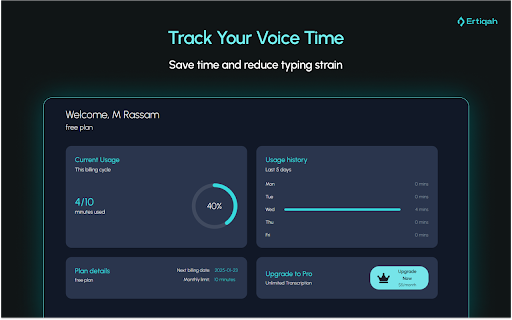

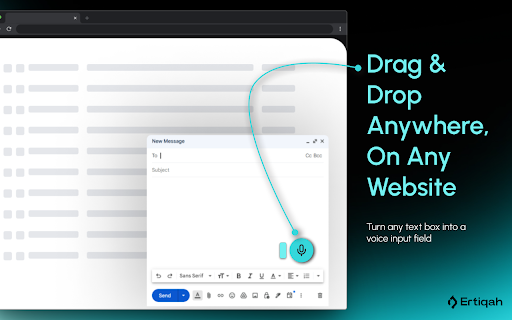
Speak to type on ChatGPT, Claude, DeepSeek, Perplexity, or any other website. More productivity, less typing strain.
? No more typing long prompts. Now, you can “speak” with AI. ?️
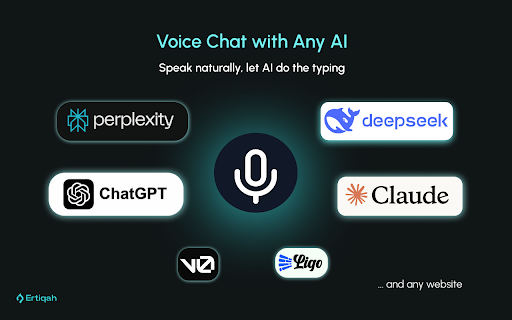
AudioAI works with web interfaces of DeepSeek, ChatGPT, Claude, Perplexity, LiGo, v0.dev, and millions of other websites:
? Tired of typing really long prompts or messages?
? AudioAI Chat Assistant lets you chat with AI using just your voice.
Perfect for:
?️ Long conversations with DeepSeek, Claude, ChatGPT, Perplexity, and v0.dev
? Comments, emails, or any text input across the web
? Why People Love AudioAI ?
⏳ Save Time: Speak your ideas 3x faster than typing
? Boost Creativity: Let your thoughts flow naturally through speech
✋ Reduce Strain: Give your fingers a break from constant typing
? Improve Accessibility: Interact hands-free with AI and websites
⚙️ How It Works
1️⃣ Install: Add AudioAI to Chrome in seconds
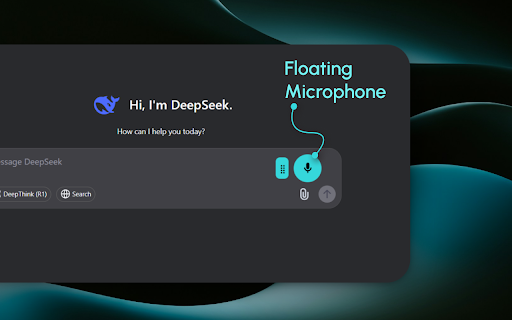
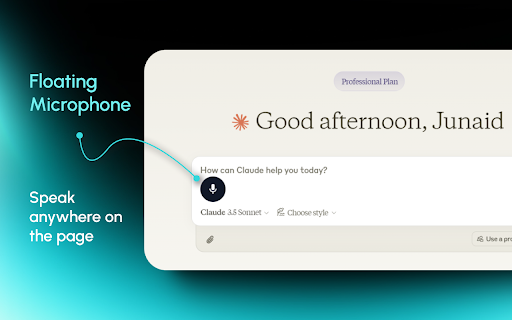
2️⃣ Speak: Click the ?️ icon and start talking
3️⃣ Review: Quick edit if needed, then send or paste
It’s that simple. ✅ No more struggling with typing or losing your train of thought mid-sentence.
? Features That Make a Difference
? Works Everywhere: Use with Claude, ChatGPT, Perplexity, LiGo, v0.dev, DeepSeek, and any website
⚡ Fast and Accurate: State-of-the-art speech recognition gets it right
? Privacy First: Your voice data stays on your device
?️ Edit with Ease: Tweak the text before using it
? Cross-Platform: Works on Windows, macOS, and Linux
------
? Free Tier: Powerful Features at No Cost
✔️ Generous Monthly Allowance: Plenty of minutes for regular users
✔️ Full Feature Access: No stripped-down version here
✔️ No Credit Card Required: Just install and go
------
? Premium Tier: For When You Need More ($5/month)
♾️ Unlimited Voice Conversion: Talk as much as you want
⚡ Priority Processing: Faster transcription during busy times
✨ Advanced Editing: Polish your text to perfection
? Priority Support: Get help when you need it
------
? Perfect For:
? Students: Dictate essays and research notes effortlessly
? Professionals: Draft emails and reports on the go
?? Developers: Describe coding issues to AI naturally
? Content Creators: Capture ideas the moment they strike
♿ Anyone with Typing Difficulties: Interact online with ease
------
? Your Privacy Matters
? We don’t store your voice or transcribed text (no chat history, etc.)
? Transparent permissions
♻️ Your data disappears after processing—no storage during transcription
------
? Getting Started is Easy
1️⃣ Add AudioAI Chat Assistant from the Chrome Web Store
2️⃣ Click the extension icon and allow ? microphone access
3️⃣ Start talking to AI or dictating anywhere on the web
------
? The Future is Voice ?
? We’re constantly improving. Coming soon:
• ? More language support
• ?️ Advanced voice commands
• ? Integrations with more of your favorite tools, including DeepSeek
------
Ready to Talk Instead of Type? ?✨
? Don’t let slow typing hold back your brilliance. Whether you’re crafting the next viral post, coding the future, or just chatting with AI, AudioAI Chat Assistant is your shortcut to getting more done, faster.
? Download now and start talking. Your fingers will thank you! ?
AudioAI Chat Assistant: Where your ?️ voice becomes ? text, and your ? ideas come to life.
?️ Tech Specs
? Microphone-enabled device
? Internet connection
Note: While we strive for accuracy, factors like accent and background noise can affect results. Premium users get our best recognition tech.
? Try AudioAI Chat Assistant today. Let your voice do the typing! ?
| 分类 | ♿无障碍访问 |
| 插件标识 | phdhgapeklfogkncjpcpfmhphbggmdpe |
| 平台 | Chrome |
| 评分 |
★★★★☆
4.9
|
| 评分人数 | 1357 |
| 插件主页 | https://chromewebstore.google.com/detail/audio-ai-voice-to-text-fo/phdhgapeklfogkncjpcpfmhphbggmdpe |
| 版本号 | 1.2.6 |
| 大小 | 69.95KiB |
| 官网下载次数 | 1000 |
| 下载地址 | |
| 更新时间 | 2025-01-30 00:00:00 |
CRX扩展文件安装方法
第1步: 打开Chrome浏览器的扩展程序
第2步:
在地址栏输入: chrome://extensions/
第3步: 开启右上角的【开发者模式】
第4步: 重启Chrome浏览器 (重要操作)
第5步: 重新打开扩展程序管理界面
第6步: 将下载的crx文件直接拖入页面完成安装
注意:请确保使用最新版本的Chrome浏览器
同类插件推荐
Monica: ChatGPT AI助手 | DeepSeek, GPT-4o, Claude 3.5, o1 及更多模型
您的AI助手,集成GPT-4、DeepSeek等多种模型。随时随地聊天、搜索、写作、翻译、创建图像/
Audio AI : Voice-to-Text for DeepSeek, ChatGPT, Claude and 1M+ more
Speak to type on ChatGPT, Claude, DeepSeek, Perple

ChatGPT Writer: Use AI on Any Site (GPT-4o, Claude, Gemini, and More)
Write emails, correct grammar, translate, research
MaxAI:与任何网页聊天。由GPT-4o、Claude 3.5、Gemini 1.5提供支持
更快阅读。更好写作。您的AI副驾驶由ChatGPT、o1、Claude 3.5、Gemini 1.5