
Refined Prime Video Chrome 插件, crx 扩展下载
Adds small tweaks and useful new features to Amazon Prime Video.
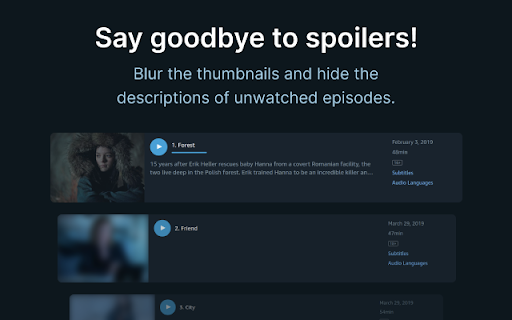
★ Hide spoilers
Accidentally scrolling too far down and catching a glimpse of a spoiler sucks. Refined Prime Video allows you to hide them by blurring the thumbnails and hiding the descriptions of episodes you haven’t watched yet. You can control when that happens in the extension settings.
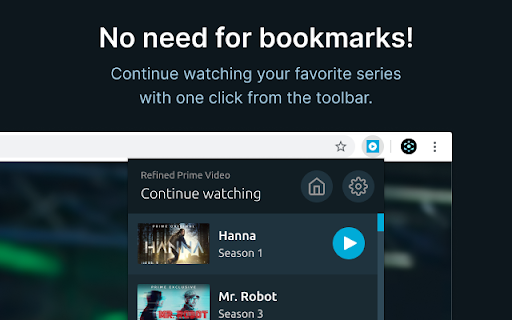
★ Continue watching
Wanna quickly continue watching your favorite series without drowning in the sea of thumbnails of Prime Video’s home page or managing bookmarks? Just click on the Refined Prime Video icon, select the series from a list of things you’ve recently watched, and that’s it! The episode you left off at will start playing instantly.
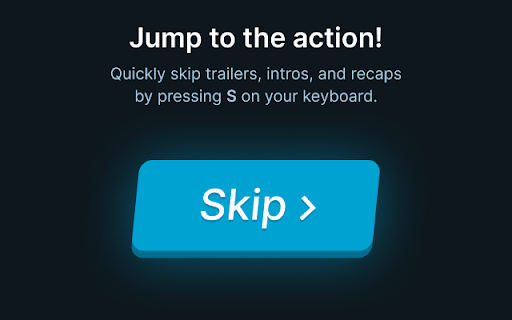
★ Skip shortcut
Seeing a trailer for a new series while watching something else is super annoying and in the time that it takes for you to move your mouse to the “Skip” button and click, the trailer has already finished playing. With Refined Prime Video all you have to do is press the “S” key on your keyboard. This works with trailers, intros, recaps, and the “Next up” countdown.
Prime Video is a trademark of Amazon Technologies, Inc., a subsidiary of Amazon.com, Inc. The author of Refined Prime Video is not affiliated with these companies.
| 分类 | 🎉趣味休闲 |
| 插件标识 | pieemlagbhnombolehnjdoaoojpphedd |
| 平台 | Chrome |
| 评分 |
★★★☆☆
3
|
| 评分人数 | 2 |
| 插件主页 | https://chromewebstore.google.com/detail/refined-prime-video/pieemlagbhnombolehnjdoaoojpphedd |
| 版本号 | 24.4.24.1210 |
| 大小 | 41.16KiB |
| 官网下载次数 | 20000 |
| 下载地址 | |
| 更新时间 | 2024-04-26 00:00:00 |
CRX扩展文件安装方法
第1步: 打开Chrome浏览器的扩展程序
第2步:
在地址栏输入: chrome://extensions/
第3步: 开启右上角的【开发者模式】
第4步: 重启Chrome浏览器 (重要操作)
第5步: 重新打开扩展程序管理界面
第6步: 将下载的crx文件直接拖入页面完成安装
注意:请确保使用最新版本的Chrome浏览器
同类插件推荐
Prime Video Search
Search Amazon™ Prime VideoAmazon™ Prime Video Sear

Amazon Prime Video Fast History
This extension adds viewing history links to Amazo
アマゾンプライムビデオ広告スキップ Amazon Prime Video ADS Skip
Amazon Prime Video 広告自動スキップ Automatically skip the

Amazon Prime Video - Rotten Tomatoes Overlay
Overlays Amazon Prime Video™ with Rotten Tomatoes™

Video Controls
Re-styling of Prime Video playback controls to be
Netflix, Prime, JioCinema, Hotstar - Auto intro skipper
Netflix, Prime, JioCinema, Hotstar Skip Intros Aut

Prime Video ads skip
Skip Prime Video adsAutomatically skip ads before

Refined Prime Video
Adds small tweaks and useful new features to Amazo

Prime Video Skipper: skip intros & recaps
Automatically skip intros, recaps, and click next
Trim: IMDB Ratings on Netflix and Prime Video
Show IMDB and Rotten Tomatoes ratings on Netflix,

Super Netflix
Change video quality, Control video speed, Upload

Netflix™ Extended
Extension for Netflix™ to skip intros, recaps, sta